
Subtotal ₨ 0
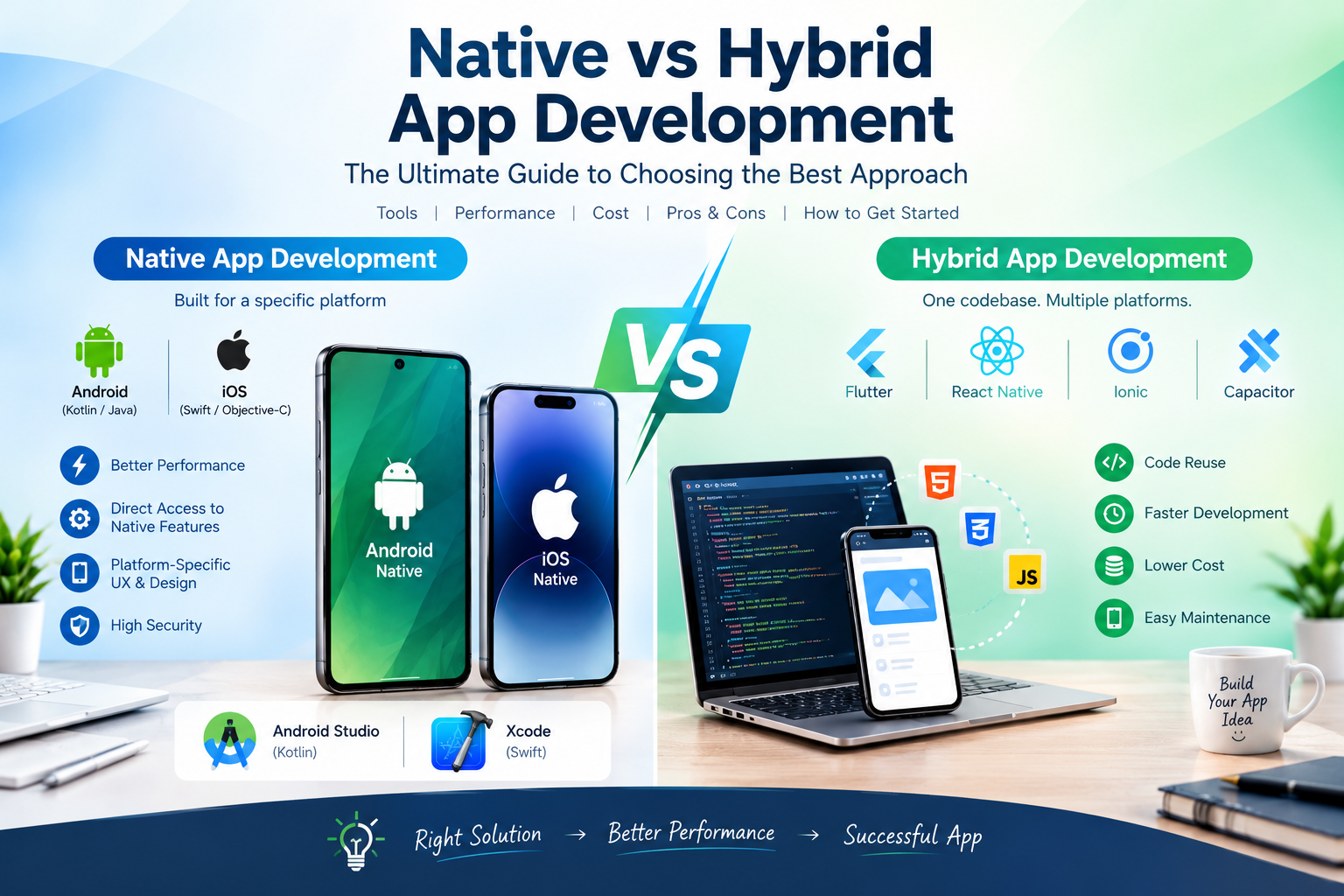
Building a mobile app is an exciting idea, but one important question comes up almost immediately: Should you choose native or hybrid app development?
The answer is not always obvious.
A business may want excellent performance, a smooth user experience, and access to advanced smartphone features. At the same time, it may need to control development costs and launch the app on both Android and iOS.
This is where understanding native vs hybrid app development becomes important.
Native development creates an application specifically for a particular operating system. Hybrid development combines web technologies such as HTML, CSS, and JavaScript with a native mobile container or runtime so that much of the application can be shared across platforms. Modern tools such as Capacitor support this web-first approach while still providing access to native device capabilities.
In this guide, we will explain the difference between native and hybrid apps, their advantages and limitations, development costs, performance, tools, testing requirements, and the factors you should consider before choosing an approach.
What Is Native App Development?
Native app development means creating an application specifically for a particular operating system using its recommended programming languages, tools, and frameworks.
For example, Android applications can be developed using Kotlin and Android development tools. Android Studio provides support for Kotlin development, including debugging, code completion, refactoring, and other development features.
For Apple’s platforms, developers commonly use Swift and Xcode. Apple’s documentation describes Xcode as the integrated development environment used to build, test, optimize, and submit applications for Apple platforms.
In simple terms, a native app is designed specifically for the platform where it will run.
Examples of Native Development
Android:
- Kotlin
- Java
- Android Studio
- Jetpack Compose
- Android SDK
iOS:
- Swift
- Objective-C
- Xcode
- SwiftUI
- UIKit
- iOS SDK
Native development gives developers direct access to platform-specific APIs and features.
What Is Hybrid App Development?
Hybrid app development combines web technologies with a native mobile application environment.
Instead of creating completely separate application codebases for Android and iOS, developers can build much of the application using technologies such as:
- HTML
- CSS
- JavaScript
- TypeScript
- Web frameworks
The web-based application can then run inside a native mobile environment and communicate with device capabilities through native plugins or APIs.
For example, Capacitor describes itself as a cross-platform native runtime for web apps and provides access to native functionality through plugin APIs.
This approach can be particularly attractive to teams that already have web developers.
Native vs Hybrid App Development: The Main Difference
The biggest difference is how the application is built and how much code is shared between platforms.
A native application is developed specifically for its target operating system.
A hybrid application uses web technologies for much of its application layer and connects that code to native mobile capabilities.
| Feature | Native App Development | Hybrid App Development |
|---|---|---|
| Main technology | Platform-specific | Web technologies + native runtime |
| Code sharing | Limited between platforms | High potential for shared code |
| Android development | Kotlin/Java | HTML/CSS/JavaScript or TypeScript |
| iOS development | Swift/Objective-C | HTML/CSS/JavaScript or TypeScript |
| Performance | Excellent potential | Good, depending on app and implementation |
| Native API access | Direct | Through plugins/native integration |
| Development time | Can be longer for two platforms | Often shorter for shared functionality |
| Platform customization | Very high | High, but may require native code |
| Team skills | Native mobile expertise | Web skills plus mobile/runtime knowledge |
| Maintenance | Separate platform code may be required | More shared code can simplify maintenance |
The table provides a quick overview, but the right decision depends on the project.
Native vs Hybrid App Development: Advantages and Disadvantages
Understanding the strengths and limitations of each approach can make your decision much easier.
Advantages of Native App Development
1. Strong Platform Integration
Native applications are designed specifically for their operating system.
This makes it easier to work with platform-specific APIs, system features, sensors, notifications, biometrics, and other capabilities.
2. Excellent Performance Potential
Native applications can be highly optimized for their target platform.
This can be particularly important for applications involving:
- 3D graphics
- Gaming
- Video processing
- Augmented reality
- Complex animations
- Real-time processing
- Advanced device functionality
Performance still depends on application architecture and implementation, but native development provides extensive platform-specific control.
3. Platform-Specific User Experience
Android and iOS have different interface conventions.
Native development allows developers to create experiences that closely follow the expectations of each platform.
For Apple platforms, SwiftUI provides a declarative approach to building interfaces, while Android developers can use modern Android UI technologies such as Jetpack Compose.
4. Early Access to Platform Features
Native development can make it easier to adopt platform-specific APIs and capabilities as they become available.
This can matter for applications that depend heavily on the latest device technologies.
5. Extensive Development Tools
Native ecosystems provide specialized tools for testing, debugging, profiling, and optimizing applications.
For example, Xcode provides tools for developing, testing, optimizing, and distributing Apple applications.
Disadvantages of Native App Development
Native development also has challenges.
Higher Development Effort
If you need Android and iOS versions, you may need separate platform-specific codebases and development expertise.
Higher Potential Cost
Supporting two native platforms can increase development and maintenance requirements.
More Specialized Skills
Developers may need knowledge of Kotlin and Android development for one platform and Swift and Apple’s tools for the other.
More Code to Maintain
When applications are developed separately, certain features may need to be implemented and maintained independently.
Advantages of Hybrid App Development
Hybrid development has become attractive for businesses that want to reach multiple platforms while sharing a significant portion of their application code.
1. Code Reuse
One of the biggest attractions of hybrid development is the ability to reuse a large amount of application code.
Instead of building every feature independently for Android and iOS, developers can share much of the web-based application layer.
This can reduce duplicated development work.
2. Faster Development
Teams that already understand HTML, CSS, JavaScript, or TypeScript may be able to start hybrid development without learning completely different programming ecosystems.
Modern hybrid approaches can use web development skills while still integrating with native mobile functionality.
3. Potentially Lower Development Cost
When substantial code can be shared between platforms, development and maintenance requirements may be reduced.
However, actual cost depends on the application and should be estimated from the complete project requirements rather than assuming hybrid development will always be cheaper.
4. Easier Maintenance
A shared codebase can make it easier to implement certain changes across multiple platforms.
For example, a change to a shared business rule or application screen may not need to be implemented separately in two completely independent codebases.
5. Excellent Option for Web Developers
Teams with strong web development experience may find hybrid development familiar.
Capacitor, for example, is designed to bring web applications into native mobile environments while providing access to native device features.
Disadvantages of Hybrid App Development
Hybrid development is not perfect for every project.
1. Platform-Specific Features May Require Extra Work
Although hybrid frameworks provide access to many device capabilities, some advanced features may require native code or custom plugins.
Capacitor explicitly supports writing native platform code when a project needs functionality beyond available plugins.
2. Performance Depends on the Application
A hybrid application can perform well, but performance depends on its architecture, framework, device integration, rendering approach, and workload.
Apps involving extremely demanding graphics or intensive real-time processing may require careful evaluation before choosing a hybrid approach.
3. Platform-Specific Customization Can Become Complex
The more an application depends on unique Android or iOS behavior, the more platform-specific work may be required.
At that point, some of the simplicity of a shared codebase can be reduced.
4. Additional Technology Layer
Hybrid applications can involve a web layer, runtime, plugins, and native projects.
Developers therefore need to understand how these parts interact.
Native vs Hybrid App Development: Performance Comparison
Performance is one of the most frequently discussed topics in native vs hybrid app development.
Native development provides direct access to platform-specific technologies and can offer excellent performance potential.
Hybrid development introduces an additional application layer, but modern hybrid technologies have evolved significantly.
The important question is not simply:
“Is native faster?”
Instead, ask:
“What level of performance does my application actually require?”
For a content application, business dashboard, e-commerce app, booking system, educational platform, or internal business tool, a well-designed hybrid solution may provide sufficient performance.
For a demanding 3D game, advanced AR application, or application requiring intensive real-time processing, native development may deserve closer consideration.
Performance should be measured through testing rather than assumptions.
Native vs Hybrid App Development: Cost Comparison
Cost is another major consideration.
There is no universal price for either development approach.
The final cost depends on:
- Number of platforms
- Number of features
- Application complexity
- UI requirements
- Backend development
- API integrations
- Payment systems
- Authentication
- Testing
- Security
- Maintenance
- Developer experience
If you need both Android and iOS applications, native development may require separate platform development.
Hybrid development can potentially reduce duplicated work through code sharing.
However, if a hybrid project requires extensive custom native functionality, the expected cost advantage may become smaller.
A professional estimate should therefore be based on the application’s actual requirements.
Native vs Hybrid App Development: Which Is Easier to Learn?
The answer depends on your existing skills.
If you already know:
- HTML
- CSS
- JavaScript
- TypeScript
- React or another web framework
you may find hybrid development easier to approach.
If you want to become a specialized Android or iOS developer, learning the native ecosystem can provide a deeper understanding of the platform.
For Android, Kotlin is an important modern language and is fully supported by Android Studio.
For Apple’s platforms, Swift and SwiftUI provide a modern development path, with Xcode serving as the primary development environment.
- Choosing between Native vs Hybrid App Development is an important decision when starting a new mobile app project.
- The right development approach depends on your app’s features, budget, target audience, and long-term goals.
- Native app development is designed specifically for platforms such as Android or iOS.
- Hybrid development, on the other hand, allows developers to share much of their code across different platforms.
- One of the biggest differences in Native vs Hybrid App Development is the way applications are built and maintained.
- Native apps can provide excellent performance because they are designed for a specific operating system.
- Hybrid apps can save development time when the same functionality needs to work on both Android and iOS.
- Cost is another important factor to consider when comparing Native vs Hybrid App Development.
- A hybrid approach may be useful for startups that want to launch an app on multiple platforms with a limited development budget.
- Native development can be a strong choice for applications that require advanced device features or highly optimized performance.
- Before choosing between native and hybrid development, it is important to understand your users and their expectations.
- Developers should also consider testing, maintenance, security, and future updates when planning a mobile application.
- Modern tools have made hybrid and cross-platform development more capable, giving businesses more options than ever.
- The best approach to Native vs Hybrid App Development is the one that matches the technical and business requirements of your project.
- A carefully planned development strategy can help you create a reliable, user-friendly, and successful mobile application.
Popular Technologies for Native App Development
Android
Common technologies include:
- Kotlin
- Java
- Android Studio
- Android SDK
- Jetpack Compose
iOS
Common technologies include:
- Swift
- Objective-C
- Xcode
- SwiftUI
- UIKit
These tools provide platform-specific development capabilities.
Popular Technologies for Hybrid and Cross-Platform Development
Several modern technologies can help developers target multiple platforms.
Ionic and Capacitor
Ionic uses web technologies for application development, while Capacitor provides a native runtime and access to device APIs.
React Native
React Native allows developers to create applications for Android and iOS using React and JavaScript, with components that map to native platform UI.
It is worth noting that React Native is generally described as a cross-platform framework rather than a traditional WebView-based hybrid framework.
Flutter
Flutter allows developers to build applications for multiple platforms from a shared codebase using Dart. Its official documentation covers development for mobile, web, and desktop platforms.
Flutter is also different from traditional WebView-based hybrid development because it uses its own rendering approach.
Native vs Hybrid vs Cross-Platform: What’s the Difference?
These terms are sometimes used interchangeably, but they are not exactly the same.
Native
Built specifically for one platform using its native tools and technologies.
Examples: Kotlin/Android or Swift/iOS.
Hybrid
Traditionally refers to applications built primarily with web technologies and packaged inside a native mobile environment.
Examples: Ionic with Capacitor.
Cross-Platform
A broader category describing technologies that allow developers to target multiple platforms from a shared codebase.
Examples: Flutter and React Native.
This distinction is useful because not every cross-platform framework works in the same technical way.
How to Choose Between Native and Hybrid App Development
Before selecting an approach, ask these questions.
1. Who Are Your Users?
Find out whether your audience primarily uses Android, iOS, or both.
2. What Features Does Your App Need?
Create a list of required features.
For example:
- Camera
- GPS
- Bluetooth
- Push notifications
- Payments
- Biometric authentication
- Video
- Artificial intelligence
- Augmented reality
- Offline functionality
The more platform-specific the requirements become, the more carefully you should evaluate the development approach.
3. What Is Your Budget?
Consider both initial development and long-term maintenance.
Do not evaluate cost only by the first version.
4. How Quickly Do You Need to Launch?
If reaching both platforms quickly is important, shared-code approaches may be worth considering.
5. What Skills Does Your Team Have?
A team with strong web development skills may naturally consider hybrid or cross-platform solutions.
A team with experienced Android and iOS developers may prefer native development.
6. How Important Is Platform-Specific Experience?
If your application depends heavily on unique Android or iOS capabilities, native development may provide greater control.
A Simple Decision Guide
Use this checklist when planning your project.
Choose Native Development When:
- Your app requires deep platform integration.
- Maximum platform-specific control is important.
- Your application has demanding performance requirements.
- You need extensive use of platform-specific APIs.
- You have native Android or iOS expertise.
Consider Hybrid Development When:
- You want to share a large amount of application code.
- Your team already has web development experience.
- You need Android and iOS versions.
- Your application does not depend heavily on specialized native features.
- Development speed and code reuse are important.
Consider Cross-Platform Development When:
- You want one main codebase for multiple platforms.
- You want to reach Android and iOS efficiently.
- Your application has moderate platform-specific requirements.
- Your team prefers technologies such as Flutter or React Native.
Step-by-Step: How to Get Started
If you are starting a new mobile application, follow these steps.
Step 1: Define the Problem
Before writing code, identify the problem your app will solve.
A technically impressive application is not useful if it does not solve a real user problem.
Step 2: Identify Your Target Audience
Research your potential users and their devices.
Step 3: List Your Core Features
Separate essential features from features that can be added later.
Step 4: Choose the Development Approach
Compare native, hybrid, and cross-platform options against your requirements.
Step 5: Build a Minimum Viable Product
Start with the most important features instead of trying to build everything at once.
Step 6: Test Early
Test the application on real devices as development progresses.
Step 7: Measure Performance
Monitor loading times, memory usage, responsiveness, crashes, and other relevant metrics.
Step 8: Improve the User Experience
Collect feedback and improve the application based on real user behavior.
Step 9: Prepare for Launch
Before publishing, review:
- App icons
- Screenshots
- Store descriptions
- Privacy information
- Permissions
- Security
- Performance
- Crash reports
- Platform requirements
Step 10: Maintain the Application
Launching the app is not the end.
Regular updates, security improvements, bug fixes, compatibility changes, and new features are part of successful mobile app development.
Frequently Asked Questions
Is native development better than hybrid development?
Neither approach is universally better. Native development offers deep platform-specific control, while hybrid development can provide substantial code reuse and efficient multi-platform development. The right choice depends on the application’s requirements.
Is hybrid app development cheaper?
It can reduce duplicated development work when a large portion of the code can be shared. However, total cost depends on application complexity, native integrations, testing, maintenance, and team expertise.
Are hybrid apps fast?
Hybrid apps can provide good performance when they are well designed and the technology fits the application’s workload. Performance should be evaluated through testing rather than assumed from the development model alone.
Can hybrid apps access the camera and GPS?
Yes. Modern hybrid runtimes such as Capacitor provide APIs and plugins for native capabilities such as camera access, notifications, and geolocation. Custom native integrations can also be created when necessary.
Is Flutter a hybrid framework?
Flutter is generally considered a cross-platform framework rather than a traditional WebView-based hybrid framework. Flutter’s own documentation describes it as a multiplatform framework that can build applications from a shared codebase.
Is React Native a hybrid app framework?
React Native is generally categorized as a cross-platform framework. Its official documentation describes React Native applications as using React while rendering components to native platform UI.
Should a beginner learn native or hybrid development?
Start with the approach that matches your goals. If you want to specialize in Android or iOS, native development is a strong path. If you already know web technologies and want to build for multiple platforms, a hybrid or cross-platform approach may be a practical starting point.
Final Thoughts
The native vs hybrid app development decision should not be based on trends alone.
Native development provides deep platform integration, extensive control, and strong potential for platform-specific optimization. Hybrid development can provide code reuse, faster multi-platform development, and an accessible path for teams with web development experience.
Modern development has also created more choices. Technologies such as Capacitor, React Native, and Flutter allow teams to approach multi-platform development in different ways.
The best approach depends on your users, features, budget, development team, performance requirements, and long-term plans.
Before choosing a technology, define the problem, understand your audience, list the essential features, and evaluate how much platform-specific functionality your application really needs.
- Choosing between Native vs Hybrid App Development is an important decision when starting a new mobile app project.
- The right development approach depends on your app’s features, budget, target audience, and long-term goals.
- Native app development is designed specifically for platforms such as Android or iOS.
- Hybrid development, on the other hand, allows developers to share much of their code across different platforms.
- One of the biggest differences in Native vs Hybrid App Development is the way applications are built and maintained.
- Native apps can provide excellent performance because they are designed for a specific operating system.
- Hybrid apps can save development time when the same functionality needs to work on both Android and iOS.
- Cost is another important factor to consider when comparing Native vs Hybrid App Development.
- A hybrid approach may be useful for startups that want to launch an app on multiple platforms with a limited development budget.
- Native development can be a strong choice for applications that require advanced device features or highly optimized performance.
- Before choosing between native and hybrid development, it is important to understand your users and their expectations.
- Developers should also consider testing, maintenance, security, and future updates when planning a mobile application.
- Modern tools have made hybrid and cross-platform development more capable, giving businesses more options than ever.
- The best approach to Native vs Hybrid App Development is the one that matches the technical and business requirements of your project.
- A carefully planned development strategy can help you create a reliable, user-friendly, and successful mobile application.
A successful app is not defined by whether it is native or hybrid. It is defined by how well it solves a real problem for its users.