
Subtotal ₨ 0

Introduction
Mobile app UX design principles are the foundation of any successful app. 88% of users never return after a bad UX experience. If your app is confusing, slow, or cluttered, users will delete it in 10 seconds.
In this beginner guide to mobile app UX design principles, we will explain everything in simple language. At SSDSOL, we follow these same principles to build apps that get 5-star ratings and high retention.
What Are Mobile App UX Design Principles?
Mobile app UX design principles are proven rules that make an app easy, enjoyable, and intuitive to use. UX means User Experience – how a user feels when using your app.
Good mobile app UX design principles focus on solving user problems quickly. It is not about fancy animations, it is about making the user journey smooth from opening the app to completing a task.
Why Mobile App UX Design Principles Matter for Beginners?
1. Users Decide in 3 Seconds
If a new user cannot understand your app in 3 seconds, you lose them. Following mobile app UX design principles helps you create a great first impression and reduces uninstall rate by 50%.
2. Better Retention and Revenue
Apps with great UX have 4x higher retention. When users enjoy using your app, they come back, buy more, and recommend it. This is why big apps like Instagram and WhatsApp invest heavily in mobile app UX design principles.
3. Saves Time and Development Cost
Fixing UX after development costs 10x more. Learning mobile app UX design principles as a beginner saves you from re-designing everything later.
5 Core Mobile App UX Design Principles Explained for Beginners
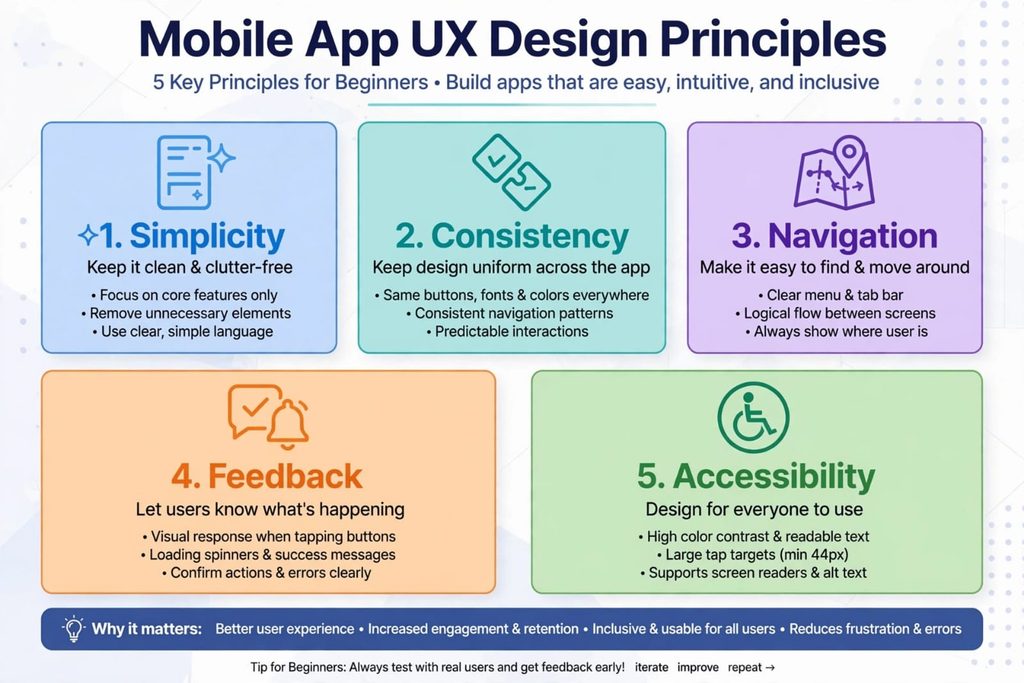
1. Simplicity is Key – Keep It Clean
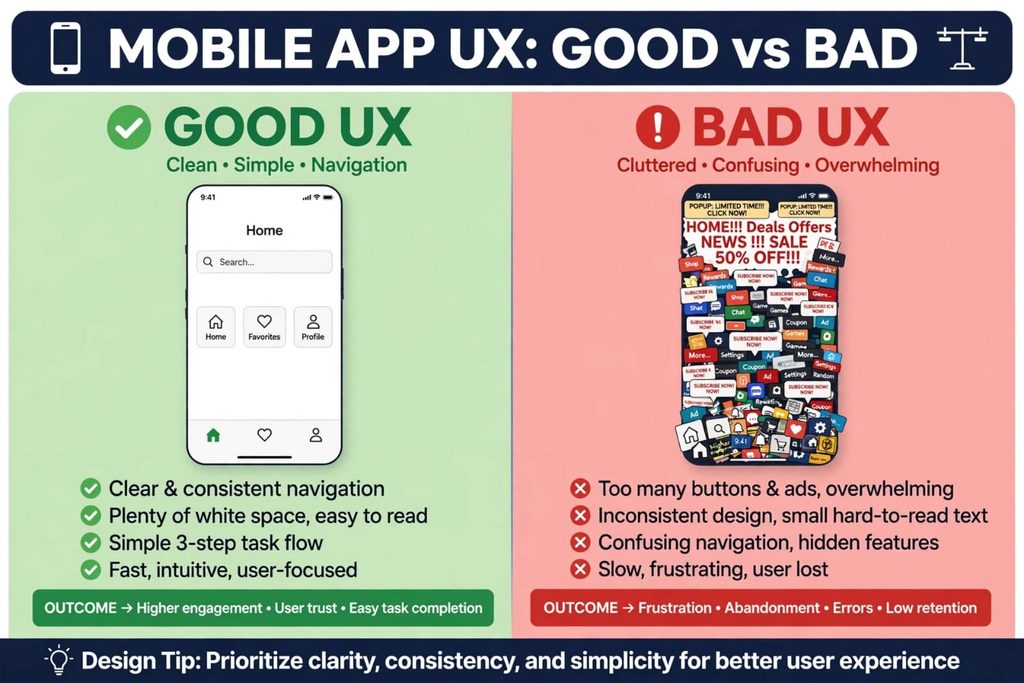
Beginners make the biggest mistake: adding too many features. One of the top mobile app UX design principles is simplicity.
- Focus on one core task per screen.
- Remove clutter, use plenty of white space, and use simple language.
- If a feature is not needed, remove it.
2. Consistency Creates Trust
Use the same colors, fonts, buttons, and icons across all screens.
- If your back button is on top-left on one screen, keep it the same everywhere.
- Consistency makes your app predictable and easy to learn.
- Users should never wonder “where am I?”
3. Intuitive Navigation – Thumb-Friendly Design
Mobile users use one thumb.
- Place important buttons in the easy-to-reach thumb zone (bottom 2/3 of screen).
- Use familiar patterns like bottom tab bar for Home, Search, Profile.
- Keep navigation visible and logical.
4. Provide Clear Feedback
When a user taps a button, show them something happened.
- Use loading spinners, success messages, haptic feedback, or color change.
- If there is an error, tell them clearly how to fix it. Feedback builds confidence and trust.
5. Design for Accessibility for All Users
Good UX is for everyone.
- Use 16px minimum font size
- Maintain 4.5:1 color contrast
- Ensure 44px minimum tap target size
- Support screen readers
Following accessibility principles helps you reach 1 billion more users and is good for SEO.
Common Mobile App UX Mistakes Beginners Must Avoid
Don’t do these:
- Asking for too many permissions on first launch
- Using tiny text
- Hiding navigation in hamburger menu
- Long forms without progress indicators
- No empty states
These mistakes break mobile app UX design principles and kill user trust.
Conclusion – Start Applying Mobile App UX Design Principles Today
Mastering mobile app UX design principles is not difficult if you start with basics.
As a beginner, remember:
- Keep it simple
- Be consistent
- Make navigation thumb-friendly
- Give feedback
- Design for all
Start with one screen. Test it with 5 real users. Improve it. This is how great apps are built.
Need help designing your app? Contact SSDSOL today for a free UX audit. We will apply these mobile app UX design principles to turn your idea into a 5-star app.