
Subtotal ₨ 0
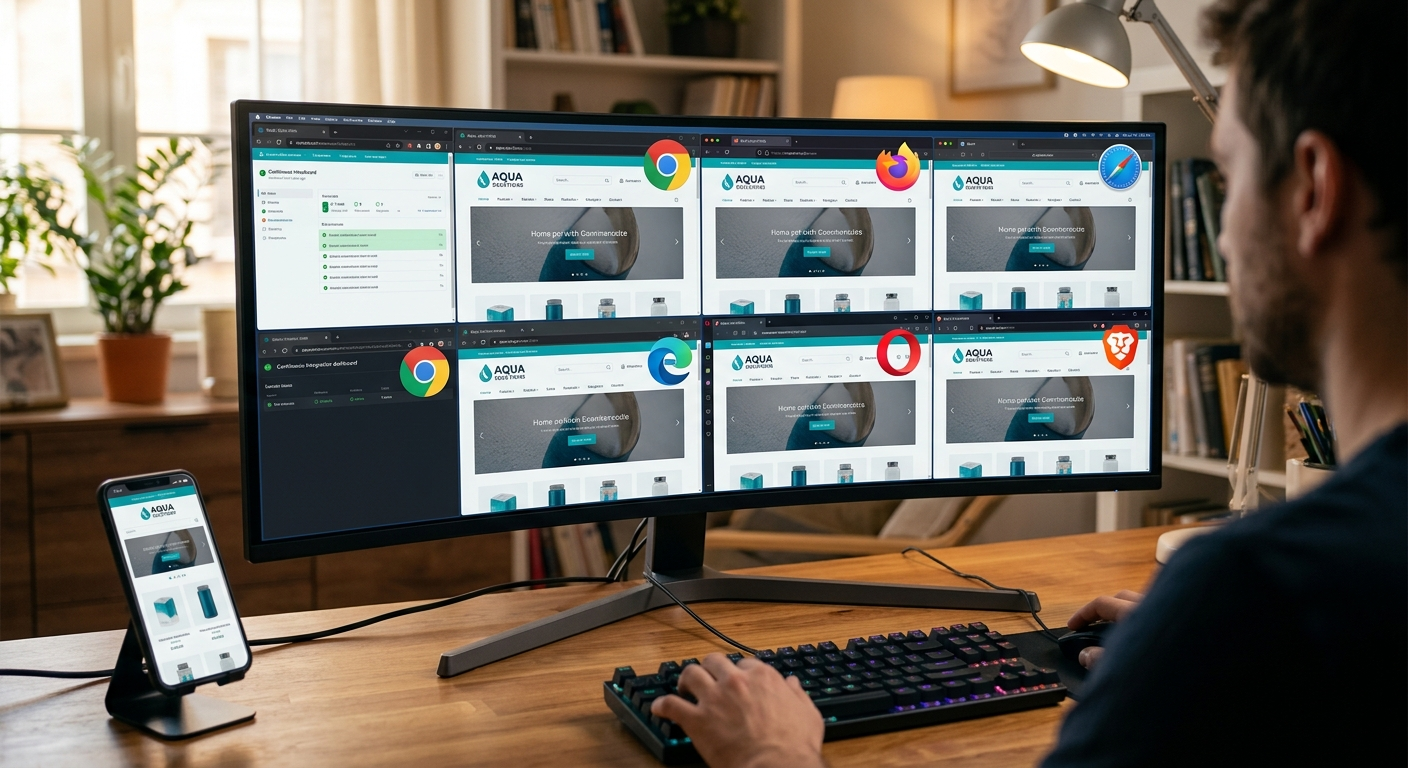
If a page looks perfect in Chrome but breaks in Safari, your visitors notice before you do. Cross browser testing is how you catch those differences before launch. This beginner-friendly guide answers what is cross browser testing, what is multi browser testing, and walks through how to start testing your own site with confidence.
Table of Contents
- What Is Cross Browser Testing?
- What Is Multi Browser Testing?
- Why Cross Browser Testing Matters
- What to Check During Cross Browser Testing
- How to Get Started: Tools and Methods
- Common Cross-Browser Issues
- Final Thoughts
- Frequently Asked Questions
What Is Cross Browser Testing?
Cross browser testing is the process of checking that a website works correctly across different web browsers, such as Chrome, Safari, Firefox, and Edge. Browsers interpret HTML, CSS, and JavaScript slightly differently, so a layout or feature that works perfectly in one browser can look broken or behave unexpectedly in another.
What Is Multi Browser Testing?
What is multi browser testing is really the same idea described with different words. Both terms refer to testing a site across multiple browsers, and sometimes multiple versions of the same browser, to confirm a consistent experience for every visitor, no matter what they use to browse.
Why Cross Browser Testing Matters
Visitors do not care why a button is broken, they just leave. Cross browser testing protects your conversions, your brand’s credibility, and your SEO, since a broken layout in a popular browser can quietly cost you a meaningful share of your traffic.
- Wider reach: your site works correctly no matter which browser a visitor uses
- Fewer support complaints: catching issues before launch means fewer “it’s broken” messages later
- Better first impressions: a polished experience builds trust immediately
- Protected revenue: broken checkouts or forms in any browser can directly cost sales
What to Check During Cross Browser Testing
A thorough testing pass should cover more than just how the page looks:
- Layout and spacing across each browser
- Fonts, colors, and images rendering correctly
- Forms submitting and validating properly
- JavaScript-powered features, such as menus or sliders
- Page speed and loading behavior
- Mobile browser versions, not just desktop
How to Get Started: Tools and Methods
You do not need every physical device to begin cross browser testing. Start with these approaches:
- Manual testing: open your site directly in each major browser you need to support
- Browser developer tools: use built-in device emulation for a quick first pass
- Cross browser testing tools: services like BrowserStack or LambdaTest let you test many browser and device combinations remotely
- Automated testing: tools like Selenium can run repeatable tests across browsers as your site grows
Common Cross-Browser Issues
Watch for these frequent problems during testing:
- CSS flexbox or grid rendering differently between browsers
- Custom fonts failing to load in older browsers
- Form elements, like date pickers, looking inconsistent
- JavaScript features unsupported in older browser versions
- Scrollbars or spacing behaving differently on different operating systems
How Often Should You Test?
Browsers update frequently, often every few weeks, and those updates can change how your site renders without any changes on your end. Re-check your site after any major redesign, after adding new interactive features, and on a regular schedule, such as quarterly, even if nothing on your site has changed recently. New browser versions and operating system updates are the most common reason a previously working page suddenly looks wrong.
Testing is not a one-time task before launch. As browsers update and your site changes, regular checks keep the experience consistent for every visitor. Start with the major browsers your audience actually uses, then expand coverage as needed.
At System Software Development Solution (SSD Sol), our team in Lahore tests every project across major browsers and devices before launch. Explore our web development services, learn more about us, or read our guide on top web development trends. Need a site that works everywhere? Contact us for a free consultation.
Frequently Asked Questions
What is cross browser testing?
Cross browser testing is the process of checking that a website functions and displays correctly across different web browsers and browser versions.
What is multi browser testing?
It is another term for the same practice: testing a site across several browsers to confirm a consistent experience for all visitors.
Which browsers should I test first?
Start with the browsers your actual visitors use most, which you can check in your analytics. Chrome, Safari, Firefox, and Edge cover the majority of users for most sites.
Do I need special tools for this?
Not necessarily at first. Manual testing in a few major browsers catches most issues, though tools like BrowserStack help when you need to cover many browser and device combinations efficiently.
Best Practices for Cross Browser Testing
For effective cross browser testing, focus on the browsers and devices used most by your target audience. Test important pages first, including your homepage, contact page, landing pages, and checkout pages.
You can also use automated testing tools to save time and test your website across multiple browser environments.
Conclusion
Cross browser testing is an essential part of modern website development. It helps ensure that your website works correctly, looks professional, and provides a consistent experience for all users.
By testing your website across different browsers and devices before launch, you can find problems early and deliver a better website experience in 2026