
Subtotal ₨ 0
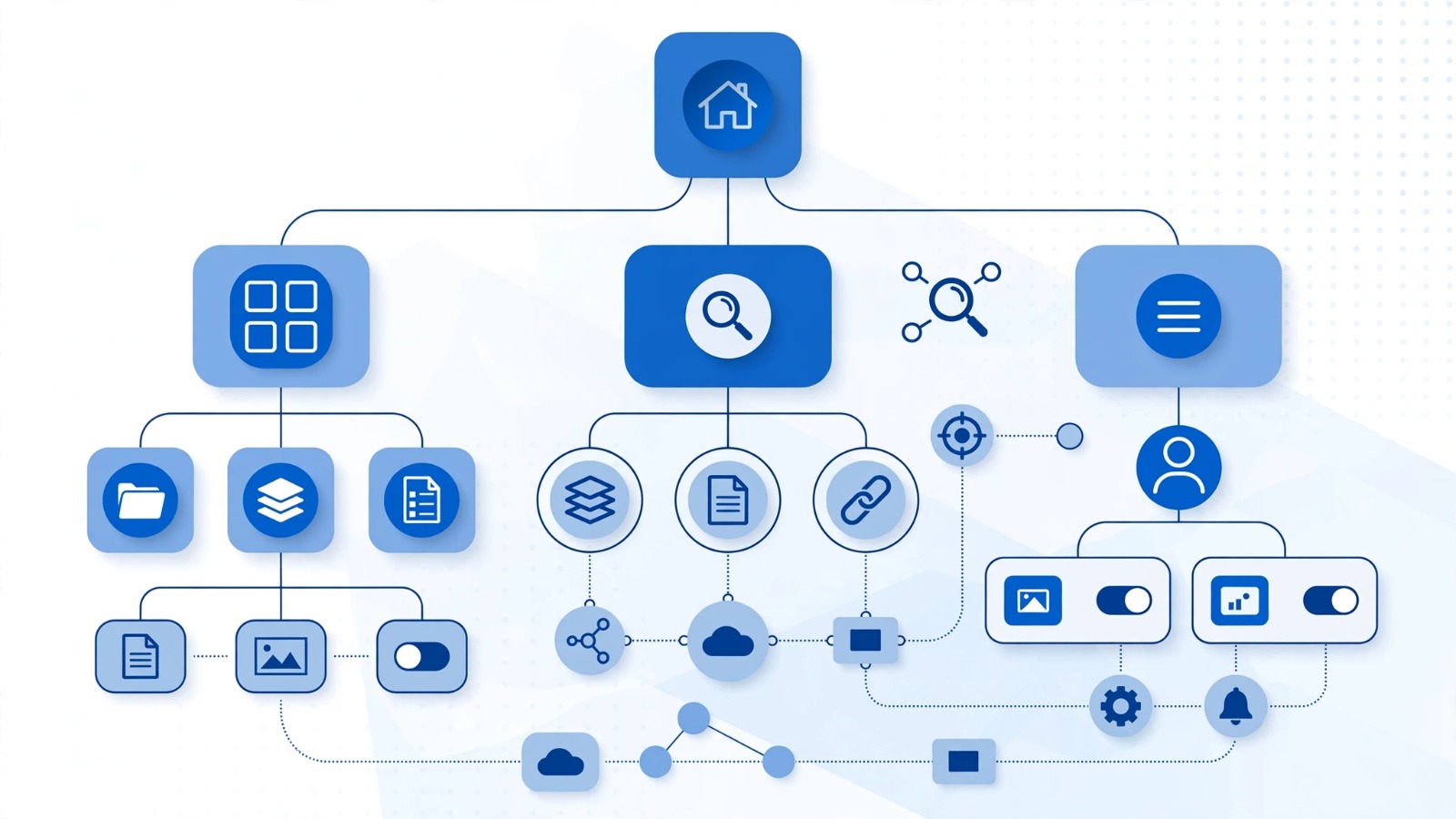
A website can have excellent content and attractive visuals, but users may still leave if they cannot find what they need. This is where UI/UX design and information architecture become essential. This is where information architecture basics become essential.
Information architecture (IA) is the process of organizing, structuring, and labeling content so people can find information efficiently. It influences navigation, categories, menus, page relationships, and the overall structure of a website. Nielsen Norman Group describes IA as the practice of structuring and organizing content on a site, while distinguishing it from a sitemap.
A well-planned architecture creates a clearer experience for visitors and gives search engines a better understanding of how your website’s content is connected.
What Are Information Architecture Basics?
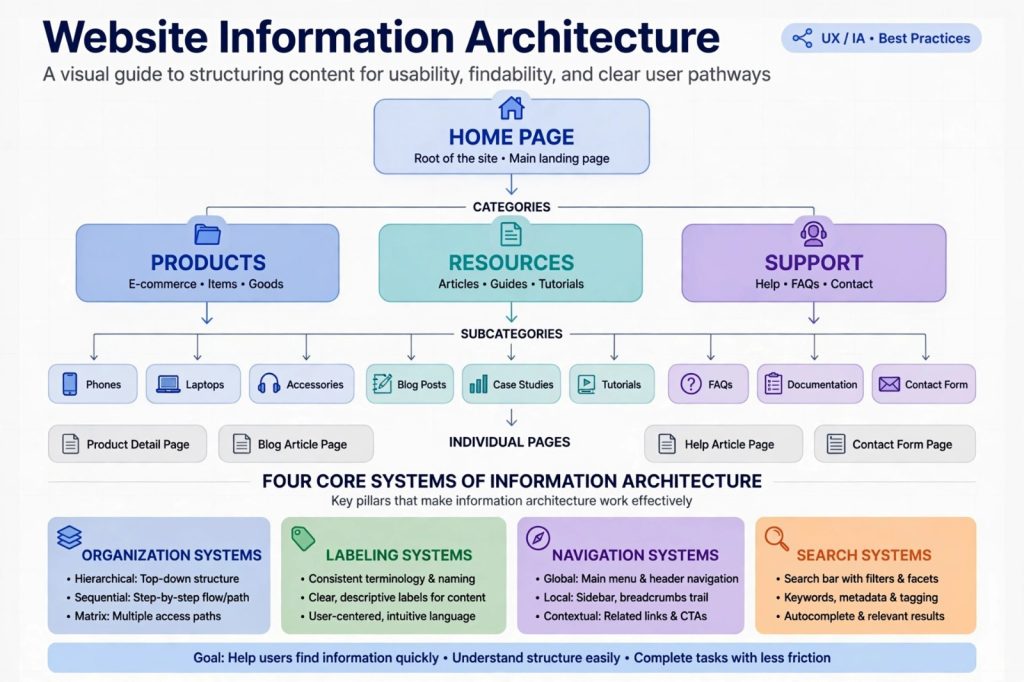
At its core, information architecture basics are about creating a logical structure for information.
Think of your website as a library. If books are randomly placed on shelves, visitors will struggle to find anything. If books are organized into clear sections, categories, and labels, finding information becomes much easier.
Website IA typically involves:
- Organizing content into logical categories
- Creating clear navigation menus
- Establishing relationships between pages
- Developing consistent labels and terminology
- Creating useful content hierarchies
- Improving content discoverability
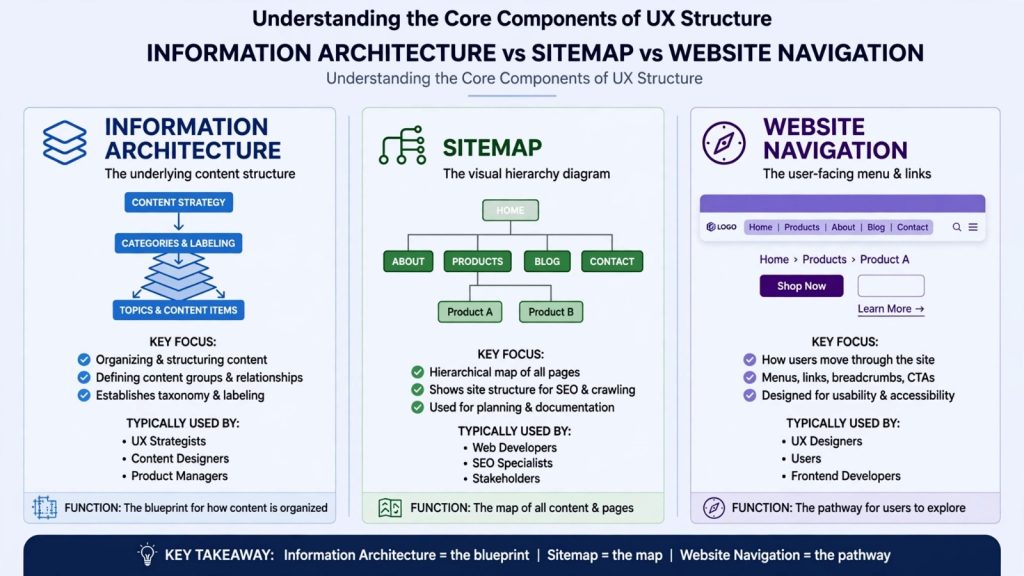
IA is broader than navigation alone. Navigation is what users interact with, while IA provides the underlying structure that informs how that navigation works.
Why Information Architecture Matters
Poor website structure creates friction. Visitors may click through multiple pages, become confused, or abandon the site before completing an important action.
Good information architecture basics help solve these problems by making information predictable and easier to discover.
The main benefits include:
1. Better User Experience
Users should not have to think too hard about where information is located. Clear categories and descriptive labels help visitors understand where they are and where they can go next.
2. Improved Navigation
A logical hierarchy allows users to move naturally from broad topics to specific information. For example:
Home → Services → Web Development → WordPress Development
This structure provides context at every stage.
3. Stronger Content Discoverability
Related pages can be connected through categories, contextual links, breadcrumbs, and navigation. This makes useful content easier for visitors to discover.
4. SEO-Friendly Structure
A logical site structure can also support search visibility. Google recommends creating helpful, people-first content and using clear page titles and headings that help users understand the content.
Key Components of Information Architecture
Understanding the major components makes it easier to build a scalable website.
Organization systems: These determine how content is grouped. Common approaches include topic, audience, location, product type, or task.
Labeling systems: Labels tell users what they will find when they click a link or category. Use familiar, descriptive language instead of clever terms that may create confusion.
Navigation systems: Navigation helps users move between related areas of a website. Examples include primary menus, secondary navigation, breadcrumbs, footer navigation, and contextual links.
Search systems: Internal search becomes particularly important for large websites. Good search functionality helps users find specific content when browsing alone is inefficient.
How to Build Better Information Architecture
You can follow a practical process rather than designing your structure randomly.
Step 1: Understand Your Audience
Identify who uses your website, what they are trying to accomplish, and what information they expect to find.
Step 2: Create a Content Inventory
List your existing pages, articles, products, services, and resources. Identify duplicate, outdated, or missing content.
Step 3: Group Related Content
Place similar content into logical categories. Avoid creating too many categories because an overly complicated hierarchy can make navigation harder.
Step 4: Create a Hierarchy
Organize your most important topics at higher levels and supporting content underneath them.
For example:
- Cybersecurity
- Network Security
- Cloud Security
- Application Security
- Security Tools
Step 5: Test Your Structure
Ask users to find specific information using your proposed categories and labels. Tree testing and other usability methods can reveal confusing navigation before launch. Nielsen Norman Group highlights tree testing as a method for evaluating menu labels and categories.
Information Architecture vs. Sitemap
These terms are related but not identical.
A sitemap is a visual representation of the pages and hierarchy of a website. Information architecture is the broader discipline behind organizing content, relationships, labels, and navigation.
In other words, a sitemap of information architecture basics can document part of your IA, but it does not represent the entire discipline.
Best Practices to Follow
When applying information architecture basics, keep these principles in mind:
- Use clear and familiar navigation labels.
- Keep important content easy to reach.
- Group related information logically.
- Maintain consistent terminology throughout the site.
- Avoid unnecessary navigation levels.
- Use descriptive internal links.
- Review your structure as your website grows.
- Test navigation with real users when possible.
A useful IA should serve both people and the long-term growth of the website. Google also emphasizes helpful, reliable, people-first content rather than content created primarily to manipulate search rankings.
Conclusion
A successful website needs more than attractive design and useful content. It needs a structure that helps visitors understand where information belongs and how different pages connect.
By applying information architecture basics, you can create clearer navigation, improve content discovery, support a better user experience, and establish a stronger foundation for SEO.
Start by understanding your users, auditing your content, creating logical categories, and testing your navigation. A simple, predictable structure is usually more effective than a complicated one.