
Subtotal ₨ 0
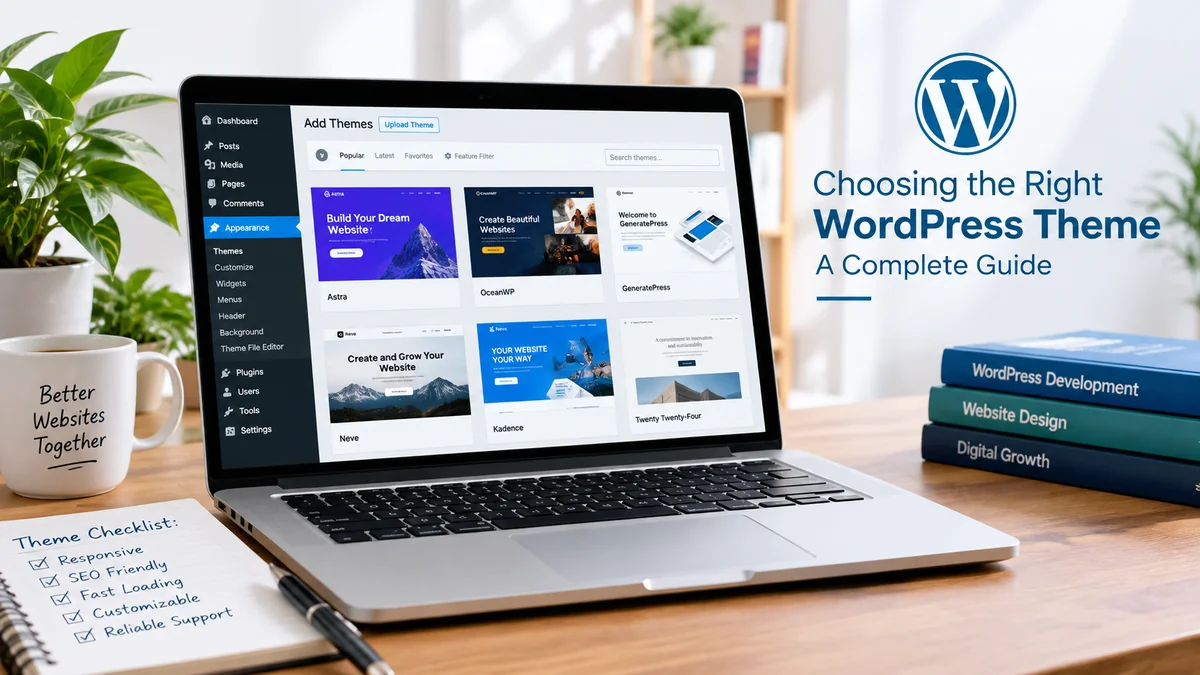
Choosing a WordPress theme can seem like a simple task. You open the theme library, look at a few designs, find one that looks attractive, and install it. But there is much more to choosing the right theme than appearance alone.
Your theme can influence how visitors experience your website, how easily you can customize pages, how your site performs on mobile devices, and how smoothly different plugins work together. For businesses, the choice can also affect branding, conversions, SEO, and future website development.
This is where WordPress Development Services can make a real difference. Instead of selecting a theme only because it looks good, professional developers can help you choose a theme based on your business goals, functionality, performance requirements, and future plans.
Whether you are creating a business website, blog, portfolio, online store, or service-based website, this guide will help you understand what to look for before choosing a WordPress theme.
What Is a WordPress Theme?
A WordPress theme controls the visual appearance and layout of your website. It determines how elements such as your header, footer, navigation menu, blog posts, pages, buttons, typography, and other content are displayed.
Think of WordPress as the foundation of your website and the theme as the design framework built on that foundation.
A theme can give you a ready-made layout that you can customize with your own logo, colors, images, text, and content. Some themes are designed for general websites, while others are created for specific purposes such as ecommerce, restaurants, portfolios, agencies, magazines, or blogs.
Modern WordPress also provides block themes that allow users to customize more areas of their website through the Site Editor. Traditional themes, often called classic themes, use a different approach to templates and customization.
The important thing is not whether a theme is popular or visually impressive. The important question is whether it is suitable for your particular website.
Why Choosing the Right Theme Matters
A WordPress theme is not something you should choose only by looking at its homepage demo.
Imagine that you choose a beautiful theme for your business website. After installing it, you discover that the mobile version is difficult to use. Then you realize that changing the header requires custom code. Later, a plugin you need does not work properly with the theme.
These problems can turn a simple website project into a frustrating experience.
The right theme should make your website easier to build and manage. It should provide a strong foundation for your content, branding, SEO, and future growth.
For businesses that need advanced functionality, WordPress Development Services can help evaluate these technical requirements before development begins.
A good theme should ideally provide:
- A clean and professional design
- Responsive layouts
- Good performance
- Easy customization
- Plugin compatibility
- Regular updates
- Reliable support
- SEO-friendly structure
- Good security practices
How WordPress Development Services Help You Choose the Right Theme
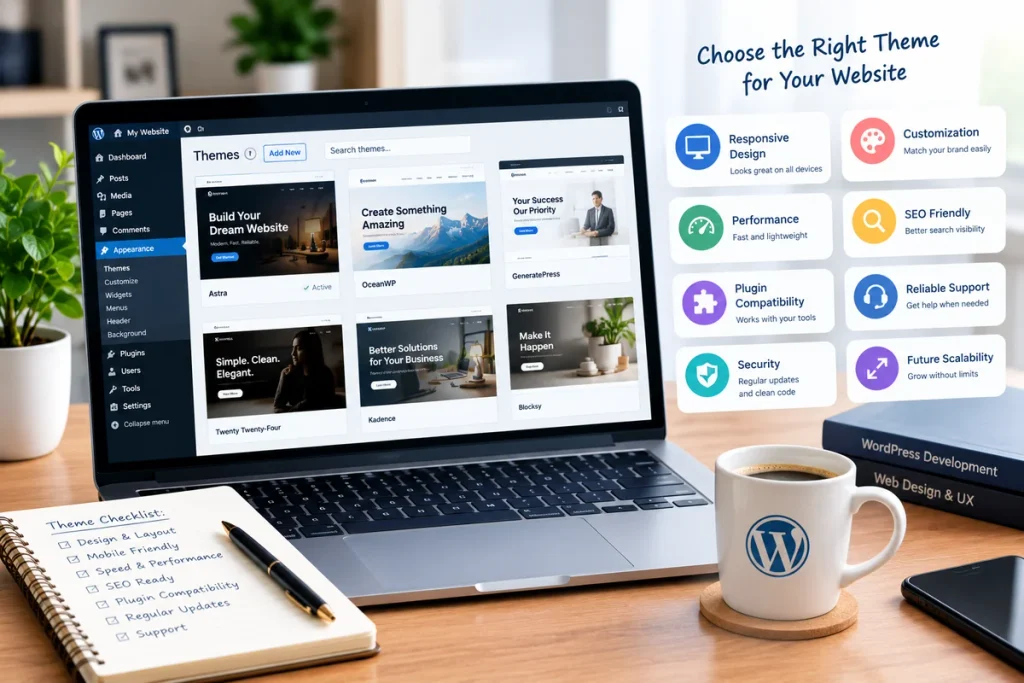
Professional WordPress Development Services are not only about writing code or installing WordPress. They can also involve planning the website before development starts.
An experienced developer can look at your business requirements and determine what type of theme would work best.
For example, a small company website may only need a lightweight business theme. An online store may require a WooCommerce-compatible theme with flexible product layouts. A large organization may require a custom WordPress theme instead of an off-the-shelf design.
Developers can also consider factors that are easy for beginners to overlook, including:
- Plugin compatibility
- Page speed
- Theme structure
- Mobile responsiveness
- Security
- Customization options
- Future scalability
- Technical SEO
- Maintenance requirements
This approach helps prevent you from choosing a theme that looks good today but becomes difficult to manage later.
Start With Your Website Goals
Before searching for a theme, decide what you want your website to achieve.
This is one of the most important steps because there is no single theme that is perfect for every type of website.
A service business may need pages for services, testimonials, contact information, and lead-generation forms.
An ecommerce website may need product categories, product filters, shopping carts, checkout pages, customer accounts, and payment integrations.
A portfolio website may require large image galleries and project layouts.
A blog may need an easy-to-read content layout and strong category and search functionality.
Ask yourself:
What is the main purpose of my website?
Once you have answered that question, you can start looking for themes that support your requirements instead of choosing a design randomly.
Look for a Clean and Professional Design
Your website does not need to contain dozens of animations and complicated visual effects to look professional.
In fact, a clean layout is often easier for visitors to understand.
Look for a theme that provides:
- Clear navigation
- Readable fonts
- Consistent spacing
- Good use of white space
- Simple menus
- Clear call-to-action buttons
- Professional typography
- Logical page layouts
Your visitors should not have to search around the page to understand what your business does.
A good website design should make important information easy to find.
For example, your homepage should quickly communicate who you are, what you offer, why visitors should consider your business, and what action they can take next.
Check Mobile Responsiveness
Mobile responsiveness is essential for modern websites.
Visitors may access your website from smartphones, tablets, laptops, and desktop computers. Your website should provide a usable experience regardless of the screen size.
When testing a WordPress theme, do not only look at its desktop demo. Open the demo on a mobile device as well.
Check whether:
- Text remains readable
- Buttons are easy to tap
- Images fit correctly
- Menus work properly
- Forms remain usable
- Content does not overflow the screen
- Product grids adapt correctly
A responsive WordPress website automatically adjusts its layout according to the visitor’s device.
This is particularly important for businesses because a poor mobile experience can make visitors leave before they contact you or purchase something.
Pay Attention to Website Speed
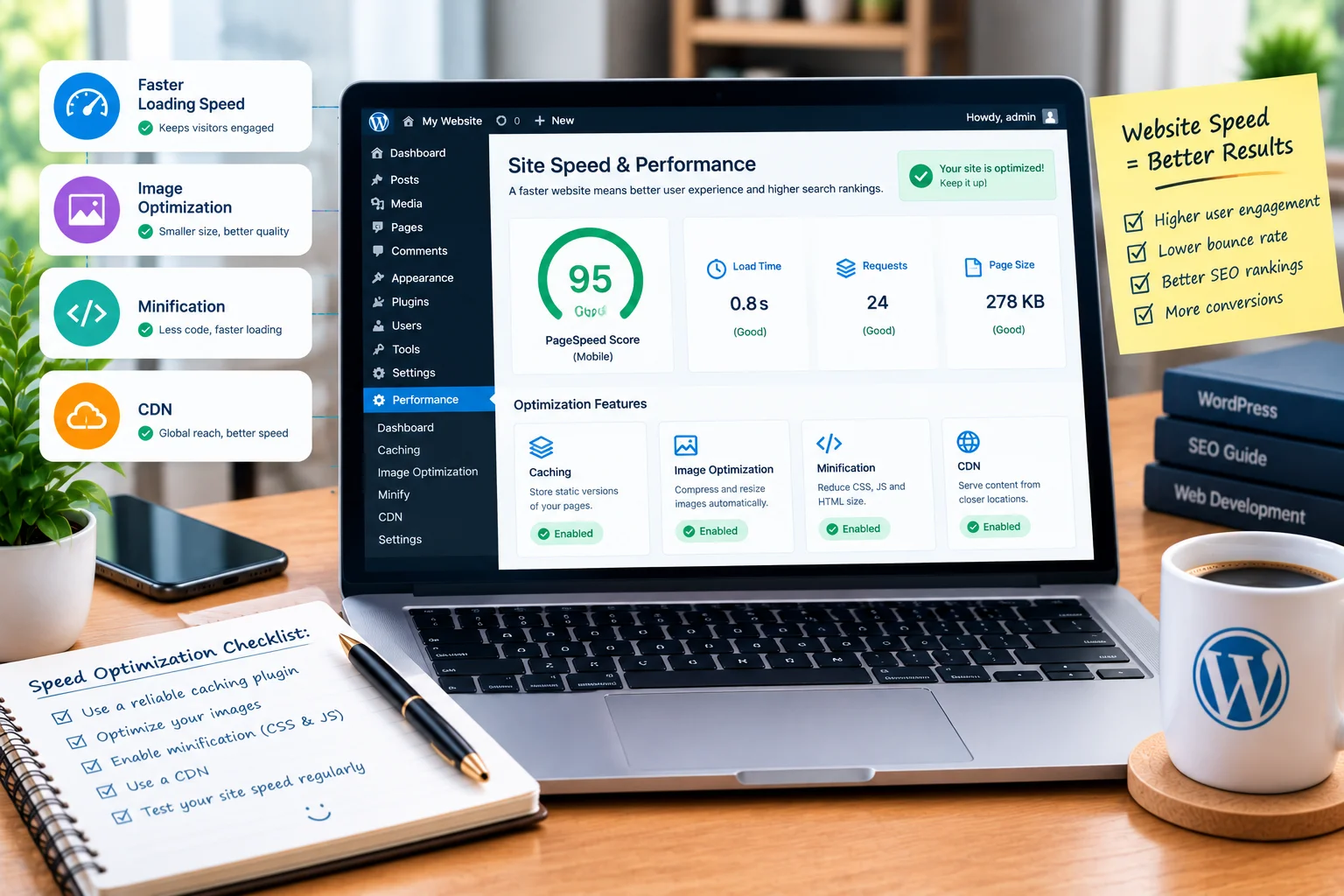
Website speed is another important factor when selecting a theme.
Some themes include a huge number of features, animations, sliders, scripts, and design elements. While these features may look impressive in a demo, they can also add unnecessary complexity.
A lightweight theme can provide a better starting point for a fast website.
However, remember that theme performance is only one part of the equation.
Website speed can also depend on:
- Web hosting
- Image optimization
- Plugins
- Caching
- Database performance
- JavaScript
- CSS
- Fonts
- Third-party scripts
This is why professional WordPress Development Services often look at the entire website rather than blaming the theme alone when a website becomes slow.
Before choosing a theme, test its demo and consider whether the features it provides are actually necessary for your project.
Consider SEO Before Installing a Theme
A WordPress theme does not automatically make a website rank higher on Google.
SEO involves many different factors, including content, technical optimization, internal linking, website structure, backlinks, page experience, and search intent.
However, your theme should provide a solid technical foundation.
When evaluating a theme, look for:
- Clean website structure
- Responsive design
- Fast loading pages
- Proper heading structure
- Easy navigation
- Search-engine-friendly templates
- Good accessibility practices
You can then use an SEO plugin such as Rank Math to optimize your pages and posts.
Your content should also use keywords naturally rather than forcing the same phrase into every heading.
For example, instead of repeating the exact phrase “WordPress Development Services” throughout every section, you can naturally use related terms such as WordPress development, WordPress website development, custom WordPress development, theme customization, WordPress SEO, and website performance.
This creates a more natural reading experience while also covering related search topics.
Check Plugin Compatibility
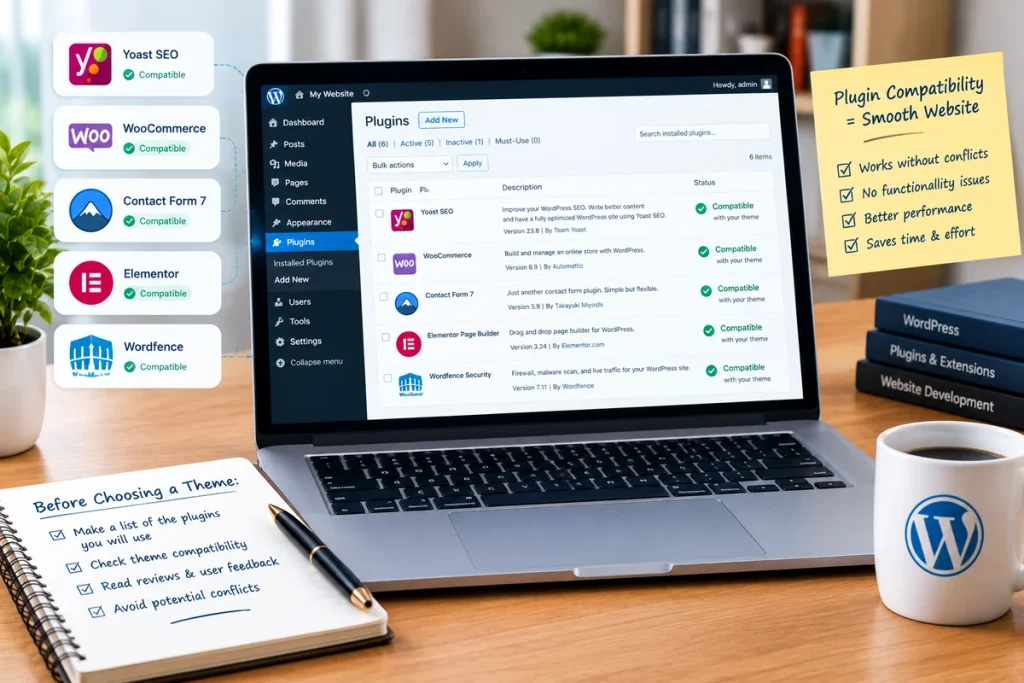
Plugins are one of the biggest advantages of WordPress.
You can add functionality for:
- SEO
- Contact forms
- Security
- Analytics
- Caching
- Ecommerce
- Memberships
- Backups
- Email marketing
- Social media
- Booking systems
But not every theme works perfectly with every plugin.
Before choosing a theme, make a list of the plugins you expect to use.
If you are building an online store, check WooCommerce compatibility carefully.
Test important pages such as:
- Shop
- Product page
- Cart
- Checkout
- Customer account
- Product categories
A theme may look excellent in its demo but behave differently once your actual plugins and content are installed.
Free Theme vs Premium Theme
Another common question is whether you should use a free or premium WordPress theme.
There is no universal answer.
Free themes can be perfectly suitable for many websites. They are often useful for beginners, personal blogs, small business websites, and simple projects.
Premium themes may provide additional features, templates, customization options, documentation, and support.
However, paying for a theme does not automatically make it a better choice.
Before purchasing a premium theme, check:
- Update history
- Reviews
- Support
- Documentation
- Compatibility
- Customization options
- Licensing terms
- Performance
The goal is not to spend more money. The goal is to choose a theme that provides the functionality your website actually needs.
Check the Theme’s Update History
WordPress websites consist of multiple software components, including WordPress itself, themes, and plugins.
All of these components need to remain compatible as the website evolves.
That is why you should check when the theme was last updated.
Look for a theme that has:
- Regular updates
- Good user reviews
- Active development
- Available documentation
- Reliable support
An abandoned theme may work perfectly today but become problematic after WordPress or one of your plugins receives a major update.
If you are hiring WordPress Development Services, ask the developer about the long-term maintenance plan as well.
Building the website is only the beginning. Keeping it secure and compatible is an ongoing process.
Do Not Ignore Website Security
Security should be considered when choosing a theme.
Avoid downloading premium themes from unofficial websites simply because they are available for free. Modified or unauthorized theme files can create serious security and maintenance problems.
Choose themes from reputable sources and keep them updated.
You should also follow basic WordPress security practices such as:
- Using strong administrator passwords
- Keeping WordPress updated
- Updating themes and plugins
- Creating regular backups
- Limiting administrator access
- Using trusted plugins
- Protecting login pages
- Using secure hosting
For websites with important customer information or ecommerce functionality, security deserves even more attention.
Professional WordPress Development Services can also include security configuration and ongoing website maintenance.
Look at Customization Options
Your business has its own identity.
You may want your website to use specific:
- Brand colors
- Fonts
- Logo placement
- Buttons
- Header
- Footer
- Page layouts
- Images
- Content sections
Therefore, check how much control a theme gives you.
Some themes allow extensive customization through the WordPress editor. Others require additional plugins or custom CSS.
If you need a highly specific design, you may eventually need custom WordPress development.
The right approach depends on your budget, technical requirements, and how unique you want your website to be.
Think About Custom WordPress Development
Pre-built themes are not always the answer.
Sometimes a business needs functionality that an existing theme cannot provide efficiently.
Custom WordPress development can be useful when you need:
- A completely unique design
- Custom functionality
- API integrations
- Advanced business workflows
- Custom dashboards
- Special ecommerce features
- Unique membership systems
- Complex forms
- Custom databases
A custom theme gives developers much more control over how the website is structured.
However, custom development can also require more time and investment.
For a small website, a well-built existing theme may be more practical. For a complex business platform, custom development may provide more flexibility.
The right choice should be based on the actual requirements of the project.
Think About Future Growth
One mistake website owners often make is choosing a theme based only on their current requirements.
Your business may grow.
You may eventually add:
- New services
- A blog
- Online payments
- Ecommerce
- Booking functionality
- Landing pages
- Membership features
- More products
- Multiple locations
- Additional languages
Your theme should ideally provide enough flexibility to accommodate reasonable growth.
You do not need to choose the most complicated theme available. Instead, choose a reliable foundation that can support the direction in which your website is likely to develop.
Avoid Themes With Unnecessary Features
A theme with 300 features may sound better than a theme with 30 features.
But you probably will not use most of them.
Extra features can add complexity and sometimes make websites harder to maintain.
Instead of asking:
“How many features does this theme have?”
ask:
“Does this theme have the features my website needs?”
That is a much better way to evaluate themes.
A lightweight theme combined with carefully selected plugins can often provide a cleaner setup than a theme overloaded with features you never use.
Check Documentation and Support
Even experienced WordPress users sometimes need assistance.
You may encounter an issue with:
- Header customization
- Templates
- Typography
- Plugin compatibility
- Mobile layouts
- WooCommerce pages
- Theme settings
- Updates
Good documentation can save considerable time.
If you purchase a premium theme, check what type of support is included and how long it lasts.
If you are working with WordPress Development Services, professional support can be even more valuable because developers can handle customization, troubleshooting, updates, and technical improvements for you.
Common Mistakes When Choosing a WordPress Theme
There are several mistakes that beginners frequently make.
Choosing Only Based on Appearance
A beautiful demo does not guarantee good performance or security.
Installing Too Many Features
More features can mean more complexity. Only choose functionality you actually need.
Ignoring Mobile Users
Always test the mobile version before committing to a theme.
Forgetting Future Growth
Think about what your website may need six months or one year from now.
Using Untrusted Themes
Avoid unofficial sources and suspiciously modified theme files.
Ignoring Updates
An outdated theme can eventually create compatibility and security problems.
Installing Too Many Plugins
Plugins can be useful, but adding unnecessary plugins can make your website harder to maintain.
Avoiding these mistakes can make your WordPress project much easier to manage.
A Simple WordPress Theme Selection Checklist
Before making your final decision, go through this checklist.
Design
- Does the design match your brand?
- Is navigation easy?
- Are fonts readable?
- Does the layout look professional?
Performance
- Does the theme load efficiently?
- Are unnecessary animations limited?
- Does the theme avoid excessive features?
Mobile
- Does it work properly on smartphones?
- Are buttons easy to tap?
- Do images and content fit the screen?
SEO
- Is the website structure clean?
- Are headings organized properly?
- Can you easily optimize page content?
Security
- Is the theme from a trusted source?
- Is it regularly updated?
- Is documentation available?
Compatibility
- Does it work with your required plugins?
- Is WooCommerce supported if needed?
- Does your page builder work properly?
Support
- Is documentation available?
- Can you get support when needed?
- Is the theme actively maintained?
If a theme passes these checks, you will have a much stronger starting point.
When Should You Hire WordPress Development Services?
Not every WordPress website requires a developer.
If you are creating a basic blog or a small personal website, you may be able to install and customize a theme yourself.
Professional WordPress Development Services become more useful when your website requires advanced customization or business-specific functionality.
You may want professional help for:
- Custom WordPress website development
- Theme customization
- WooCommerce development
- Website redesign
- Plugin integration
- Website speed optimization
- Technical SEO
- Security improvements
- API integration
- Custom functionality
- Website maintenance
A professional developer can also help you avoid technical decisions that may cause problems later.
The goal is not simply to make the website look attractive. It should also be reliable, responsive, secure, easy to manage, and aligned with your business objectives.
Final Thoughts
Choosing a WordPress theme is an important decision because your theme becomes the foundation of your website’s design and user experience.
Do not choose a theme simply because its demo looks impressive.
Instead, consider your website goals, target audience, required functionality, mobile responsiveness, performance, SEO, security, plugin compatibility, customization options, and future growth.
For a simple website, an established theme from a trusted source may be all you need. For a more complex project, professional WordPress Development Services can help you build a website around your exact requirements.
The most important thing is to choose a theme that works for your website rather than forcing your website to work around the theme.
Take your time, compare your options, test the theme on different devices, check its update history, and think about how your website may grow in the future.
A strong WordPress website starts with a strong foundation, and choosing the right theme is one of the first steps toward building that foundation.