
Subtotal ₨ 0
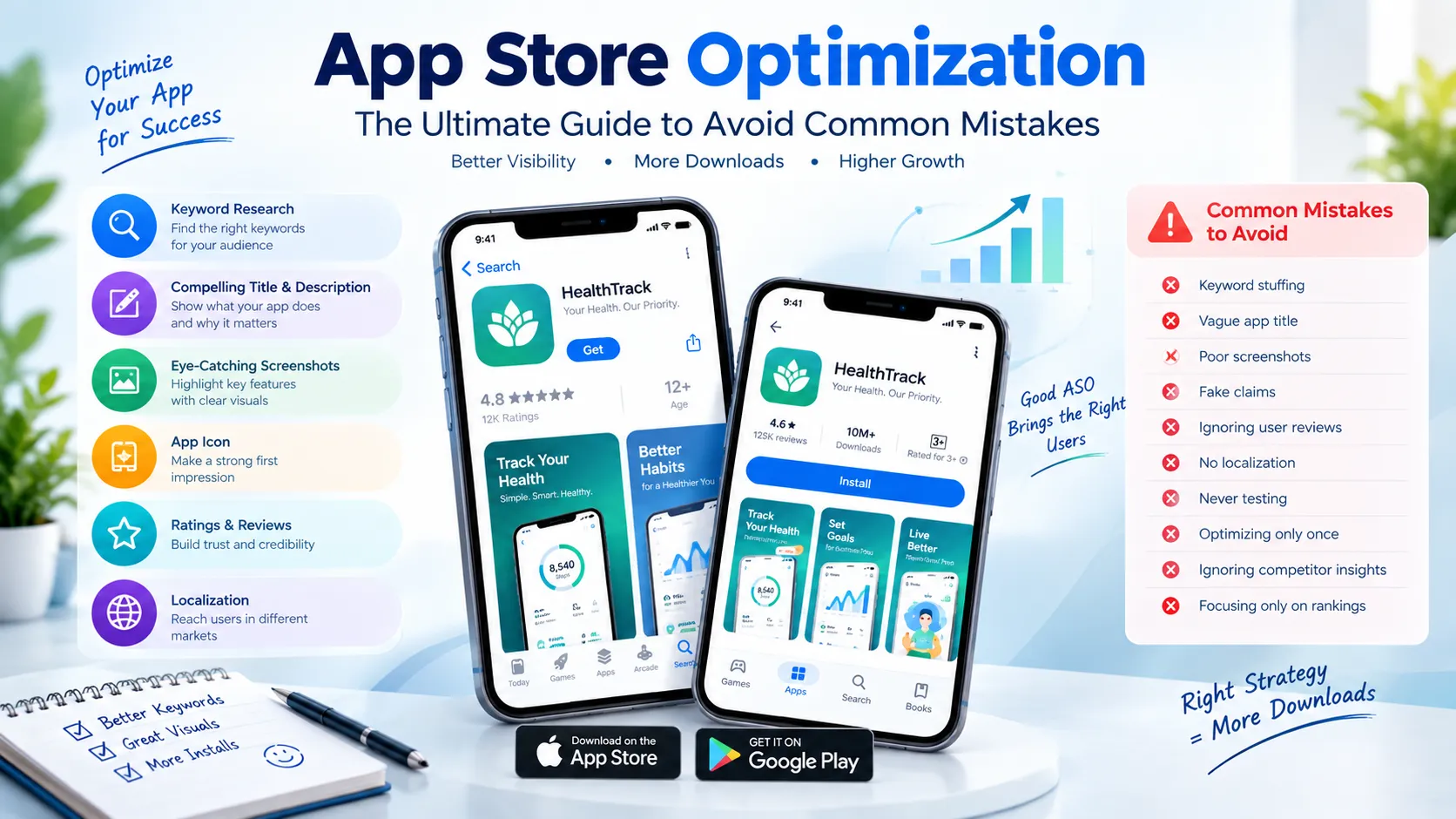
App Store Optimization Guide: Common Mistakes to Avoid
Creating a mobile app is only part of the journey. Even a useful and well-designed app needs to be discoverable before people can download it.
This is where App Store Optimization comes in.
App Store Optimization, commonly called ASO, is the process of improving an app’s store presence so that it can be discovered by relevant users and encourage them to take action, such as installing the app.
ASO involves much more than adding keywords. Your app name, description, screenshots, icon, reviews, visual presentation, localization, and overall relevance can all affect how people discover and respond to your store listing.
Apple and Google also provide different tools and requirements for optimizing their respective stores. Apple, for example, provides keyword fields, custom product pages, and product page optimization tests, while Google Play provides store listing experiments and performance reporting. (Apple Developer)
In this guide, we’ll look at the most important App Store Optimization practices and, more importantly, the common mistakes that can prevent an app from reaching the right audience.
What Is App Store Optimization?
App Store Optimization is the process of improving an app’s listing to increase its visibility, relevance, and ability to convert interested visitors into users.
It is sometimes compared with SEO for websites, but the two are not identical.
ASO can involve:
- App title
- Subtitle or short description
- Keywords
- Full description
- App icon
- Screenshots
- Preview videos
- Ratings and reviews
- Localization
- Store categories
- Product pages
- Conversion testing
- User behavior and performance data
The exact optimization opportunities differ between the Apple App Store and Google Play.
Apple states that keywords help determine where an app appears in App Store search results and recommends selecting terms that accurately describe the app’s features and functionality. (Apple Developer)
Google similarly recommends a thorough, accurate, and relevant Play Store listing to help users discover an app. (Google Help)
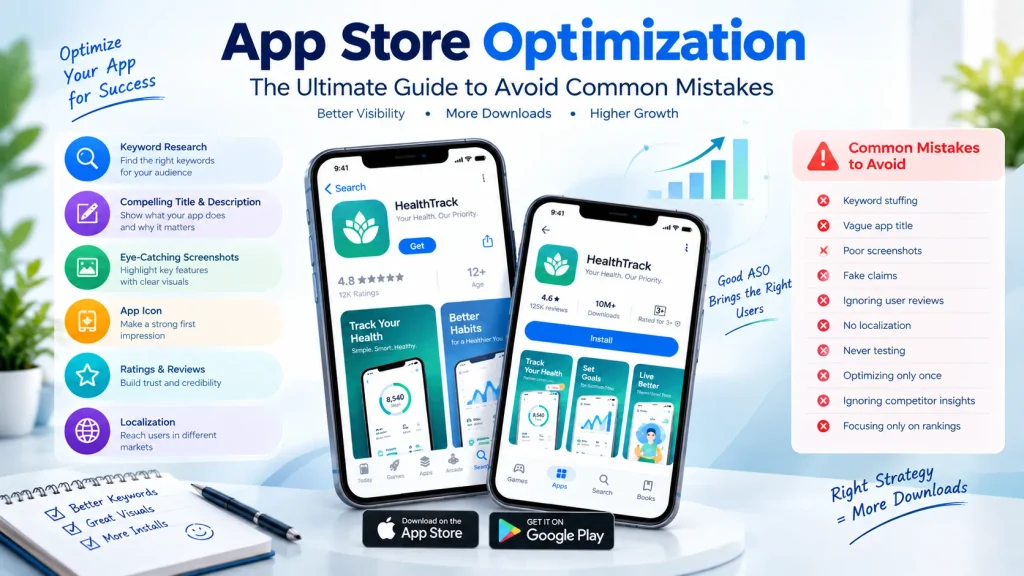
Why Is App Store Optimization Important?
Imagine launching a useful fitness app but giving it a vague title, generic screenshots, and a description that does not explain its benefits.
The app might be technically excellent, but potential users may never understand why they should install it.
A well-planned App Store Optimization strategy helps connect three things:
What users search for → What your app offers → What your store listing communicates
Good ASO can help you:
- Improve app discoverability
- Reach more relevant users
- Communicate your value proposition
- Improve store-page engagement
- Increase organic acquisition opportunities
- Reduce dependence on paid advertising
- Learn what messaging resonates with your audience
However, ASO is not simply about getting the highest possible ranking.
The goal is to attract relevant users who actually need your app.
App Store Optimization vs App Store SEO
These terms are often used interchangeably, but there is a useful distinction.
App Store Optimization covers the broader process of improving an app’s store presence and performance.
App Store SEO generally refers more specifically to improving discoverability through search-related elements such as keywords and metadata.
ASO can therefore include both search optimization and conversion optimization.
For example:
Better keyword targeting may help users discover your listing, while clearer screenshots may help them understand the app.
Both parts matter.
10 Common App Store Optimization Mistakes to Avoid
1. Stuffing Keywords Everywhere
One of the most common ASO mistakes is assuming that more keywords automatically mean better results.
It doesn’t.
Repeating the same keyword unnecessarily can make your title or description sound unnatural. It can also create policy problems.
Apple specifically warns developers against adding unnecessary keywords to descriptions and prohibits irrelevant, competing, or unauthorized trademark terms in the keyword field. (Apple Developer)
Google Play also prohibits spammy or repetitive keywords and requires metadata to be accurate and relevant. (Google Help)
Better approach:
Use keywords that genuinely describe:
- Your app
- Its features
- Its purpose
- The problem it solves
- The audience it serves
Think relevance first, repetition second.
2. Choosing Keywords Without Understanding Search Intent
A keyword may have substantial search volume but still be wrong for your application.
For example, suppose you have a meditation app.
Targeting a very broad term such as:
“health”
may attract people looking for completely different products.
A more specific phrase such as:
“guided meditation”
may better match the user’s intent.
Before selecting a keyword, ask:
What does a person actually want when they search for this phrase?
This is one of the most important parts of effective App Store Optimization.
3. Writing a Vague App Title
Your app title is one of the first things people see.
Apple says an App Store app name can be up to 30 characters, and Google Play also limits app titles to 30 characters. Both platforms emphasize clear, relevant titles. (Apple Developer)
A weak title might simply be:
“MyApp”
A clearer approach could communicate the product’s purpose:
“FitTrack: Workout Planner”
The exact wording should depend on the actual product and target audience.
Your title should ideally be:
- Clear
- Memorable
- Relevant
- Easy to spell
- Consistent with your brand
4. Ignoring the First Impression
Your store listing is effectively your app’s sales page.
Before reading the entire description, users may notice:
- Icon
- App name
- Screenshots
- Ratings
- Short description
- Visual style
If these elements feel confusing or inconsistent, users may leave before learning about the app.
Google recommends using graphics that accurately represent the actual app experience and maintaining consistent or complementary visual elements throughout the listing. (Google Help)
5. Using Poor Screenshots
Screenshots should do more than show random screens from your application.
They should help answer:
“Why should I download this app?”
A strong screenshot sequence can demonstrate:
- Main benefit
- Important feature
- Ease of use
- Key functionality
- Supporting features
Use short, readable text where appropriate.
Avoid filling screenshots with tiny paragraphs.
Google specifically recommends minimizing text in store-listing graphics and keeping important elements toward the center so they work across different screen sizes. (Google Help)
6. Making Unrealistic Claims
Avoid claims such as:
- “#1 app”
- “Guaranteed results”
- “Everyone loves this app”
- “The world’s best app”
- “No other app compares”
unless they are genuinely supported and permitted by the relevant platform policies.
Google Play’s metadata policy prohibits misleading claims and examples of ranking or promotional claims in metadata and graphics. (Google Help)
Your listing should communicate real benefits rather than exaggerated promises.
7. Ignoring App Reviews and Ratings
Reviews are an important source of information about how users experience your application.
Instead of looking only at the average rating, read the comments.
Look for repeated complaints about:
- Bugs
- Navigation
- Performance
- Pricing
- Missing features
- Confusing screens
- Login problems
- Customer support
These comments can reveal product problems that better store copy cannot solve.
In other words, App Store Optimization should not be treated as only a marketing task. It can also provide valuable feedback about the product itself.
8. Using the Same Listing for Every Market
Users in different countries may have different:
- Languages
- Search behavior
- Cultural expectations
- Terminology
- Preferences
- Purchasing habits
A direct translation is not always enough.
Localization should consider the way people actually search and communicate in each target market.
Apple supports localized metadata and custom product pages, allowing developers to create experiences for different audiences and markets. (Apple Developer)
9. Forgetting to Test Different Versions
You don’t have to guess which icon, screenshot, or message will perform better.
Both major app platforms provide experimentation capabilities.
Apple’s Product Page Optimization allows developers to test different versions of app icons, screenshots, and previews. (Apple Developer)
Google Play provides store listing experiments that can test graphics and, through localized experiments, descriptions and other listing elements. (Google Help)
Testing can help answer practical questions such as:
- Which screenshot communicates the benefit more clearly?
- Which icon gets more engagement?
- Does a different headline improve user response?
- Does localized messaging perform differently?
The important point is to change one meaningful element at a time when possible so you can better understand what influenced the result.
10. Optimizing Once and Never Checking Again
Another common mistake is treating App Store Optimization as a one-time activity.
Search behavior changes.
Competitors change.
Your app changes.
User expectations change.
New features may create new search opportunities.
Therefore, review your store listing periodically.
A simple cycle is:
Research → Optimize → Publish → Measure → Learn → Improve
This creates a more sustainable ASO process.
How to Choose the Right ASO Keywords
Keyword research should begin with your app rather than a keyword tool.
Step 1: Define your core function
Ask:
What does my app actually help people do?
Step 2: Identify user problems
Think about what users might type when searching for a solution.
Step 3: Create keyword groups
For example, a budgeting app might have groups such as:
Core terms
- budget planner
- expense tracker
- personal finance
Feature terms
- bill reminder
- spending tracker
- savings planner
Problem-based terms
- track expenses
- manage spending
- save money
Step 4: Check relevance
Remove terms that don’t accurately represent the app.
Step 5: Study competitors carefully
Look at how competing apps describe similar features.
Do not copy their branding, text, or protected terms.
Apple App Store Optimization: Important Considerations
Apple provides several metadata fields and optimization tools.
According to Apple’s current documentation:
- App names can contain up to 30 characters.
- Promotional text can contain up to 170 characters.
- The keyword field has a 100-byte limit.
- Keywords should be relevant and specific.
- Duplicate and unnecessary terms should be avoided. (Apple Developer)
Apple also provides Custom Product Pages, which can target different audiences with customized screenshots, promotional text, app previews, and selected keywords. (Apple Developer)
These tools give developers additional ways to match store presentation with user intent.
Google Play Optimization: Important Considerations
Google Play takes a different approach to store listing optimization.
Google recommends:
- Clear titles
- Accurate descriptions
- Relevant metadata
- Authentic screenshots
- Appropriate graphics
- Consistent visual presentation
- Avoiding spammy keywords
- Avoiding misleading claims (Google Help)
Google Play also provides store listing experiments so developers can test different graphics and localized listing elements. (Google Help)
Its current store-listing reporting also focuses on user-intent actions such as unique install, open, and pre-registration clicks. (Google Help)
App Store Optimization Checklist
Before publishing your app, review the following checklist.
Keyword checklist
- Keywords accurately describe the app.
- Search intent has been considered.
- Irrelevant keywords have been removed.
- Keyword repetition has been minimized.
- Competitor brand names have not been improperly used.
Store listing checklist
- App title is clear.
- Description explains the value of the app.
- Screenshots show important features.
- Icon is recognizable.
- Visual assets are consistent.
- Claims are accurate.
- Listing is localized where appropriate.
Conversion checklist
- Main benefit is clear immediately.
- Screenshots communicate value.
- User reviews have been analyzed.
- Different listing elements are tested.
- Performance is monitored regularly.
A Practical App Store Optimization Strategy
If you’re starting from scratch, don’t try to optimize everything at once.
Use this simple process.
Phase 1: Research
Identify:
- Target users
- Main problems
- Competitors
- Relevant search terms
- App features
Phase 2: Build Your Listing
Create:
- App name
- Subtitle or short description
- Long description
- Keyword strategy
- Icon
- Screenshots
- Preview video where appropriate
Phase 3: Publish
Make sure your metadata follows the current policies of the relevant app store.
Phase 4: Measure
Monitor available data such as:
- Store-page engagement
- Install intent
- Downloads
- Conversion behavior
- Reviews
- Search visibility where available
Phase 5: Improve
Test changes and update the listing based on evidence rather than assumptions.
Common ASO Mistakes vs Better Practices
| Common Mistake | Better Practice |
|---|---|
| Keyword stuffing | Use relevant keywords naturally |
| Generic title | Explain the app’s purpose clearly |
| Random screenshots | Build a feature-focused visual story |
| Exaggerated claims | Use accurate, verifiable benefits |
| Ignoring reviews | Analyze repeated user feedback |
| One listing everywhere | Localize important markets |
| Never testing | Run controlled experiments |
| Optimizing once | Review performance regularly |
| Copying competitors | Develop original positioning |
| Focusing only on rankings | Consider relevance and user intent |
Does App Store Optimization Guarantee More Downloads?
No.
App Store Optimization can improve the way an app is presented and discovered, but it cannot guarantee a particular ranking or number of downloads.
Performance can also depend on factors such as:
- Product quality
- Competition
- User demand
- Reviews
- App performance
- Market
- Pricing
- Brand awareness
- Store algorithms
- Marketing activity
A strong ASO strategy should therefore be viewed as part of a broader mobile app marketing strategy.
Frequently Asked Questions
What is App Store Optimization?
App Store Optimization is the process of improving an app’s store listing to help relevant users discover, understand, and engage with the app.
Is ASO the same as SEO?
They are related but different. SEO primarily focuses on search visibility for websites and web content, while ASO focuses on app-store discovery and conversion.
What are the biggest ASO mistakes?
Common mistakes include keyword stuffing, irrelevant keywords, unclear titles, poor screenshots, misleading claims, ignoring reviews, failing to localize, and never testing store-listing changes.
How often should I update my ASO strategy?
There is no universal schedule. Review your performance regularly and consider updating your listing when your app changes, user behavior shifts, new opportunities emerge, or testing provides useful evidence.
Should I use competitor app names as keywords?
No. Apple specifically prohibits competing app names and unauthorized protected terms in its keyword field, and Google Play prohibits misleading or inappropriate metadata. (Apple Developer)
Are screenshots important for ASO?
Yes. Screenshots are a major part of the store-page presentation because they show users what the application actually offers. Both Apple and Google provide tools and guidance for optimizing visual assets. (Apple Developer)
Can I use AI to create my ASO content?
AI can help with brainstorming, keyword organization, drafts, and variations, but the final content should be accurate, relevant, original, and compliant with the app store’s policies.
Final Thoughts
Successful App Store Optimization is not about trying to manipulate an algorithm with hundreds of repeated keywords.
It is about creating a clear connection between user intent, app functionality, store metadata, and the overall product experience.
Start with relevant keywords, create a clear title, explain the app’s value, use authentic screenshots, listen to users, test different listing elements, and keep improving based on real data.
Most importantly, remember that your store listing makes a promise to potential users. The actual application needs to deliver on that promise.
Better discovery → Clearer communication → More relevant users → Stronger app growth.
Rank Math SEO Setup
Primary Focus Keyword
App Store Optimization
Secondary Keywords
- ASO
- App Store Optimization guide
- ASO strategy
- app store optimization tips
- app store SEO
- mobile app marketing
- app store keywords
- app listing optimization
- app store ranking
- Google Play optimization
- Apple App Store optimization
- app screenshots
- app description optimization
- ASO mistakes
- mobile app promotion
Suggested H2 Keywords
Use these naturally as headings:
- What Is App Store Optimization?
- Why Is App Store Optimization Important?
- Common App Store Optimization Mistakes
- How to Choose the Right ASO Keywords
- Apple App Store Optimization
- Google Play Optimization
- App Store Optimization Checklist
- App Store Optimization Strategy
Image SEO
Filename:app-store-optimization-guide.webp
ALT Text:App Store Optimization guide showing ASO keywords screenshots app icon and store listing
Image Title:App Store Optimization Guide
Caption:A practical App Store Optimization guide covering keywords, screenshots, metadata, testing, and common ASO mistakes.
Suggested Schema
- Article Schema
- FAQ Schema
- Breadcrumb Schema
Suggested Internal Links
Link this article naturally to your existing HealthZone technology articles:
- Mobile App Development Cost
- Native vs Hybrid App Development
- Mobile App UI Design Principles
- Android vs iOS Development
- Role of IT in Healthcare
External Authority Links
For this article, use authoritative documentation from:
- Apple Developer — App Store Product Page
- Apple Developer — App Store Search
- Google Play Console — Store Listing Best Practices
- Google Play Console — Store Listing Experiments