
Subtotal ₨ 0
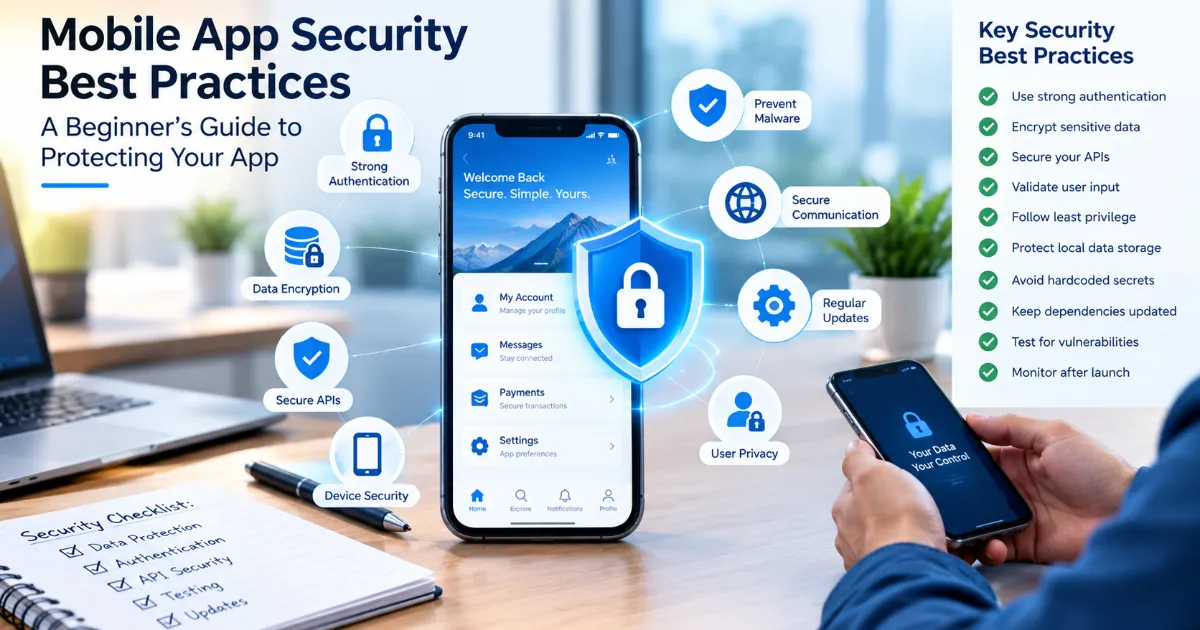
Mobile apps have become an essential part of modern business. People use applications to shop, make payments, communicate, manage finances, book services, access healthcare, and store personal information. As mobile app usage continues to grow, security has become a critical concern for businesses and developers.
A security problem can do much more than create a technical issue. A data breach can damage customer trust, harm a company’s reputation, create financial losses, and potentially result in legal or regulatory consequences.
The good news is that you do not need to be a cybersecurity expert to understand the basics. Learning the right mobile app security best practices can help developers, business owners, and project managers make better decisions when building and maintaining an application.
In this beginner-friendly guide, we will explain mobile app security best practices in simple language, why mobile app security matters, common security risks, and practical steps you can take to protect your application and its users.
What Is Mobile App Security?
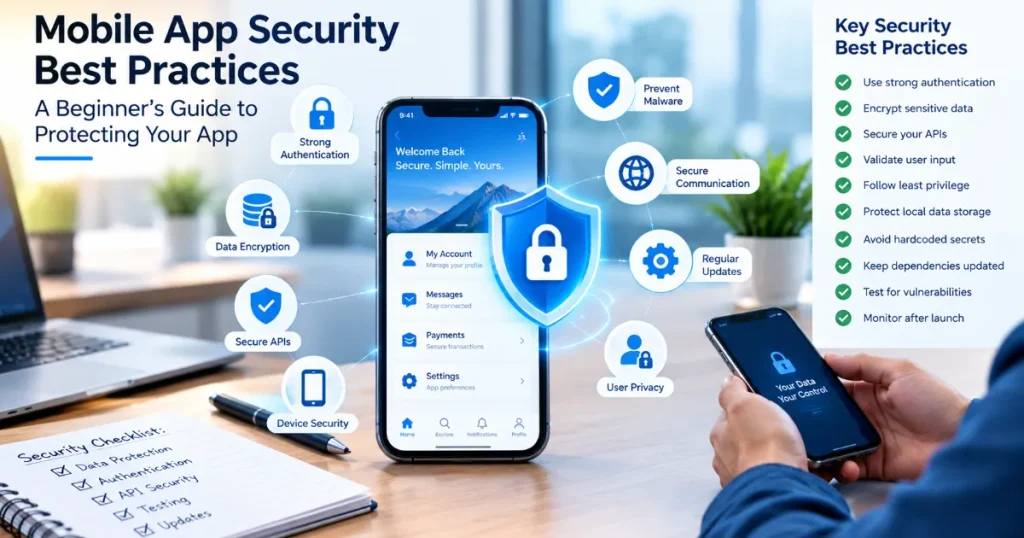
Mobile app security refers to the techniques, processes, and technologies used to protect a mobile application from unauthorized access, data theft, malicious attacks, and other security threats.
Security should protect several areas of an application, including:
- User information
- Login credentials
- Personal data
- Payment information
- Application source code
- APIs
- Databases
- Communication between the app and server
- Authentication systems
- Backend infrastructure
Effective mobile app security best practices should be considered throughout the entire development lifecycle rather than added after an application is finished.
Why Is Mobile App Security Important?
Mobile applications often handle valuable and sensitive information.
Consider an online shopping app. It may store names, addresses, order information, payment details, and account credentials. A healthcare application may handle highly sensitive personal information. A banking application can provide access to financial accounts.
If attackers gain unauthorized access to this information, the consequences can be serious.
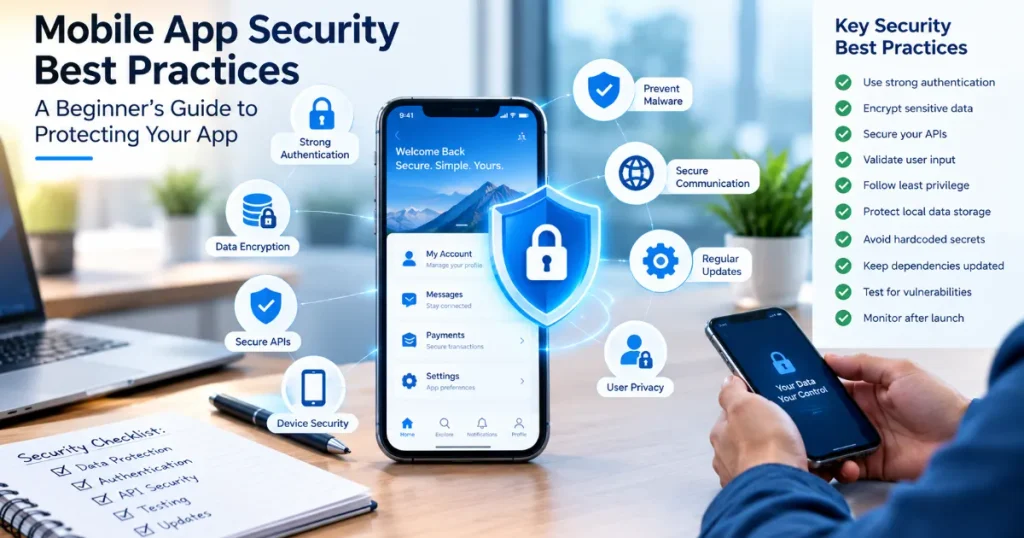
Strong mobile security can help businesses:
- Protect customer information
- Reduce security vulnerabilities
- Prevent unauthorized access
- Build customer trust
- Protect brand reputation
- Reduce financial risks
- Improve application reliability
- Meet applicable security and compliance requirements
For these reasons, mobile app security best practices should be part of every serious mobile application project.
1. Use Strong Authentication
Authentication is the process of verifying that a user is actually who they claim to be.
A basic example is a username and password. However, modern applications often require stronger authentication methods.
Depending on the application, developers may consider:
- Strong password requirements
- Multi-factor authentication
- One-time passwords
- Biometric authentication
- Secure session management
- Login attempt limitations
Multi-factor authentication can provide an additional layer of protection because users need more than just a password to access an account.
For applications containing sensitive information, authentication should be treated as a core security feature rather than an optional addition.mobile app security best practices
2. Protect User Passwords
Passwords should never be stored as plain text.
If a database is compromised and passwords are stored in readable form, attackers could potentially obtain users’ credentials immediately.
Instead, passwords should be securely hashed using appropriate modern password-hashing techniques.
Developers should also encourage users to create strong, unique passwords.
A secure password policy may include:
- Minimum password length
- Protection against commonly used passwords
- Secure password reset procedures
- Login attempt controls
- Protection against credential stuffing
Protecting passwords is one of the most fundamental mobile app security best practices.
3. Encrypt Sensitive Data
Encryption converts readable information into a protected format that unauthorized people cannot easily understand.
Sensitive data should be protected both when it is stored and when it is transmitted.
For example, applications may need to protect:
- Password-related information
- Personal details
- Financial information
- Authentication tokens
- Private messages
- Business information
Encryption is particularly important when an application communicates with a remote server.
Developers should use established, properly configured security technologies instead of creating their own encryption systems.
4. Secure Data During Transmission
Mobile applications frequently communicate with servers through APIs and internet connections.
If this communication is not properly protected, attackers may attempt to intercept or manipulate information.
Applications should use secure communication protocols such as HTTPS with properly configured TLS.
This helps protect information as it travels between:
Mobile App → Internet → Server
Developers should also validate certificates and follow current security recommendations for encrypted communication.
Secure network communication is one of the most important mobile app security best practices because many applications depend heavily on APIs and cloud services.
5. Secure Your APIs
An API allows different software systems to communicate with each other.
For example, when a mobile shopping app displays your latest orders, the application may communicate with a backend API to retrieve that information.
If APIs are poorly secured, attackers may attempt to access information or perform actions they should not be allowed to perform.
API security should consider:
- Authentication
- Authorization
- Input validation
- Rate limiting
- Access controls
- Secure tokens
- Error handling
- Data validation
Never assume that an API is secure simply because it is not visible to the user.
6. Validate User Input
Applications receive information from users constantly.
Users may enter:
- Names
- Email addresses
- Search queries
- Passwords
- Addresses
- Comments
- Payment information
Applications should validate input before processing it.
Input validation can help reduce the risk of malicious data being processed by the application or backend.
Developers should validate data on the server as well as appropriately handling validation on the client side.
This is an important principle among mobile app security best practices because user input should never automatically be considered trustworthy.
7. Follow the Principle of Least Privilege
An application should only request the permissions it genuinely needs.
For example, a simple note-taking app probably does not need access to a user’s location, microphone, contacts, and camera unless those features are actually required.
Excessive permissions can create unnecessary privacy and security risks.
Before requesting a permission, ask:
Does this feature genuinely require access to this information or device capability?
If the answer is no, avoid requesting it.
Reducing unnecessary permissions is a simple but effective mobile security practice.
8. Secure Local Data Storage
Mobile applications may store information locally on a device.
This can include:
- User preferences
- Authentication information
- Cached data
- Application settings
- Temporary files
Sensitive information should not be stored carelessly.
Developers should use appropriate platform security mechanisms and avoid storing sensitive credentials or secrets in insecure locations.
The exact storage approach depends on whether the application is built for Android, iOS, or multiple platforms.
9. Never Hardcode Sensitive Secrets
One common mistake is putting sensitive credentials directly inside application source code.
Examples include:
- API keys
- Private credentials
- Database passwords
- Encryption keys
- Service credentials
Mobile applications can potentially be reverse-engineered, so developers should not assume that anything included inside the app package is permanently secret.
Sensitive credentials should be managed using appropriate secure infrastructure and access controls.
This is an especially important consideration when implementing mobile app security best practices for applications that connect to third-party services.
10. Keep Third-Party Libraries Updated
Modern mobile applications often depend on external libraries and frameworks.
These dependencies can save development time, but they can also introduce security risks if vulnerabilities are discovered.
Developers should:
- Monitor dependencies
- Update vulnerable libraries
- Remove unnecessary packages
- Review third-party components
- Track security advisories
Using an outdated library can expose an otherwise well-designed application to known vulnerabilities.
Dependency management should therefore be part of an ongoing security strategy.
11. Implement Proper Authorization
Authentication answers:
“Who are you?”
Authorization answers:
“What are you allowed to do?”
These are different concepts.
For example, a customer may be allowed to view their own orders but should not be allowed to view another customer’s orders.
Similarly, an employee may have permission to access certain business information while an administrator may have broader permissions.
Proper authorization should be enforced on the server rather than relying only on what the mobile application displays.
12. Use Secure Session Management
Once a user logs into an application, the app needs a secure way to maintain that authenticated session.
Poor session management can allow attackers to misuse authentication tokens or gain unauthorized access.
Developers should carefully consider:
- Token expiration
- Token storage
- Logout behavior
- Session timeout
- Token rotation
- Device changes
- Revoking compromised sessions
Secure session management is another key part of mobile app security best practices.
13. Protect Against Reverse Engineering
Mobile applications can potentially be downloaded and analyzed.
Attackers may attempt to inspect application code to understand how the application works or identify vulnerabilities.
Developers can reduce unnecessary exposure through techniques such as:
- Code obfuscation
- Removing debug information
- Protecting sensitive logic
- Minimizing secrets in the app
- Using secure server-side validation
Obfuscation is not a replacement for secure architecture, but it can make reverse engineering more difficult.
14. Don’t Trust the Mobile App Alone
One of the most important security principles is that the mobile application itself should not be treated as a trusted environment.
An attacker may modify or manipulate an application.
Critical security decisions should therefore be enforced by trusted backend systems.
For example, if a user is not authorized to perform a particular action, the backend should reject the request even if someone modifies the mobile application.
This approach helps create a stronger security architecture.
15. Test Your App for Security Vulnerabilities
Security testing should happen throughout development.
A professional security testing strategy may include:
- Vulnerability scanning
- Code review
- API testing
- Authentication testing
- Authorization testing
- Penetration testing
- Dependency scanning
- Secure configuration reviews
Security testing can help identify weaknesses before attackers discover them.
For applications handling highly sensitive information, professional penetration testing can provide an additional layer of assurance.
16. Monitor Your Application After Launch
Security does not end when your app is published.
New vulnerabilities can be discovered after launch, operating systems change, dependencies receive security updates, and attackers develop new techniques.
Businesses should monitor applications and backend systems for unusual behavior.
Useful monitoring areas can include:
- Failed login attempts
- Unusual API activity
- Suspicious account behavior
- Server errors
- Security alerts
- Dependency vulnerabilities
A good security strategy continues throughout the application’s lifecycle.
17. Prepare for Security Updates
When a vulnerability is discovered, businesses need a process for responding quickly.
Your development team should know:
- Who investigates security reports?
- Who fixes vulnerabilities?
- How are emergency updates released?
- How are customers informed?
- How are compromised credentials revoked?
Having a response process before an incident occurs can reduce confusion and response time.
Common Mobile App Security Threats
Understanding common threats can make mobile app security best practices easier to understand.
Weak Authentication
Attackers may exploit weak passwords, poor login systems, or stolen credentials.
Insecure Data Storage
Sensitive information stored without adequate protection can become accessible to unauthorized users.
Insecure APIs
Poorly protected APIs can expose data or functionality.
Malware and Compromised Devices
Malicious software on a user’s device can create additional security risks.
Reverse Engineering
Attackers may analyze an application’s code to find vulnerabilities.
Man-in-the-Middle Attacks
Attackers may attempt to intercept network communication when connections are not properly protected.
Outdated Dependencies
Vulnerable third-party libraries can introduce security weaknesses.
Excessive Permissions
Unnecessary permissions can increase privacy and security risks.
A Simple Mobile App Security Checklist for Beginners
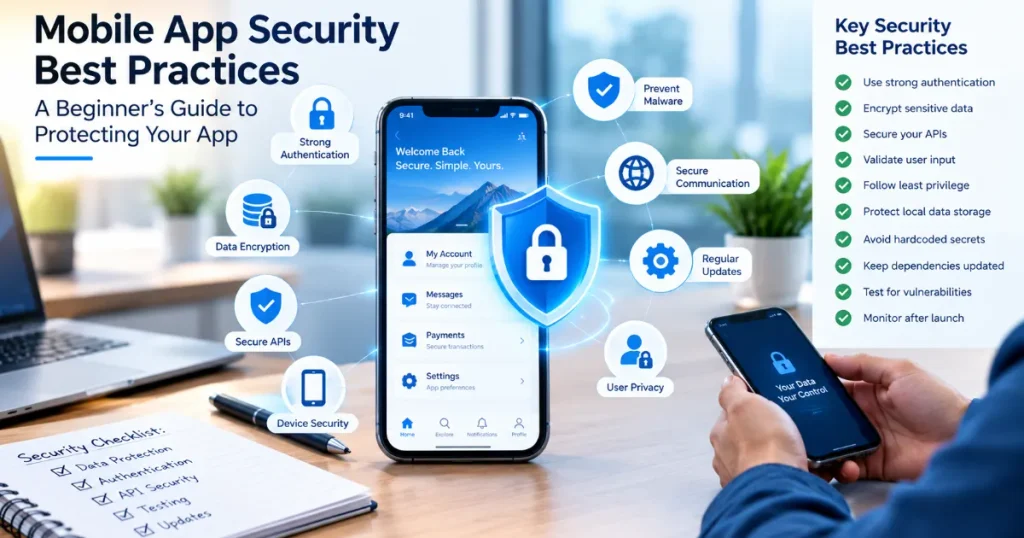
If you are a business owner or beginner, use this checklist as a starting point.
Authentication
- Use strong authentication.
- Consider multi-factor authentication.
- Protect password reset functionality.
- Limit repeated login attempts.
Data Protection
- Encrypt sensitive data.
- Protect data during transmission.
- Avoid storing unnecessary sensitive information.
- Use secure local storage.
API Security
- Authenticate API requests.
- Implement authorization.
- Validate inputs.
- Apply rate limits.
- Avoid exposing unnecessary data.
Application Security
- Keep dependencies updated.
- Remove unnecessary permissions.
- Avoid hardcoded secrets.
- Protect sensitive application logic.
- Disable unnecessary debug functionality.
Testing
- Perform security testing.
- Review code.
- Test APIs.
- Scan dependencies.
- Conduct penetration testing when appropriate.
Maintenance
- Monitor security events.
- Apply security updates.
- Respond quickly to vulnerabilities.
- Review security practices regularly.
Mobile App Security Best Practices for Android and iOS
Although Android and iOS have different security architectures, the fundamental principles remain similar.
Android
Android developers should consider platform security features, secure data storage, permission management, application signing, secure communication, and protection against tampering.
iOS
iOS developers should use Apple’s security frameworks and platform capabilities appropriately while paying attention to secure storage, authentication, permissions, network security, and data protection.
If you are developing for both platforms, your security strategy should account for the differences between them while maintaining consistent security goals.
How Businesses Can Build a Security-First App
Security should begin before development.
Start by identifying:
- What information will the app collect?
- Where will that information be stored?
- Who should have access?
- Which systems will the app communicate with?
- What happens if an account is compromised?
- What happens if a device is lost?
- How will security updates be delivered?
Then create security requirements alongside your functional requirements.
For example, instead of saying:
“The app should have login.”
A stronger requirement might be:
“The application should provide secure authentication, protect credentials, manage sessions safely, and limit unauthorized login attempts.”
This turns security into a measurable part of the development process.mobile app security best practices
Security vs Convenience: Finding the Right Balance
Strong security should not make an application unnecessarily difficult to use.
For example, requiring users to complete complicated authentication steps every few minutes could create frustration.
The goal is to balance:
Security + Privacy + Usability + Performance
A professional development team should help determine the appropriate level of security based on the application’s risk profile.
A banking application, for example, may require much stronger controls than a simple weather application.mobile app security best practices
What Should You Ask an App Development Company About Security?
If you are hiring an app development company, ask specific security questions before signing a contract.
Questions may include:
- How will user data be protected?
- How are passwords handled?
- How will APIs be secured?
- How will sensitive information be stored?
- How are third-party dependencies monitored?
- What security testing is included?
- Do you perform penetration testing?
- How are vulnerabilities handled after launch?
- Who is responsible for security updates?
- How will source code and credentials be protected?
A professional development company should be comfortable discussing these questions.mobile app security best practices
Common Mobile App Security Mistakes Beginners Should Avoid
Treating Security as a Final Step
Security should be considered throughout development.
Storing Sensitive Data Carelessly
Avoid storing information simply because it is convenient.
Using Outdated Dependencies
Old libraries may contain known vulnerabilities.
Trusting Client-Side Validation
Important validation and authorization should also happen on trusted backend systems.
Requesting Too Many Permissions
Only request permissions that are necessary.
Ignoring Backend Security
A secure-looking mobile interface cannot compensate for an insecure backend.
Forgetting About Updates
Security requirements change over time, so applications need ongoing maintenance.mobile app security best practices
Final Thoughts
Learning mobile app security best practices does not require you to become a cybersecurity expert. The most important step is understanding that security should be part of the entire app development lifecycle.
Strong authentication, secure data storage, encrypted communication, API protection, proper authorization, secure dependencies, input validation, security testing, and continuous monitoring can all contribute to a safer application.mobile app security best practices
For beginners, the key principle is simple:
Do not wait for a security problem before taking security seriously.
Whether you are developing a small business application, e-commerce platform, healthcare solution, financial product, or customer service app, security should be considered from the planning stage through development, testing, launch, and maintenance.
By following practical mobile app security best practices, businesses can reduce avoidable risks, protect valuable information, and build greater trust with their users.
A secure app is not just a technical achievement. It is an important part of creating a reliable digital product and protecting the reputation of your business.
Frequently Asked Questions
What are mobile app security best practices?
Mobile app security best practices are recommended techniques for protecting an application, its users, data, APIs, backend systems, and authentication processes from security threats and unauthorized access.
Why is mobile app security important?
Mobile app security is important because applications often handle personal, financial, business, or other sensitive information. Strong security helps reduce the risk of data breaches, unauthorized access, fraud, and loss of customer trust.
How can I make my mobile app more secure?
Start with strong authentication, secure data storage, encrypted communication, API security, proper authorization, input validation, updated dependencies, security testing, and regular security updates.
Should mobile apps use encryption?
Sensitive information should generally be protected using appropriate encryption mechanisms, both when data is stored and when it is transmitted. The exact implementation should follow current platform and security guidance.
What is the biggest mobile app security mistake?
One of the biggest mistakes is treating security as something that can be added at the end of development. Security should be considered during planning, design, development, testing, deployment, and maintenance.
Is HTTPS enough to secure a mobile app?
No. HTTPS protects network communication, but complete mobile app security also requires secure authentication, authorization, data storage, APIs, dependencies, application logic, backend systems, and ongoing monitoring.
How often should mobile apps receive security updates?
There is no single schedule that works for every application. Security updates should be applied whenever relevant vulnerabilities are discovered, dependencies become outdated, operating systems change, or security improvements are required.
Should I hire a security expert for my mobile app?
For applications handling sensitive information, financial transactions, healthcare information, or large amounts of user data, professional security expertise and penetration testing can be valuable.
What is the difference between authentication and authorization?
Authentication verifies who a user is. Authorization determines what that authenticated user is allowed to access or do.
Can an app be completely secure?
No application can realistically be guaranteed to be completely immune to every future threat. The goal is to build strong security controls, continuously identify vulnerabilities, monitor risks, and respond quickly when new threats appear.mobile app security best practices