Subtotal ₨ 0
UI vs. UX Design Explained: A Complete Guide
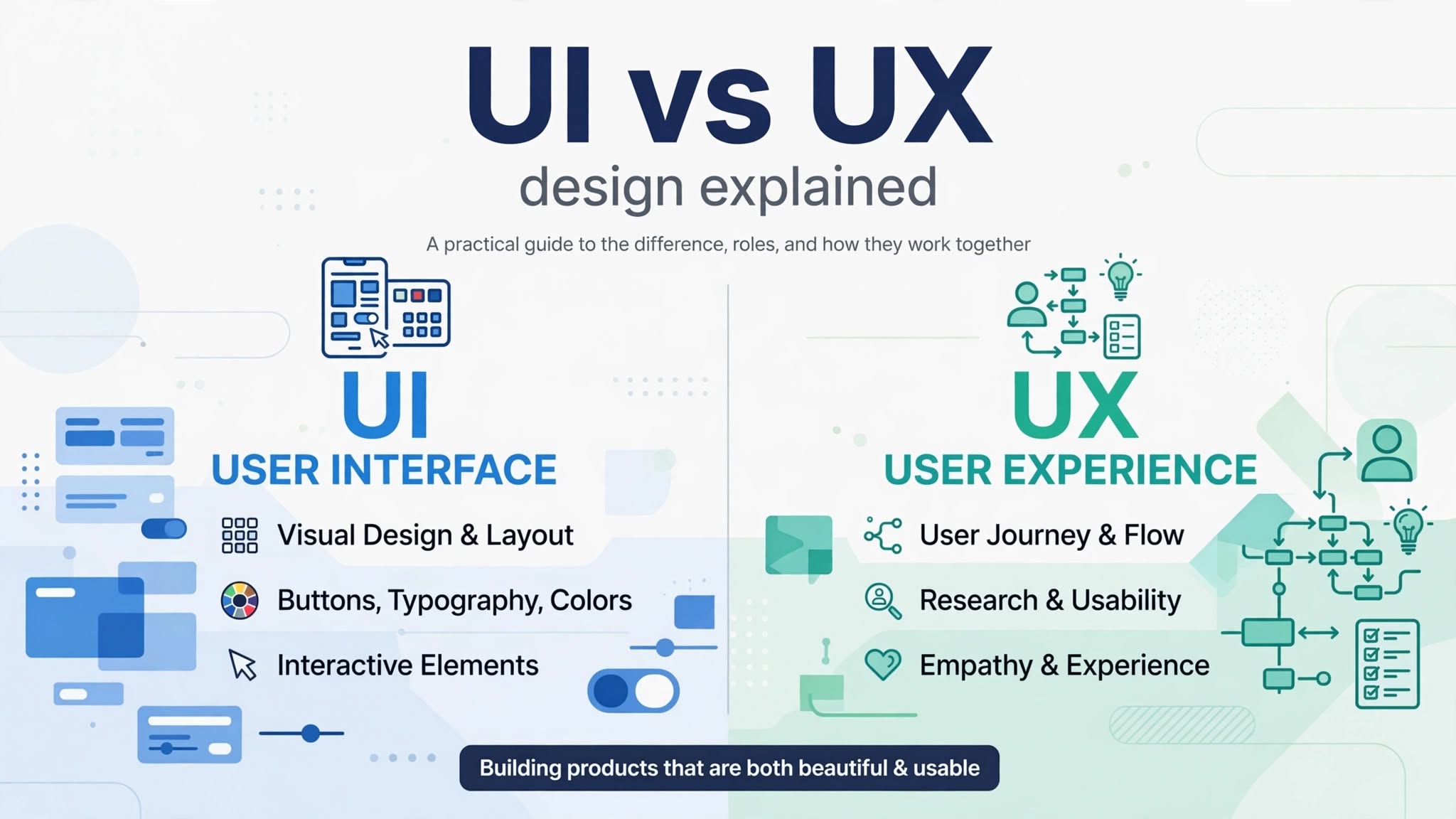
If you are entering the world of digital product creation, having UI vs. UX design explained clearly is one of the most essential steps for your career. While User Interface (UI) and User Experience (UX) are often grouped together as a single term (“UI/UX”), they actually refer to two distinctly different aspects of the digital design process. Confusing the two can lead to poor product strategy, misaligned team roles, and ultimately, deeply frustrating user experiences.
In this comprehensive guide, we will break down the key differences, explore how both of these critical disciplines function, and explain why both are absolutely necessary to build successful, high-converting websites and mobile applications in today’s competitive digital market.
This guide on UI vs. UX design explained is for beginners.
What is User Experience (UX) Design?
To understand UI vs. UX design, we first learn UX. User Experience (UX) design focuses primarily on the overall feel, functionality, and journey a user undergoes when interacting with a digital product. The primary goal of a dedicated UX designer is to solve user problems and make products intuitive, logical, and deeply satisfying to navigate.
UX design encompasses everything from deep user research, empathy mapping, and wireframing to usability testing and structural planning. A great user experience ensures that users can accomplish their goals—whether that is buying a product, signing up for a newsletter, or finding contact information—with minimal effort, friction, and frustration. UX designers spend their time analyzing data and understanding human psychology to map out the most efficient user journey possible.
What is User Interface (UI) Design?
The second part of the UI vs. UX design explained is UI. User Interface (UI) design, on the other hand, deals directly with the visual aesthetic and interactive elements of a digital product. It focuses on how individual screens, interactive buttons, color palettes, typography, and visual assets look and behave when a user interacts with them.
While UX defines the invisible structure and wireframes, UI brings those blueprints to life through visual artistry and strict brand alignment. A strong UI design ensures that an application is visually appealing, emotionally engaging, and modern. UI designers are responsible for making sure the interface communicates the brand’s identity while remaining accessible and easy to read across all screen sizes and devices.
Understanding UI vs. UX Design Explained Through Key Differences
To better understand how these two fields contrast, let us examine their primary areas of focus side by side:
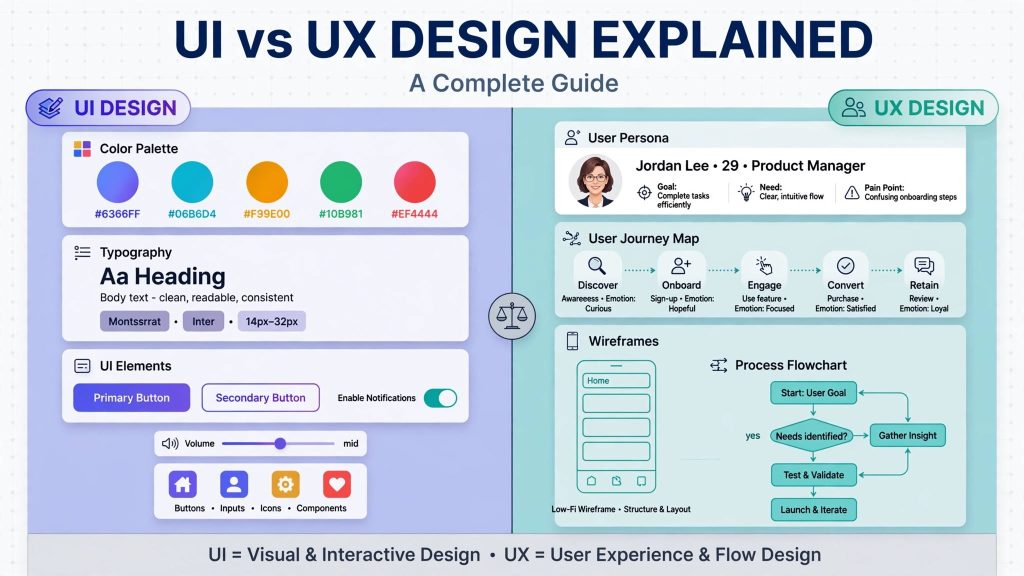
Function vs. Aesthetics: UX focuses on how a product works and logically solves problems. UI focuses on how a product looks and feels visually.
Logic vs. Visuals: UX deals with user psychology, low-fidelity wireframes, and complex workflows. UI deals with color schemes, typography scales, layout grids, and engaging microinteractions.
Process Stage: UX research and structural planning almost always happen first in the product lifecycle. UI design follows later to polish, brand, and stylize those structural concepts.
Tools Used: UX designers frequently use tools like Miro, Balsamiq, and survey platforms for research and mapping. UI designers heavily leverage Figma, Adobe XD, and Illustrator for high-fidelity visual mockups and asset generation.
How UI and UX Design Work Together
Think of building a digital product like constructing a modern house. UX design represents the architectural blueprint, plumbing, and structural layout—it determines where the rooms go, where the doors are placed, and how people naturally walk through the building. UI design represents the interior design—the paint colors on the walls, the lighting fixtures, the furniture, and the decorative details that make the house beautiful to live in.
A product with great UX but poor UI will function smoothly but feel unrefined, boring, or visually outdated. Conversely, a product with beautiful UI but poor UX will look visually stunning, but users will quickly abandon it because they cannot figure out how to navigate the confusing menus. Both disciplines must collaborate closely to deliver an outstanding, cohesive experience.
Key Responsibilities of UI and UX Designers
If you are looking to hire or become a designer, here is a quick breakdown of daily tasks:
UX Designer Responsibilities: Conducting user interviews, surveys, and competitive market analysis. Creating detailed user personas, journey maps, and user flows. Building low-fidelity wireframes and interactive prototypes. Performing ongoing usability testing to identify and fix navigation bottlenecks.
UI Designer Responsibilities: Developing comprehensive visual design systems and UI component libraries. Selecting readable typography, accessible color palettes, and custom iconography. Designing highly responsive screen layouts for mobile, tablet, and desktop displays. Creating smooth animations, transitions, and satisfying microinteractions.
Conclusion and Next Steps
We hope this article on UI vs. UX design explained helped you. UX design explained helped you learn the difference. Understanding UI vs. UX design explained gives you the clarity needed to plan better digital products, assemble the right design team, or kickstart your own career in product design. Both UI and UX are indispensable pillars of modern software development.
Whether you are looking to build a brand-new mobile application or completely revamp an existing corporate website, focusing on both user psychology and visual polish will set your business up for long-term success. If you have questions or need professional assistance with your next digital design project, reach out to us through our contact page to learn more about our design services!
This guide on UI vs. UX design explained will help you build better products.