
Subtotal ₨ 0
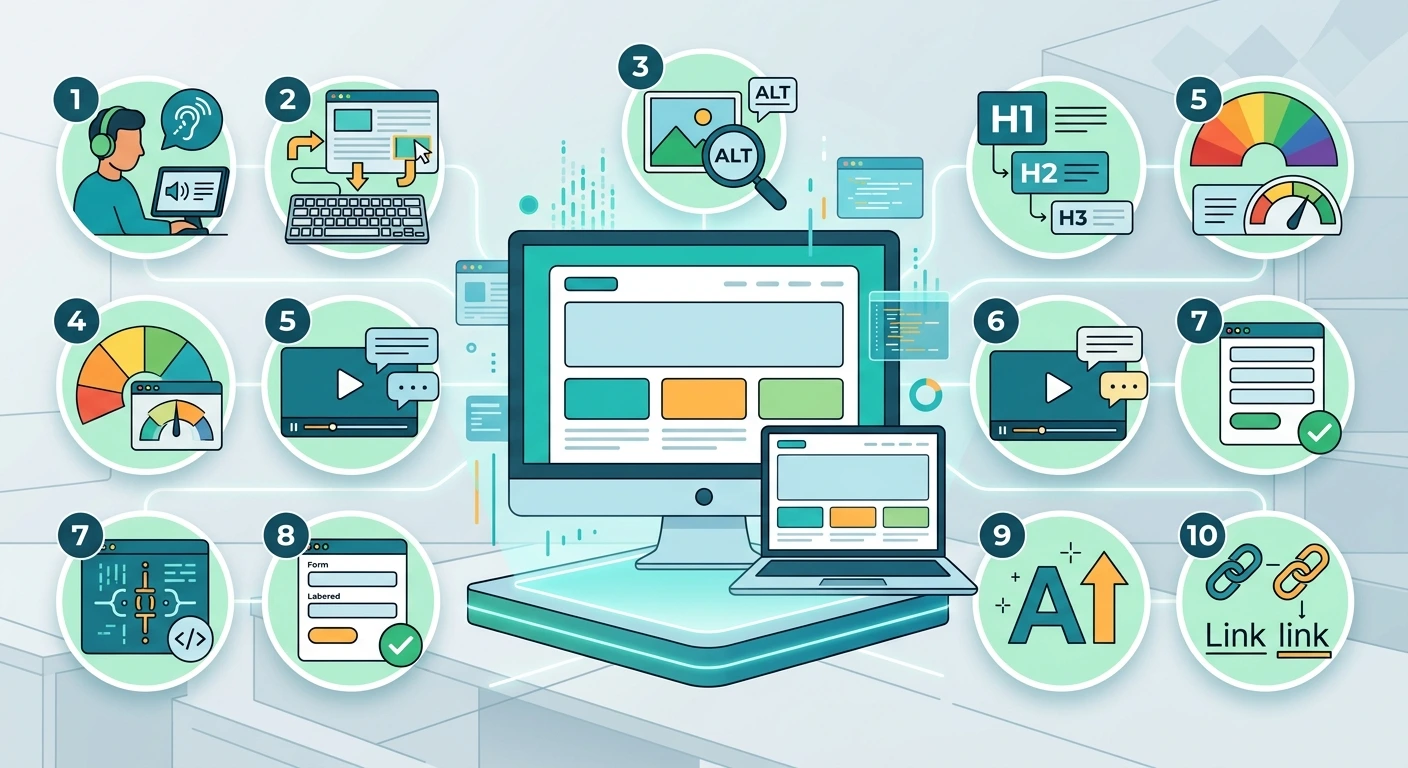
This website accessibility guide is built to help you make your site usable for everyone, including people with visual, hearing, motor, or cognitive disabilities. About 1 in 6 people worldwide live with some form of disability, so an accessible site reaches more visitors, improves your SEO, and reduces legal risk. Below are 10 essential best practices you can apply today.
Table of Contents
- What Is Website Accessibility?
- Why This Website Accessibility Guide Matters
- 10 Essential Website Accessibility Best Practices
- How to Test Your Website for Accessibility
- Common Accessibility Mistakes to Avoid
- Final Thoughts
- Frequently Asked Questions
What Is Website Accessibility?
Website accessibility means designing and building your site so people with disabilities can perceive, understand, navigate, and interact with it. This includes people who use screen readers, people who cannot use a mouse, and people with low vision or color blindness.
Accessible design follows the Web Content Accessibility Guidelines (WCAG), the international standard most laws and policies are based on. This website accessibility guide follows the same core principles: content should be perceivable, operable, understandable, and robust.
Why This Website Accessibility Guide Matters
Accessibility is not just a legal checkbox. It directly affects how many people can use, understand, and buy from your website.
- Wider reach: you serve visitors with disabilities instead of turning them away
- Better SEO: many accessibility practices, like alt text and clear headings, also help search engines understand your content
- Lower legal risk: accessibility lawsuits and complaints are rising in many countries
- Better usability for everyone: captions, clear labels, and good contrast help all visitors, not only those with disabilities
10 Essential Website Accessibility Best Practices
1. Add Descriptive Alt Text to Images
This is the starting point of nearly every website accessibility guide, and one of the easiest fixes to make.
Every meaningful image needs alt text that describes its purpose, such as alt=”website accessibility guide checklist icon” rather than a blank tag or a filename. Decorative images can use an empty alt attribute so screen readers skip them.
2. Use Sufficient Color Contrast
Text needs enough contrast against its background to be readable, including for visitors with low vision or color blindness. WCAG recommends a contrast ratio of at least 4.5 to 1 for normal text. Free contrast checker tools can confirm your colors pass.
3. Make Your Site Fully Keyboard Operable
Some visitors cannot use a mouse and rely on a keyboard or switch device instead. Every link, button, and form field in this website accessibility guide should be reachable and usable using only the Tab, Enter, and arrow keys.
4. Use Clear, Logical Heading Structure
Heading structure is a detail many teams overlook, but it belongs in any serious website accessibility guide.
Headings should follow a logical order, from H1 down to H2 and H3, without skipping levels. Screen reader users often navigate a page by jumping between headings, so a clear structure helps them find content quickly.
5. Label Forms Clearly
Every form field needs a visible, properly connected label, not just placeholder text that disappears when the user starts typing. Clear error messages also help everyone complete a form successfully.
6. Write Descriptive Link Text
Avoid vague link text like “click here” or “read more.” Screen reader users often scan a list of links out of context, so text like “read our website accessibility guide” tells them exactly where the link leads.
7. Add Captions and Transcripts to Media
Videos need captions for people who are deaf or hard of hearing, and audio content benefits from a text transcript. This also helps visitors in noisy or sound-sensitive environments.
8. Design Visible Focus States
When a keyboard user tabs through your page, a visible outline or highlight should show exactly which element is active. Removing this outline without a clear replacement makes keyboard navigation very hard to follow.
9. Use Accessible Color and Design Choices
Do not rely on color alone to convey meaning, such as marking required form fields in red only. Add text, icons, or patterns alongside color so the message still comes across for colorblind visitors.
10. Test With Real Assistive Technology
Automated tools catch many issues, but testing with a real screen reader, such as NVDA or VoiceOver, and real keyboard navigation reveals problems that tools miss. This step is often the most skipped part of any website accessibility guide, yet it gives the clearest picture of the real experience.
How to Test Your Website for Accessibility
No website accessibility guide is complete without testing. Combine a few methods for the most reliable results:
- Run an automated scanner such as WAVE or Lighthouse to catch common issues
- Navigate your entire site using only a keyboard
- Test key pages with a screen reader
- Check color contrast with a free contrast checker tool
- Ask real users with disabilities for feedback when possible
Common Accessibility Mistakes to Avoid
Watch for these frequent issues:
- Missing or unhelpful alt text on images
- Low contrast text that is hard to read
- Forms with no visible labels
- Pop-ups that trap keyboard focus or cannot be closed with a keyboard
- Videos published without captions
- Relying only on an automated scanner and skipping manual testing
Final Thoughts
Following this website accessibility guide step by step makes your site usable for far more visitors, supports your SEO, and reduces legal risk. Start with the basics, such as alt text, contrast, and keyboard navigation, then test regularly as your site grows and changes.
At System Software Development Solution (SSD Sol), our team in Lahore builds websites with accessibility and performance built in from the start. Explore our web development services, learn more about us, or explore our UI/UX and web design services to build accessibility in from the start. Want an accessibility review of your current site? Contact us for a free consultation.
Frequently Asked Questions
What is website accessibility?
Website accessibility means designing a site so people with disabilities, including visual, hearing, motor, or cognitive challenges, can use it fully and easily.
Is website accessibility required by law?
Many countries have laws or standards requiring digital accessibility for certain organizations, and more businesses are being held to these standards through complaints and lawsuits. Check your local regulations for specifics.
Does accessibility help SEO?
Yes. Practices like descriptive alt text, clear headings, and good link text help both assistive technology and search engines understand your content better.
How do I start improving my website accessibility?
Start with the basics from this website accessibility guide: add alt text to images, check color contrast, make your site keyboard operable, and label every form field clearly.