
Subtotal ₨ 0
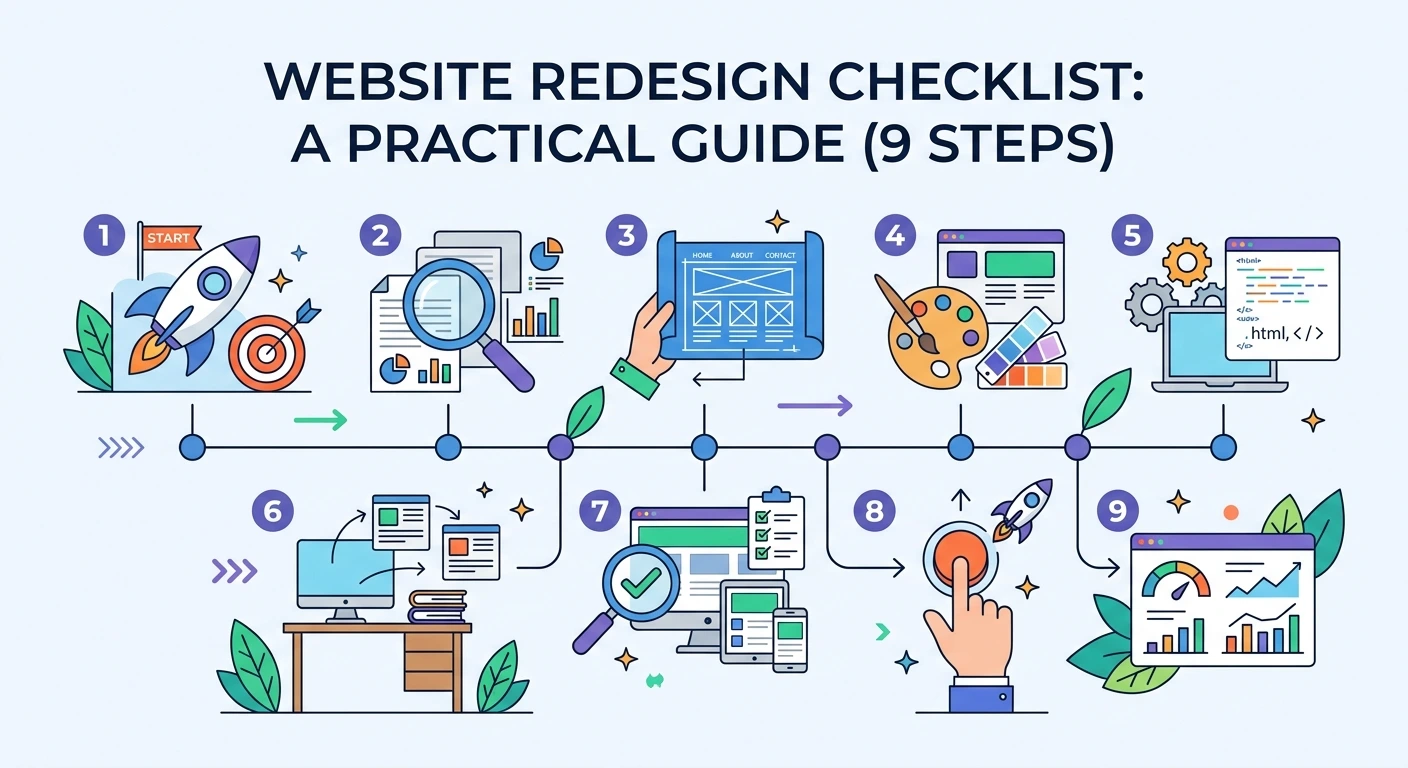
A redesign can refresh an outdated site, but it can also break what already works if it is not planned carefully. This website redesign checklist is a practical guide to help you protect your SEO rankings, keep your content organized, and launch a site that performs better than the one before it.
Table of Contents
- What Is a Website Redesign?
- When Does Your Site Need a Redesign?
- Website Redesign Checklist: 9 Proven Steps
- Common Redesign Mistakes to Avoid
- Final Thoughts
- Frequently Asked Questions
What Is a Website Redesign?
A website redesign is a planned update to your site’s look, structure, or technology, going beyond small edits like a color change or a new image. It can involve a new visual design, a new content management system, a new page structure, or all three at once.
Because so many parts of the site can change at the same time, following a clear website redesign checklist helps you avoid losing traffic, rankings, or features your visitors already rely on.
When Does Your Site Need a Redesign?
Consider a redesign if your site shows any of these signs:
- It looks outdated compared to competitors
- It is not mobile-friendly or loads slowly
- Your brand, products, or services have changed significantly
- Visitors struggle to find information or complete key actions
- The current platform is hard to update or no longer supported
Website Redesign Checklist: 9 Proven Steps
1. Set Clear Goals
This is the first and most important item on any website redesign checklist.
Define what success looks like before any design work starts. More leads, faster load times, better mobile experience, or a modern look are all valid goals, but they should guide every decision that follows.
2. Audit Your Current Site
Review your existing pages, traffic, and top-performing content. Note which pages drive the most visitors or conversions so you protect them during the rebuild. This step is one of the most skipped parts of any website redesign checklist, and skipping it is the easiest way to lose traffic.
3. Document Your Current URLs
Export a full list of your existing page URLs. You will need this to set up proper redirects later, so search engines and visitors land on the right page after launch instead of a broken link.
4. Plan Your Content and Structure
Content planning is a step every website redesign checklist should include early, not as an afterthought.
Decide what content stays, what gets updated, and what gets removed. Map out a clear navigation structure so visitors, and search engines, can find their way around the new site easily.
5. Choose the Right Design and Platform
Pick a design direction and a platform, such as WordPress or a custom build, that fits your goals, budget, and who will manage the content afterward. Revisit the web development services that match your needs at this stage.
6. Preserve Your SEO
Keep your page titles, meta descriptions, and heading structure in mind during the redesign. Set up 301 redirects from old URLs to their new equivalents so you do not lose the rankings you have already earned. Google’s guide to 301 redirects explains how to do this correctly.
7. Test Thoroughly Before Launch
No website redesign checklist is complete without a dedicated testing phase before launch.
Check the new site on different browsers, devices, and screen sizes. Test every form, button, and link, and confirm the site loads quickly using a tool like Google PageSpeed Insights.
8. Prepare a Launch Plan
Schedule the launch for a low-traffic time, back up your current site, and have a rollback plan ready in case something goes wrong. Notify your team so everyone knows what to expect.
9. Monitor After Launch
Watch your analytics, search rankings, and error logs closely in the first few weeks. Fix broken links or missing redirects quickly, since small issues are much easier to catch early.
Common Redesign Mistakes to Avoid
These are the issues that a good website redesign checklist is specifically designed to prevent:
- Changing URLs without setting up redirects
- Removing high-performing content without a replacement
- Skipping mobile and cross-browser testing
- Launching without a backup or rollback plan
- Redesigning without a clear goal in mind
Final Thoughts
A successful redesign protects what already works while improving everything else. Follow this website redesign checklist step by step, test thoroughly, and monitor closely after launch so your new site performs better than the old one from day one.
At System Software Development Solution (SSD Sol), our team in Lahore plans and executes website redesigns that protect your SEO and improve performance. Learn more about us, read our guide on top web development trends, or contact us for a free consultation on your redesign project.
Frequently Asked Questions
What is included in a website redesign checklist?
A good checklist covers goals, a content audit, URL documentation, design and platform choices, SEO preservation, testing, launch planning, and post-launch monitoring.
How long does a website redesign take?
It depends on the size and complexity of the site, but most redesigns take anywhere from a few weeks to a few months.
Will a redesign hurt my SEO rankings?
It can, if URLs change without redirects or content is removed carelessly. Following a proper website redesign checklist, including 301 redirects, helps protect your existing rankings.
How do I know if my website needs a redesign?
Signs include an outdated look, slow load times, poor mobile experience, low conversions, or a platform that is difficult to update.