
Subtotal ₨ 0
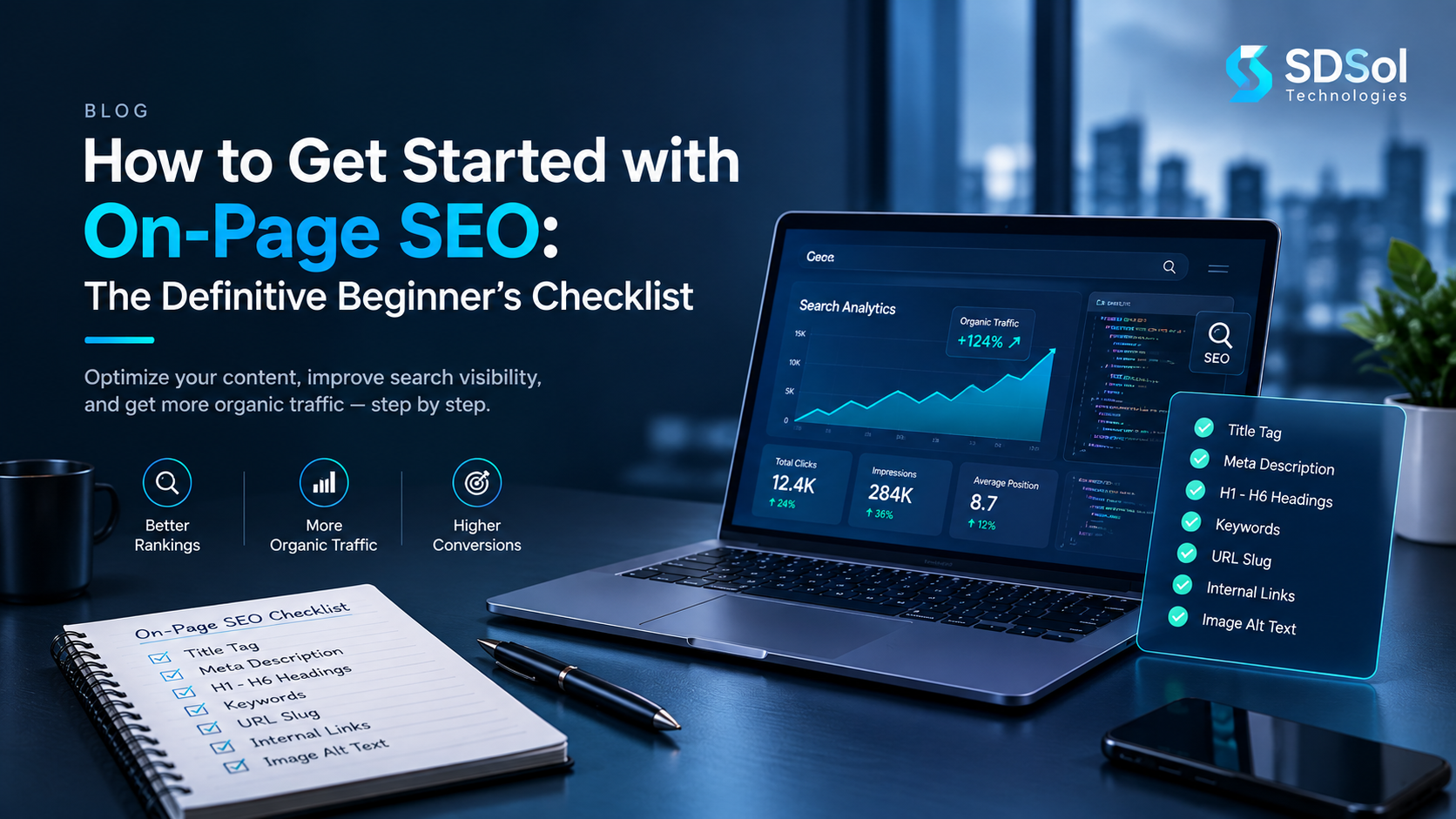
If you want a webpage to perform better in Google, start with what you can control directly: the page itself. This on-page SEO checklist gives beginners and growing SEO teams 21 practical checks for search intent, titles, content, headings, URLs, links, images, structured data, performance, and conversion. Use it before publishing a new page and again when an existing page receives impressions but fails to earn enough clicks or engagement.
The goal is not to repeat a keyword as many times as possible. The goal is to make one page the clearest, most useful answer to a specific search need. Google says its systems prioritize helpful, reliable, people-first content, while its current guidance for generative AI search also points site owners back to strong technical foundations and unique, valuable content.
Before diving into the checklist, if you’re new to SEO, our SEO basics for beginners guide explains the fundamentals you need to understand first.
What Is an On-Page SEO Checklist?
An on-page SEO checklist is a page-level set of checks used to improve the content, HTML elements, structure, media, links, and user experience of an individual URL. Unlike off-page SEO, which depends heavily on external websites and mentions, on-page optimization focuses on elements you can edit yourself.
A useful on-page SEO checklist normally covers:
- Search intent and keyword targeting
- Title tag and meta description
- URL and canonical URL
- H1, H2, and H3 structure
- Main content and topical coverage
- Internal and external links
- Images and accessibility
- Structured data
- Mobile experience and Core Web Vitals
- Trust, clarity, and conversion elements
Think of the process like preparing a professional document: first decide what the document must accomplish, then organize it, improve the wording, check the technical details, and proofread it before delivery.
Why Is On-Page SEO Important?
On-page SEO helps search engines understand what a page is about and helps visitors decide whether the page deserves their attention. A technically perfect page cannot compensate for content that misses the user’s intent, and a great article can underperform if its subject, structure, or indexability is unclear.
Google recommends descriptive titles, useful page content, crawlable links, sensible URLs, accessible images, and appropriate structured data. Its documentation also stresses that SEO should support people-first content rather than content written mainly to manipulate rankings.
For a practical on-page SEO checklist, prioritize relevance and usefulness first, then polish the page’s search appearance and technical signals.
How to Use This On-Page SEO Checklist
Run the checks in order. The sequence matters because fixing the wrong target keyword or search intent can make every later optimization irrelevant. Keep the on-page SEO checklist open beside the draft so every decision can be verified as you work.
For each step, ask three questions. These questions turn the on-page SEO checklist from general advice into a repeatable audit:
- Is it present?
- Is it accurate and useful?
- Can I verify it with a tool or direct page inspection?
For WordPress users, most changes can be handled through the page editor and an SEO plugin such as Rank Math or Yoast. Developers can verify the same elements directly in the HTML and rendered page.
21-Step On-Page SEO Checklist
1. Match the Page to Search Intent
Before editing a single heading, search the target query and study what Google currently returns. Search intent is the underlying reason behind a query: learning, comparing, finding a specific website, buying, or taking another action. In an on-page SEO checklist, this is the first strategic check because the wrong intent cannot be repaired by better metadata.
Check:
- What page types dominate the results?
- Are the results guides, service pages, product pages, lists, or tools?
- How detailed are the leading pages?
- What questions do they answer?
- Does your planned page format match the user’s likely goal?
For example, someone searching “how to optimize a website” probably needs a guide, not a sales page. Intent alignment is the foundation of your on-page SEO checklist because excellent optimization cannot rescue a page built for the wrong purpose.
2. Choose One Primary Topic and Supporting Terms
Assign one primary keyword or topic to the page, then create a small group of closely related terms. Supporting terms may include synonyms, subtopics, entities, questions, and phrases that naturally occur when experts discuss the subject.
Do not create a paragraph for every keyword variation. Instead, use the terms to decide what the page should explain. A practical on-page SEO checklist uses supporting terms to improve coverage, not to manufacture repetition.
For this article, related concepts include title tags, meta descriptions, search intent, H1 tags, internal links, image SEO, structured data, Core Web Vitals, E-E-A-T, AEO, GEO, and user experience.
A strong on-page SEO checklist should help you build topical coverage rather than a mechanically optimized keyword list.
3. Write a Clear, Compelling Title Tag
The title tag is one of the main sources Google can use for a search-result title. Google recommends titles that are descriptive, concise, unique, and relevant to the page. It may also use other headings or prominent text when generating the displayed title link.
Before publishing, check that your title. This is a core on-page SEO checklist check because the title connects the page topic with the searcher’s first impression.
- Clearly describes the page
- Reflects the search intent
- Includes the primary topic naturally
- Gives the reader a reason to click
- Is unique on the site
- Avoids unnecessary repetition
A useful working target is around 50–60 characters, but do not treat a character limit as a Google ranking rule. Google can rewrite title links when it believes another source better represents the page.
4. Create a Useful Meta Description
A meta description is a short HTML description that can help influence the snippet shown in Google. Google primarily generates snippets from page content, but may use the meta description when it provides a better description of the page.
Write a description that answers these questions. Your on-page SEO checklist should treat the description as a useful search-result pitch, not as a place to repeat keywords.
- What is this page about?
- Who is it for?
- What useful outcome does it provide?
Include the primary topic naturally, but never turn the description into a keyword list. A good working range is roughly 140–160 characters, while recognizing that Google can truncate or replace the description depending on the query and device.
Your on-page SEO checklist should mark the description as complete only when it is unique, accurate, readable, and aligned with the page.
5. Build a Short, Descriptive URL
A clean URL helps people understand where they are and gives search engines additional context. Google recommends readable, descriptive URLs and recommends hyphens for separating words.
This on-page SEO checklist step is complete when the address is readable, stable, and closely aligned with the page’s purpose:
- Short enough to understand
- Descriptive rather than stuffed
- Lowercase and consistent
- Free from unnecessary parameters when possible
- Stable after publication
Good:
example.com/on-page-seo-checklist/
Avoid:
example.com/page?id=82736&cat=4
Do not keep changing a URL simply to add a newer keyword variation. If a page already has search history and links, changing the URL can create unnecessary migration work.
6. Use One Clear H1 and Logical Subheadings
The H1 should communicate the page’s main subject. Then use H2 headings for major sections and H3 headings for supporting points.
For example, the following structure makes an on-page SEO checklist easier to implement:
- H1: On-Page SEO Checklist: 21 Powerful Steps
- H2: What Is On-Page SEO?
- H2: 21-Step On-Page SEO Checklist
- H3: Match the Page to Search Intent
- H3: Optimize the Title Tag
Do not use headings only to insert keywords. Use them to create a logical information architecture. This on-page SEO checklist step is about clarity first and keyword placement second.
7. Make the Introduction Answer the Main Question
Do not make visitors wait through a long story before giving them the answer. In an on-page SEO checklist, the opening should pass a simple test: can a new visitor understand the page’s purpose immediately?
Start by stating what the page covers, who it helps, and what the reader will be able to do after reading it.
For informational content, aim to provide a concise answer early, then expand with evidence, examples, and steps. This structure also supports AEO because answer engines can more easily identify the direct response before the deeper explanation.
A practical on-page SEO checklist should therefore include a “first-screen test”: if a visitor reads only the title, opening paragraph, and first heading, is the purpose obvious?
8. Cover the Topic Completely Without Adding Fluff
Depth does not mean writing the longest page. It means covering the important questions a reader needs answered. A strong on-page SEO checklist therefore measures completeness by usefulness, not by word count.
Use:
- Definitions
- Examples
- Step-by-step instructions
- Comparisons where useful
- Common mistakes
- Practical checks
- Relevant tools
- Clear next steps
Avoid adding unrelated sections simply to reach a word count. Google explicitly says there is no preferred word count that guarantees better rankings.
Use competitor pages as research inputs, not templates. A better page should add clarity, experience, examples, or a more useful workflow rather than merely paraphrasing existing content.
9. Improve Readability and Scannability
Readers often scan before they commit to reading. Make the page easy to navigate. Treat scannability as a formal on-page SEO checklist item rather than a cosmetic preference.
Use:
- Short paragraphs
- Descriptive subheadings
- Bulleted lists
- Numbered steps
- Tables when comparison helps
- Bold emphasis for genuinely important phrases
- Clear transitions
Explain specialist terms the first time they appear. For example, define “canonical URL” as the preferred version of a page when multiple URLs represent similar or duplicate content.
This is especially important for small business owners, bloggers, and junior marketers who may understand the goal of SEO without knowing every technical term.
10. Add Relevant Internal Links
Internal links connect one page on your website to another. In an on-page SEO checklist, they are both a navigation check and a way to reinforce topical relationships.
Use descriptive anchor text such as “mobile-first web development” instead of vague phrases such as “click here.” Google recommends concise, relevant anchor text that clearly describes the destination.
Before publishing, check:
- Links point to relevant pages
- Destination URLs work
- Anchor text makes sense out of context
- Important pages are not isolated
- You are not adding links simply to hit a number
For SDSol, a natural contextual link could point to its existing discussion of UX/UI and responsive design when explaining mobile usability, or to its headless CMS article when discussing content architecture.
11. Add Useful External Links
External links can strengthen a page when they take readers to authoritative, relevant information. Include this as a judgment-based on-page SEO checklist check, not a fixed quota.
Link to original documentation, research, standards, official tools, or primary sources when a claim needs verification.
For SEO education, Google Search Central and web.dev are appropriate sources for Google Search guidance and Core Web Vitals.
Do not add external links merely because an SEO plugin says you need them. Relevance and usefulness matter more than hitting a fixed count.
12. Optimize Images and Alt Text
Images can support understanding, break up long sections, and create opportunities for image search visibility. A complete on-page SEO checklist checks both the image itself and the context surrounding it.
For each meaningful image:
- Use a relevant file name
- Compress it without obvious quality loss
- Choose an appropriate format
- Add descriptive alt text when the image conveys information
- Place it near related text
- Avoid stuffing keywords into alt text
Google recommends high-quality images placed near relevant text and descriptive image context.
Decorative images may use empty alt text so assistive technologies can skip them. Alt text should describe the image’s purpose, not advertise the page.
13. Check Mobile Usability
Google uses the mobile version of a site’s content for indexing and ranking under mobile-first indexing. Your page should therefore offer the same essential content and metadata on mobile as it does on desktop.
Test:
- Text size and line spacing
- Navigation
- Buttons and tap targets
- Images
- Tables
- Forms
- Pop-ups
- Horizontal scrolling
- Content hidden on mobile
Do not assume a responsive theme automatically solves every issue. Test the actual page on a phone or with browser device emulation.
14. Improve Core Web Vitals and Page Experience
Core Web Vitals measure loading, interactivity, and visual stability. Current “good” targets are LCP of 2.5 seconds or less, INP of 200 milliseconds or less, and CLS of 0.1 or less at the relevant 75th-percentile threshold.
You can improve performance by:
- Compressing oversized images
- Reducing unnecessary JavaScript
- Removing unused plugins or scripts
- Caching appropriate assets
- Using efficient hosting
- Reserving space for images and embeds
- Deferring non-critical resources
Google describes page experience as an overall consideration rather than a single score to chase. Security, mobile usability, intrusive interstitials, and overall usability also matter.
15. Add Structured Data When It Fits
Structured data is machine-readable information that helps Google understand page content and can make pages eligible for certain rich-result features.
Use schema only when it accurately represents visible page content and meets Google’s guidelines. Appropriate types depend on the page. A normal blog article may use Article or BlogPosting markup; an organization may use Organization; a suitable FAQ implementation may use FAQPage where appropriate.
Do not assume schema guarantees a rich result. Google explicitly says structured data can make a page eligible for certain appearances but does not guarantee that Google will show them.
For FAQ content, keep the questions and answers visible on the page. Also note that Google significantly restricted FAQ rich results in 2023, so adding FAQ schema should not be treated as a guaranteed SERP enhancement for ordinary commercial websites.
16. Check Canonicalization and Indexing Signals
A canonical URL tells search engines which version of a set of duplicate or very similar URLs you prefer to represent the content. Google treats canonicalization as a selection process and may choose a different canonical URL from the one you suggest.
Check:
- The page is indexable
- The canonical points to the intended URL
- The page is not accidentally marked noindex
- Important content is accessible to crawlers
- Internal links use the preferred URL
- Redirects do not create unnecessary chains
Google describes redirects and rel=”canonical” as stronger canonical signals than sitemap inclusion, which is a weaker signal.
17. Strengthen E-E-A-T Signals
E-E-A-T stands for Experience, Expertise, Authoritativeness, and Trust. It is not a single checkbox or a magic ranking score. Instead, think about whether a reader has enough evidence to trust the page.
Depending on the topic, consider:
- A clear author or reviewer
- An informative About page
- First-hand examples where genuinely available
- Links to authoritative sources
- Accurate dates and update information
- Transparent explanations of limitations
- Contact and company information where appropriate
Never invent credentials, client results, reviews, case studies, or personal experience. Trust is damaged faster by unsupported claims than it is improved by decorative trust badges.
Google’s people-first guidance specifically encourages creators to demonstrate expertise and provide substantial value beyond simply rewriting information already available elsewhere.
18. Optimize for AEO and Conversational Search
Answer Engine Optimization means structuring content so important questions can be answered clearly and directly.
Add question formats naturally:
- What is on-page SEO?
- How do I optimize a page for Google?
- Where should I place my target keyword?
- What should I check before publishing a page?
- Does schema markup improve rankings?
Answer each important question directly before expanding. A concise first sentence followed by supporting detail creates useful content for both people and systems that extract answers.
Do not create awkward “AI-friendly” paragraphs. Clear human writing is the priority.
19. Build for GEO and AI Search
Google’s current guidance for generative AI features says the fundamentals still matter: unique, valuable, people-first content and a strong technical foundation. It also warns against chasing supposed “AEO/GEO hacks” such as unnecessary AI files or artificial mentions.
For GEO, make important information:
- Self-contained
- Factually precise
- Easy to quote or summarize
- Supported by authoritative sources where needed
- Consistent in terminology
- Connected to clear entities and concepts
Think of every important section as a small, complete answer. This improves comprehension without promising inclusion in AI Overviews or other generative results.
20. Add a Useful Conversion Path
SEO should not end at a click. Once a visitor reaches the page, make the next useful action obvious.
Depending on the page’s purpose, that action might be:
- Contact the business
- Request a consultation
- Read a related guide
- View a service
- Download a resource
- Start a project
- Subscribe for updates
For SDSol, a technical educational article can naturally lead readers toward relevant technology consulting, web development, UX/UI, or other services when the connection genuinely helps the reader. The company’s current site provides those service paths and a contact route.
Keep the CTA relevant. A beginner reading an educational guide does not need an aggressive sales pitch after every section.
21. Run the Final Pre-Publishing Audit
The final on-page SEO checklist is your quality-control pass. Open the actual draft or staging URL and verify the page rather than relying only on your editor or SEO plugin.
Content
- Search intent matches the target query
- The page answers the main question quickly
- Content is original, useful, and complete
- Important questions are answered
- Claims are accurate and supported where needed
- No unnecessary keyword repetition
SEO elements
- Unique title tag
- Useful meta description
- Short descriptive URL
- One clear H1
- Logical H2/H3 structure
- Primary topic used naturally
- Relevant internal links
- Useful external references
- Images optimized
- Alt text is descriptive where appropriate
Technical and UX checks
- Canonical URL is correct
- Page is indexable
- Mobile layout works
- Core Web Vitals have been reviewed
- No broken links
- Structured data is valid and truthful
- Main content is accessible to search engines
- HTTPS is enabled
Conversion and trust
- Author/reviewer information is appropriate
- Contact or business information is clear where relevant
- CTA matches the user’s intent
- Related next steps are easy to find
If a page passes this audit, you have a repeatable workflow rather than a one-time optimization exercise.
Final Takeaway
Effective on-page SEO is not about finding a secret keyword density or making an SEO plugin score green. It is the disciplined process of making a page relevant, understandable, technically accessible, useful, trustworthy, and easy to act on.
Use this on-page SEO checklist whenever you publish or refresh an important page. Start with intent and content, move through titles, structure, links, images, schema, performance, and trust, then finish with a real-page audit. That workflow is more durable than chasing individual ranking tricks because it aligns optimization with what users actually need.
For a technical business such as SDSol, this approach also creates a natural bridge between educational content and relevant technology solutions. Keep the reader’s problem at the center, give them the answer first, and make the next step obvious.