
Subtotal ₨ 0
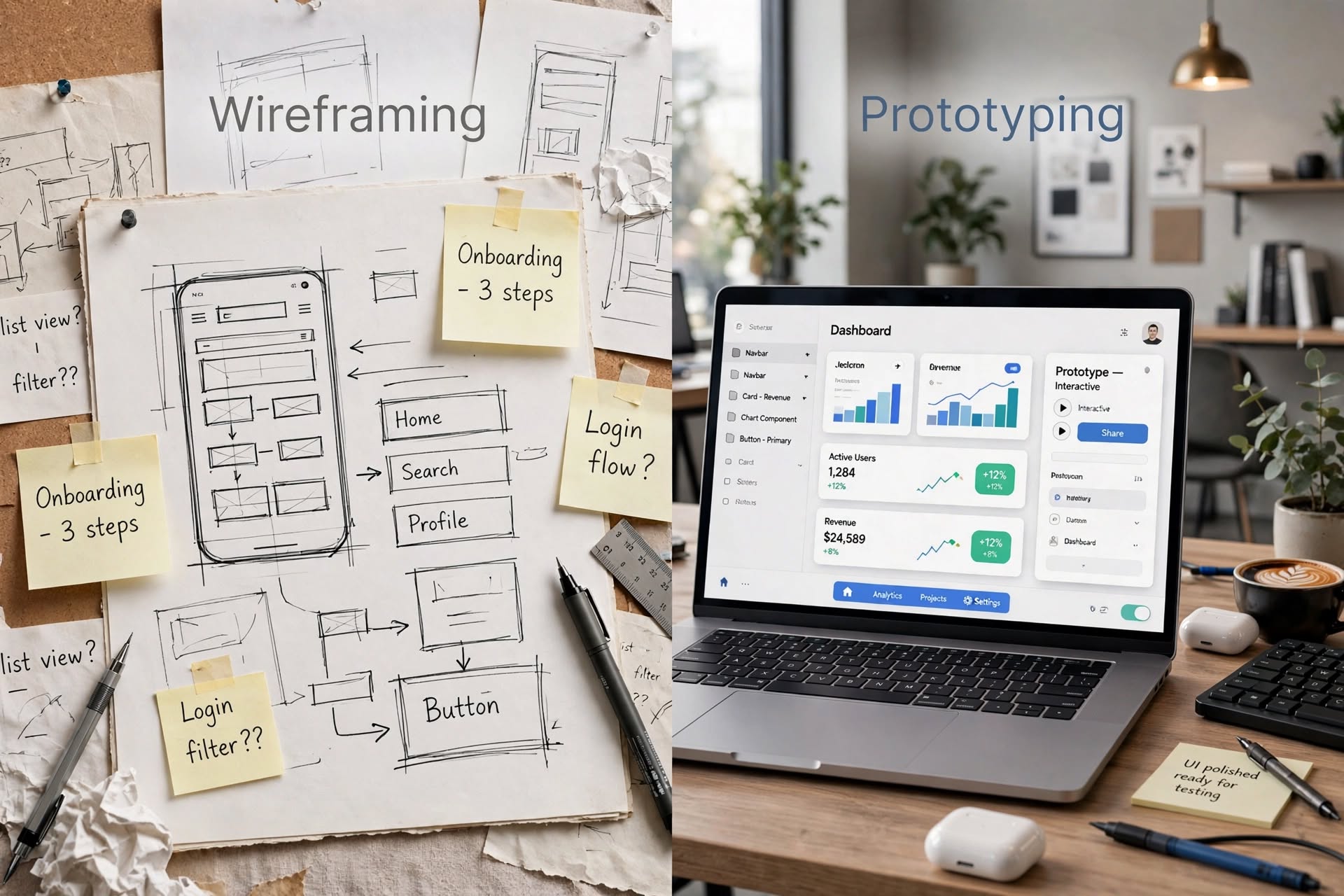
Understanding wireframing vs prototyping is essential for every UI/UX designer and business owner. These two terms are often confused, but they serve very different purposes in the design process. Using them correctly can save you weeks of development time and thousands of dollars.
If you are new to UX design, you might think a wireframe and a prototype are the same thing. They are not. A wireframe is like the blueprint of a house. A prototype is like a 3D model of that house you can walk through.
In this guide, we will break down everything you need to know about wireframing vs prototyping, including when to use each one and how they work together.
What is Wireframing vs Prototyping? The Core Definition
Let’s define both clearly to avoid confusion.
Wireframing is the process of creating a low-fidelity, skeletal outline of your product. It focuses purely on structure, layout, and functionality. It is usually in black and white with placeholder boxes, lines, and simple text. No colors, no fancy images, no interactions.
Prototyping, on the other hand, is the process of creating a high-fidelity, interactive simulation of your final product. It looks and feels much closer to the real product. It has colors, typography, real content, and clickable interactions that simulate the user journey.
In short, wireframing answers the question: “What will be on this screen?” Prototyping answers: “How will the user experience this screen?”
Wireframing vs Prototyping: 7 Key Differences You Must Know
Understanding the difference between wireframing vs prototyping is crucial for an efficient workflow. Here are the 7 most important differences.
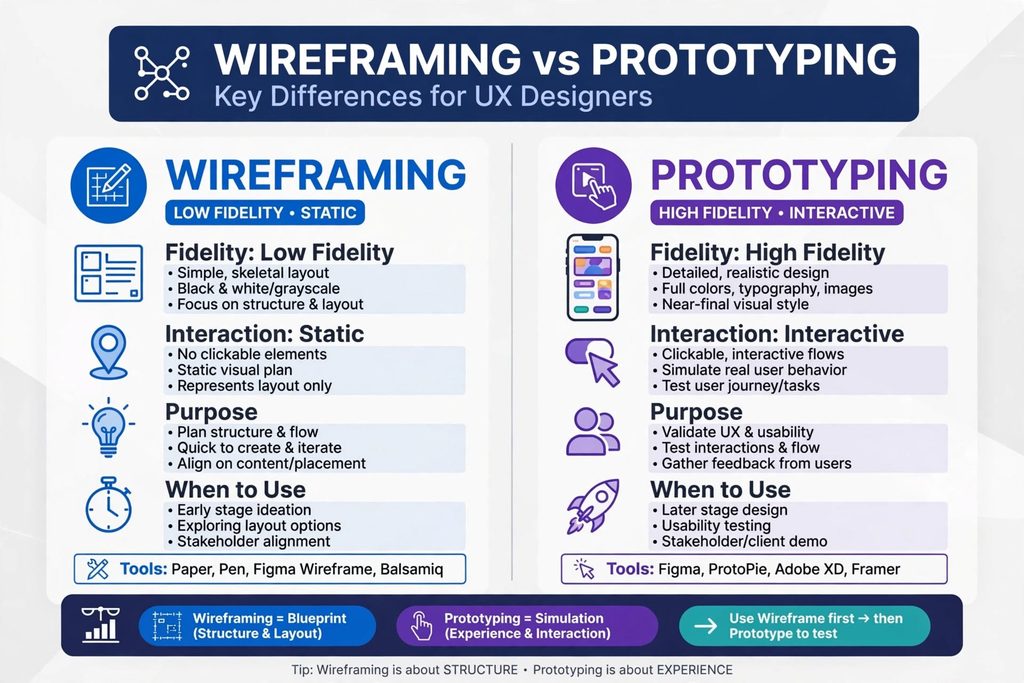
1. Fidelity Level
Wireframes are low-fidelity. They are intentionally rough and simple. This keeps stakeholders focused on structure, not visual design.
Prototypes are high-fidelity. They include the visual design system, branding, and pixel-perfect details. They are meant to represent the final look.
2. Interactivity
Wireframes are static. They are just images or sketches. You cannot click through them.
Prototypes are interactive. You can click buttons, navigate between screens, fill out forms, and experience animations. This makes them perfect for usability testing.
3. Purpose and Goal
The purpose of wireframing is to plan structure and content placement. It is about getting alignment quickly on what goes where.
The purpose of prototyping is to validate the user experience and test interactions. It is about testing how it feels to use the product before building it.
4. Time and Effort
Wireframes are fast to create. You can sketch a wireframe on paper in 10 minutes. Digital wireframes in Figma or Balsamiq also take very little time.
Prototypes take much longer. Because they require visual design and linking interactions, a good prototype can take hours or days to build properly.
5. When to Use in the Design Process
Use wireframing in the very early stages. It is ideal during ideation, information architecture, and early stakeholder meetings.
Use prototyping in the later stages. It is ideal after the structure is approved and you are ready to test usability, present to clients, or hand off to developers.
6. Tools Required
For wireframing vs prototyping, the tools often overlap but have different strengths.
Best wireframing tools include paper and pen, Balsamiq, Whimsical, and Figma’s wireframe kits. These tools are focused on speed and simplicity.
Best prototyping tools include Figma, Adobe XD, Framer, and ProtoPie. These tools allow you to create advanced interactions, animations, and conditional logic.
7. Audience and Feedback Type
Wireframes are for internal teams and early stakeholder alignment. Feedback on wireframes is about layout, content hierarchy, and user flow.
Prototypes are for user testing, client demos, and developer handoff. Feedback on prototypes is about usability, visual appeal, and interaction details.
When Should You Use Wireframing?
You should start every project with wireframing. It is the fastest way to explore multiple layout ideas without getting attached to visual details.
Use wireframes when you need to define user flows, map out information architecture, and get quick approval on structure. Wireframes prevent expensive rework later. It is much cheaper to change a box on a wireframe than to rebuild a fully designed screen.
If your project has complex logic or many screens, wireframing is non-negotiable.
H2: When Should You Use Prototyping?
Use prototyping when you need to test your design with real users. A prototype reveals usability issues that a static wireframe never can.
Finally, prototypes are critical for developer handoff. They clearly show interactions, transitions, and micro-interactions that developers need to build.
How Wireframing vs Prototyping Work Together in a Real Project
The smartest workflow does not choose one over the other. It uses both in sequence.
Step 1 is research: Understand your users and their needs.
Step 2 is wireframing : Create low-fidelity wireframes to plan the structure and flow. Get quick feedback and iterate.
Step 3 is visual design : Add colors, typography, and branding to your wireframes to create mockups.
Step 4 is prototyping. Turn those mockups into an interactive prototype. Add clickable hotspots and transitions.
Step 5 is testing. Test your prototype with 5-7 users, gather feedback, and refine.
This process ensures you build the right product in the right way. You save time by failing fast on cheap wireframes and validating properly with realistic prototypes.
Conclusion
Now you clearly understand wireframing vs prototyping. Wireframing is your blueprint. It is fast, low-fidelity, and focused on structure. Prototyping is your simulation..
Mastering both is what separates a beginner from a professional UX designer. Never skip wireframing to jump straight to prototyping. The best products are built on a solid structural foundation.
Want tobuild better products faster?