
Subtotal ₨ 0
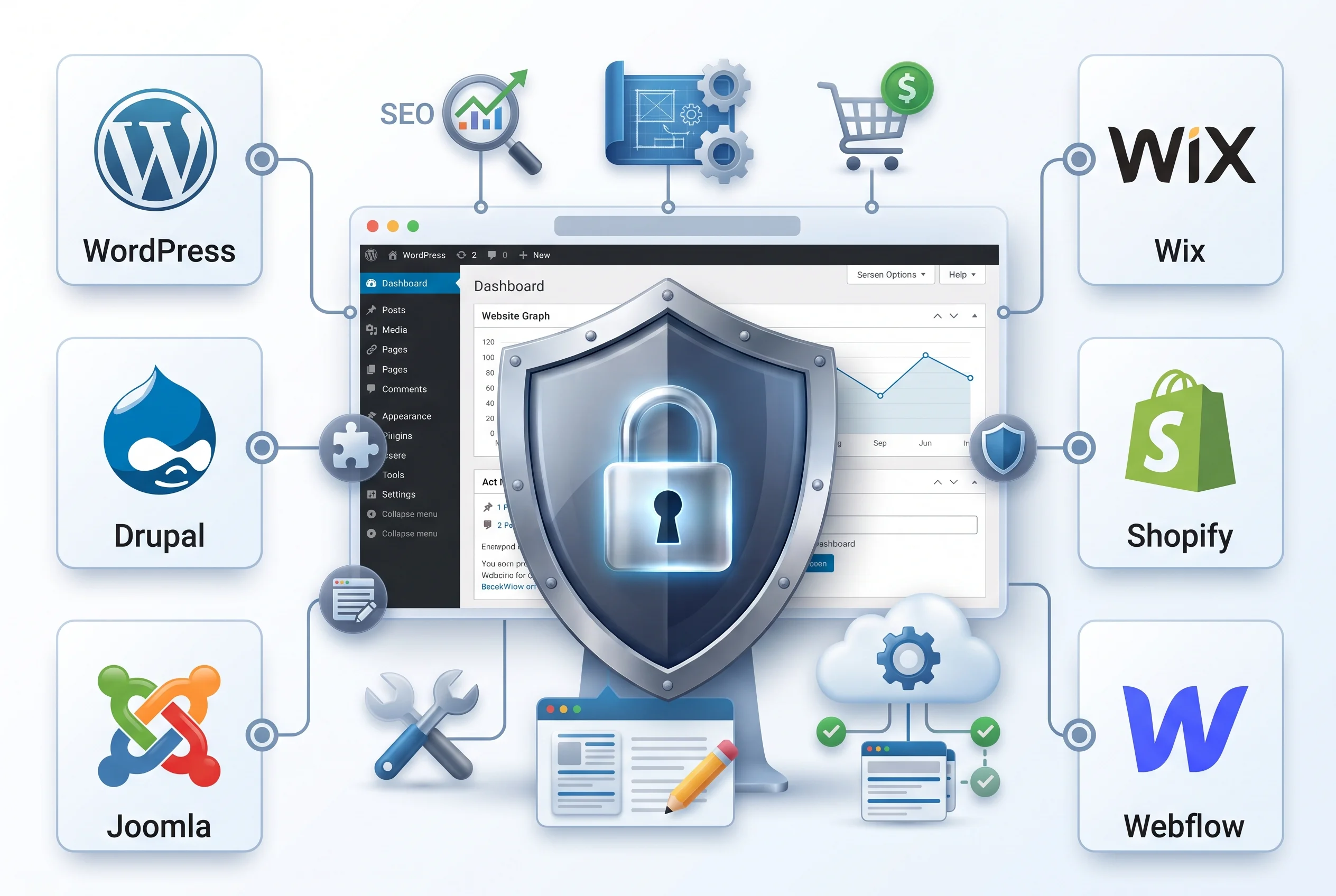
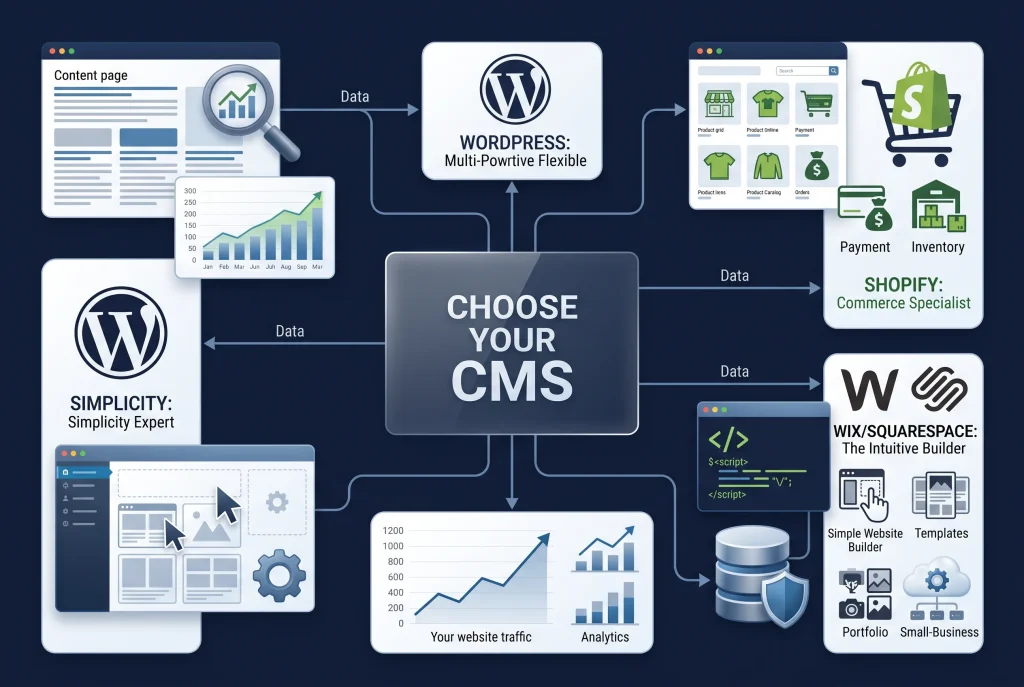
Choosing the right content management system can have a major impact on your website’s performance, flexibility, security, SEO, and long-term growth. When comparing WordPress vs other CMS platforms, website owners need to look beyond popularity and consider how each platform fits their specific goals. WordPress is one of the most widely used CMS options, but platforms such as Joomla, Drupal, Wix, Squarespace, Shopify, and Webflow can also be suitable depending on the project.
A CMS allows users to create, organize, edit, publish, and manage website content without manually building every page from scratch. However, every CMS has different strengths, limitations, pricing models, customization options, and learning curves.
This guide explains WordPress vs other CMS platforms in detail so you can understand the major differences and choose the right solution for your website.
What Is a CMS?
A Content Management System, commonly called a CMS, is software that allows users to create and manage digital content through an administrative interface.
Instead of writing every page using HTML, CSS, and JavaScript, a CMS provides tools for managing content, pages, media, users, categories, menus, and other website features.
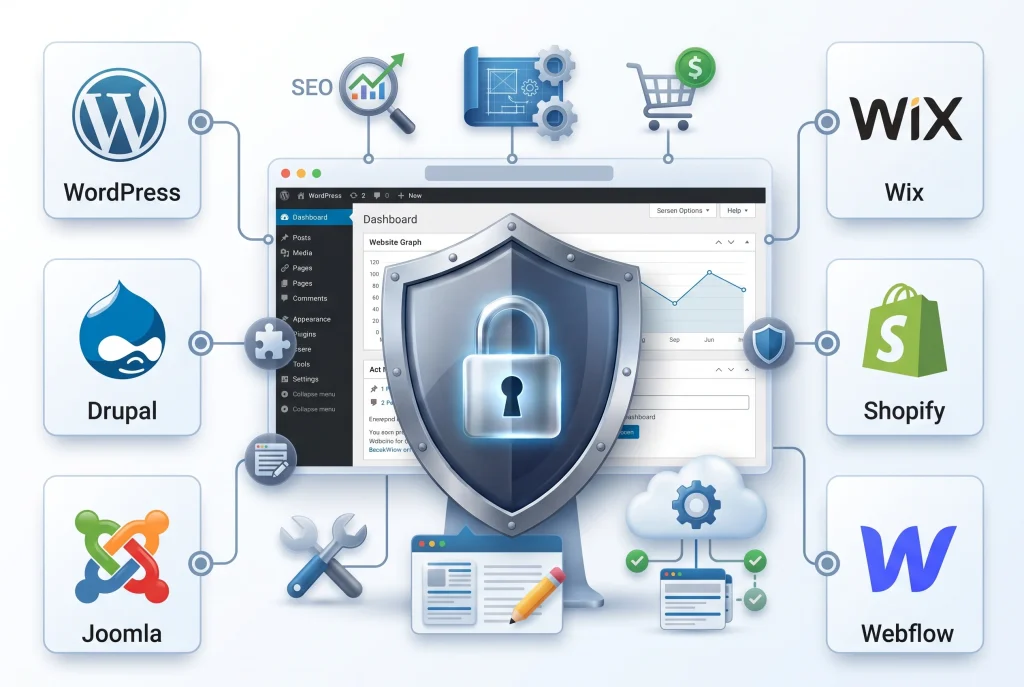
Popular CMS platforms include:
- WordPress
- Joomla
- Drupal
- Wix
- Squarespace
- Shopify
- Webflow
Although these platforms serve similar purposes, they are designed for different types of users and websites.
Some focus on flexibility and customization, while others prioritize simplicity, ecommerce, design, or enterprise-level functionality.
WordPress vs Other CMS Platforms: Why Does the Comparison Matter?
The comparison between WordPress vs other CMS platforms matters because choosing a CMS is not simply about selecting software to publish blog posts.
Your CMS can affect:
- Website design
- SEO capabilities
- Loading speed
- Security management
- Ecommerce functionality
- Hosting requirements
- Customization
- Content management
- Scalability
- Maintenance
- Overall cost
For example, a small business owner may prefer a simple website builder that requires minimal technical knowledge. A developer may prefer WordPress because it offers extensive customization.
An online store may benefit from Shopify, while an organization with complex content structures may consider Drupal.
Therefore, the best CMS depends on the website’s requirements rather than popularity alone.
WordPress vs Other CMS Platforms: Key Differences
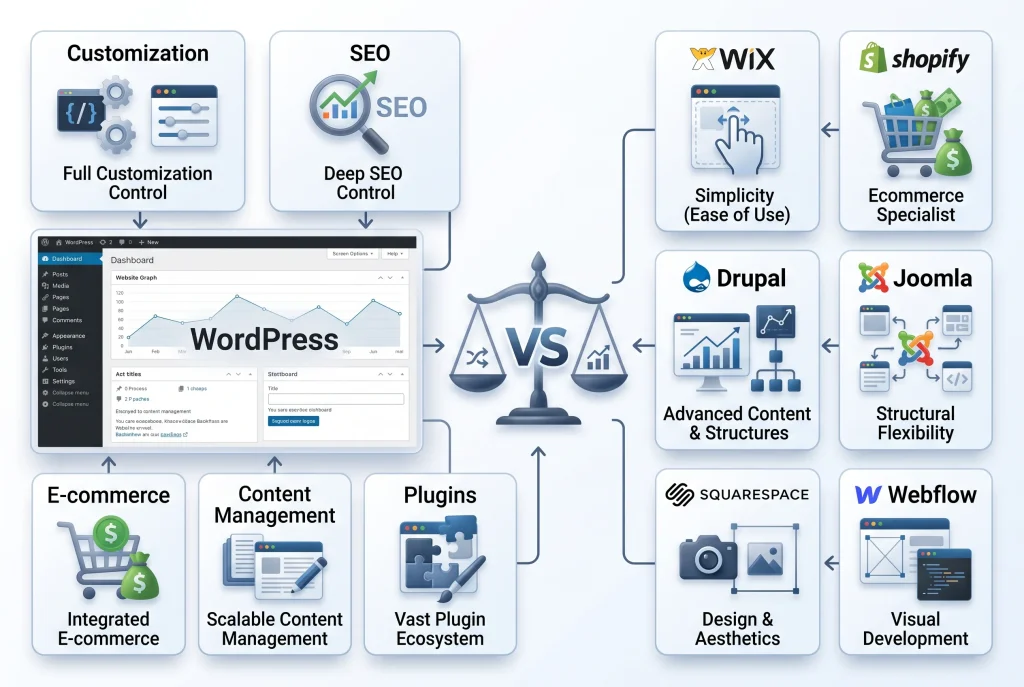
When evaluating WordPress vs other CMS platforms, there are several important factors to consider.
1. Ease of Use
WordPress is relatively easy to use once users understand its dashboard and basic concepts. Creating pages, publishing blog posts, uploading images, and managing menus can be done through the WordPress administration area.
However, WordPress also gives users access to advanced customization, which can make it more complicated for beginners.
Platforms such as Wix and Squarespace generally provide a more controlled visual editing experience. This can be useful for users who want to create a website without dealing with hosting, plugin compatibility, or technical configuration.
Shopify is similarly focused on simplicity for ecommerce users.
2. Customization
Customization is one of WordPress’s strongest advantages.
Users can modify their website using:
- Themes
- Plugins
- Custom CSS
- Custom JavaScript
- PHP
- Page builders
- Custom post types
- APIs
This makes WordPress suitable for everything from personal blogs and business websites to membership platforms and ecommerce stores.
When comparing WordPress vs other CMS platforms, WordPress generally provides a large ecosystem of extensions and development possibilities.
Drupal also provides powerful customization options, particularly for developers and organizations managing complex websites.
Webflow offers strong visual control over design but follows a different development model.
WordPress vs Joomla
Joomla is another established open-source CMS that provides flexibility and advanced content management features.
Both WordPress and Joomla allow users to extend websites with themes, extensions, and custom development.
WordPress generally has a larger ecosystem of themes, plugins, tutorials, developers, and community resources.
Joomla can still be useful for websites requiring more structured content management and advanced user permissions.
WordPress Advantages Over Joomla
WordPress offers:
- A larger plugin ecosystem
- More beginner-friendly resources
- Extensive theme availability
- Strong blogging functionality
- Large developer community
- Many SEO tools
- Extensive ecommerce integrations
Joomla can be a good option for users who need its particular content management and permission features, but WordPress is often easier for beginners to adopt.
WordPress vs Drupal
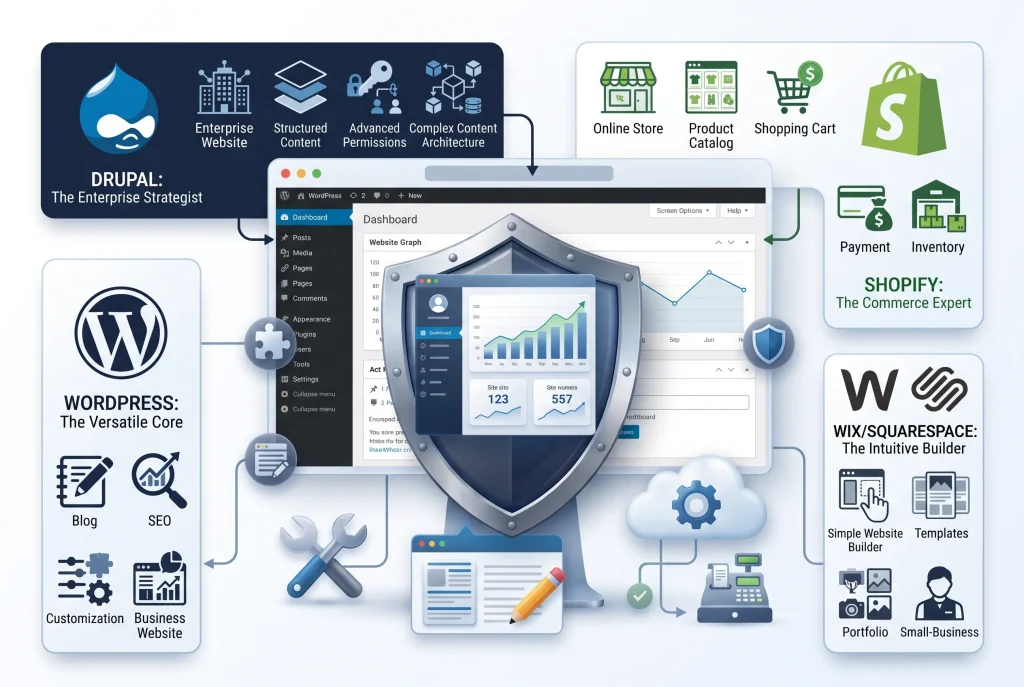
Drupal is known for flexibility, structured content, security-focused development, and enterprise-level websites.
Drupal can handle complex content structures and advanced user permissions, making it attractive to organizations with experienced development teams.
However, its learning curve can be higher than WordPress.
When considering WordPress vs other CMS platforms, Drupal may be more suitable when a project requires highly customized content architecture and advanced development.
WordPress may be preferable when the priority is:
- Easier content publishing
- Faster development
- Large plugin availability
- Simpler administration
- Blogging
- Small and medium-sized business websites
Drupal can be powerful, but its advanced capabilities can also make website development and maintenance more demanding.
WordPress vs Wix
Wix is a hosted website builder designed to make website creation relatively simple.
One major difference is hosting.
With WordPress.org, users typically need to purchase hosting and manage their website environment. Wix handles hosting as part of its platform.
Wix can therefore be attractive to beginners who want an all-in-one solution.
However, WordPress generally provides more control over hosting, plugins, themes, databases, and custom development.
When Wix May Be Better
Wix can be suitable for:
- Small business websites
- Portfolio websites
- Simple service websites
- Beginners
- Users who want managed hosting
When WordPress May Be Better
WordPress may be preferable for:
- SEO-focused websites
- Content-heavy websites
- Blogs
- Affiliate websites
- Custom business websites
- Ecommerce projects
- Websites requiring extensive integrations
- Users who want greater technical control
WordPress vs Squarespace
Squarespace focuses heavily on visual design and simplicity.
Its templates can help users create professional-looking websites without extensive technical knowledge.
Squarespace is particularly useful for:
- Portfolios
- Personal brands
- Creative businesses
- Photography websites
- Small service businesses
WordPress provides greater flexibility when a website needs extensive customization or advanced functionality.
In the WordPress vs other CMS platforms comparison, Squarespace can win for simplicity, while WordPress often wins for flexibility and extensibility.
WordPress vs Shopify
Shopify deserves special attention because it is primarily an ecommerce platform.
WordPress can also be used for ecommerce through plugins such as WooCommerce.
The major difference is that Shopify is built around online stores, while WordPress is a general-purpose CMS that can be extended for ecommerce.
Shopify Advantages
Shopify offers:
- Ecommerce-focused tools
- Managed hosting
- Product management
- Payment integrations
- Inventory features
- Order management
- Store-focused functionality
WordPress and WooCommerce Advantages
WordPress with WooCommerce provides:
- Greater customization
- More control over content
- Extensive plugin options
- Flexible website structures
- Strong blogging capabilities
- Custom ecommerce development
If the main goal is to launch an online store quickly, Shopify can be an excellent choice.
If content marketing, SEO, customization, and broader website control are important, WordPress with WooCommerce may provide more flexibility.
WordPress vs Webflow
Webflow combines visual website design with development-oriented controls.
It gives designers considerable control over layouts, responsive behavior, animations, and styling without requiring traditional coding for every task.
WordPress works differently.
Its ecosystem is based around themes, plugins, templates, blocks, and custom development.
Webflow can be attractive for designers who want visual control, while WordPress can be more suitable for users who prioritize a large ecosystem and content management flexibility.
SEO Comparison
SEO is one of the most important factors when evaluating WordPress vs other CMS platforms.
WordPress has a strong SEO ecosystem. Plugins and tools can help users manage:
- SEO titles
- Meta descriptions
- XML sitemaps
- Canonical URLs
- Schema markup
- Redirects
- Internal linking
- Open Graph settings
- Breadcrumbs
However, having WordPress does not automatically make a website SEO-friendly.
SEO still depends on:
- High-quality content
- Keyword research
- Search intent
- Technical SEO
- Website speed
- Mobile optimization
- Internal linking
- Backlinks
- User experience
Other CMS platforms also provide SEO functionality. Shopify, Wix, Squarespace, Webflow, Drupal, and Joomla all provide varying levels of SEO control.
The key advantage of WordPress is the depth of available SEO tools and the ability to customize the website extensively.
Performance and Website Speed
Website speed is another major factor.
WordPress can be extremely fast when it is properly optimized. However, installing too many plugins, using a poorly optimized theme, uploading huge images, or choosing weak hosting can make a WordPress website slow.
When comparing WordPress vs other CMS platforms, it is important to understand that performance is influenced by implementation rather than the CMS name alone.
Important performance factors include:
- Quality hosting
- Image optimization
- Caching
- Content delivery networks
- Lightweight themes
- Plugin quality
- Database optimization
- Code efficiency
- Browser caching
- Core Web Vitals
Managed platforms may handle some technical optimization automatically, while WordPress gives users more responsibility and more control.
Security Comparison
Security is frequently misunderstood in CMS comparisons.
WordPress itself is actively maintained and has a large security ecosystem. However, because WordPress is highly customizable, users need to keep the core software, themes, and plugins updated.
Common WordPress security practices include:
- Strong passwords
- Two-factor authentication
- Regular updates
- Secure hosting
- SSL/HTTPS
- Firewall protection
- Malware scanning
- Regular backups
- Limited administrator accounts
- Reliable plugins and themes
Other CMS platforms also require security management.
Hosted platforms may handle more infrastructure-level security automatically, while self-hosted WordPress gives users greater control but also more responsibility.
Cost Comparison
Cost is another important part of WordPress vs other CMS platforms.
WordPress software itself is open source, but a typical WordPress website can involve expenses such as:
- Domain registration
- Web hosting
- Premium themes
- Premium plugins
- Developer services
- Maintenance
- Security tools
- Backup services
Other platforms usually use subscription-based pricing.
For example, hosted CMS platforms can combine hosting, software, and support into one recurring payment.
The cheapest option is not always the best option. Instead, consider the total cost of ownership over several years.
Plugins and Extensions
WordPress has a huge ecosystem of plugins.
Plugins can add functionality such as:
- SEO
- Contact forms
- Ecommerce
- Memberships
- Security
- Caching
- Analytics
- Backups
- Social media integration
- Email marketing
This flexibility is one of WordPress’s biggest advantages.
However, plugins should be selected carefully.
Installing dozens of unnecessary plugins can increase maintenance requirements and potentially create compatibility or performance problems.
A better approach is to use reliable plugins that provide genuinely useful functionality.
Themes and Website Design
Themes control much of a WordPress website’s visual structure.
Users can select:
- Free themes
- Premium themes
- Block themes
- Multipurpose themes
- Ecommerce themes
- Custom themes
WordPress also allows developers to create completely custom themes.
Other platforms also provide templates, but WordPress gives users extensive control over theme customization and development.
This makes it particularly useful for businesses that want to create a unique website rather than relying entirely on a fixed template system.
Content Management and Blogging
For publishing content, WordPress remains a strong option.
Its publishing system supports:
- Posts
- Pages
- Categories
- Tags
- Media
- Authors
- Comments
- Custom post types
- Revisions
- Scheduled publishing
This makes WordPress especially useful for content-driven websites.
For businesses planning to use blogging as a long-term SEO strategy, WordPress provides a flexible environment for publishing and organizing large amounts of content.
Scalability
Scalability means the ability of a website to grow without becoming difficult to manage.
A WordPress website can scale from a small blog to a large content platform when the hosting environment, database, caching, code, and infrastructure are properly managed.
However, scalability is not automatic.
Large websites may require:
- Better hosting
- Database optimization
- Object caching
- CDN integration
- Image optimization
- Advanced server configuration
- Professional development
Other CMS platforms can also scale effectively, particularly hosted or enterprise-focused solutions.
Common Mistakes When Choosing a CMS
Many website owners make mistakes because they choose a CMS based only on popularity.
Mistake 1: Choosing a CMS Without Defining the Goal
Before selecting a CMS, determine whether the website is primarily:
- A blog
- Business website
- Portfolio
- Ecommerce store
- Membership platform
- News website
- Online community
- Enterprise website
Your website’s purpose should influence your decision.
Mistake 2: Choosing Based Only on Price
A free CMS may still require spending on hosting, plugins, themes, security, development, and maintenance.
Always consider the complete cost rather than the initial software price.
Mistake 3: Ignoring SEO Requirements
If organic search traffic is important, evaluate how much control the CMS provides over technical and on-page SEO.
Mistake 4: Installing Too Many Plugins
This is particularly important for WordPress.
More plugins do not necessarily mean a better website.
Only install tools that provide a clear benefit.
Mistake 5: Ignoring Security
Whatever CMS you choose, security should be considered from the beginning.
Use secure passwords, updates, backups, HTTPS, and appropriate access controls.
Mistake 6: Choosing a Platform That Is Too Complicated
Advanced functionality is useful only when you actually need it.
A small business owner may not need an enterprise-level CMS with a complex development workflow.
Mistake 7: Ignoring Future Growth
A website may start small but eventually require:
- More content
- More visitors
- Ecommerce
- Integrations
- Multiple users
- Advanced analytics
- International SEO
Think about future requirements before making a final decision.
Which CMS Is Best for SEO?
There is no single CMS that automatically guarantees better rankings.
However, WordPress is a strong choice for SEO because it provides extensive control over website structure, content, metadata, plugins, performance optimization, and technical SEO.
The most important factor is how effectively the CMS is configured and maintained.
A well-optimized website built on another CMS can outperform a poorly maintained WordPress website.
Which CMS Is Best for Beginners?
For beginners, hosted platforms such as Wix and Squarespace can be easier because many technical tasks are handled by the platform.
WordPress also has a relatively accessible interface, but users need to understand hosting, themes, plugins, updates, and security.
Therefore, beginners who want maximum simplicity may prefer a hosted website builder, while beginners who want to learn and control more aspects of their website may benefit from WordPress.
Which CMS Is Best for Ecommerce?
For ecommerce, Shopify is designed specifically for online stores and can be easier to launch and manage.
WordPress combined with WooCommerce provides more flexibility and customization.
The right choice depends on whether you prioritize convenience or control.
A business that wants a managed ecommerce environment may prefer Shopify.
A business that wants a highly customized content-driven store may prefer WordPress and WooCommerce.
Which CMS Is Best for a Business Website?
For many businesses, WordPress is a strong option because it can support:
- Service pages
- Landing pages
- Blogs
- Contact forms
- Lead generation
- SEO
- Ecommerce
- Analytics
- Marketing integrations
However, a simple business may prefer Wix or Squarespace if ease of management is more important than customization.
Final Verdict: WordPress vs Other CMS Platforms
The best choice in the WordPress vs other CMS platforms debate depends on your website’s goals, technical requirements, budget, and future plans.
WordPress is particularly strong when you need flexibility, content management, SEO capabilities, customization, ecommerce options, and a large ecosystem.
Wix and Squarespace can be excellent for users who prioritize simplicity and design.
Shopify is particularly strong for ecommerce.
Drupal can be a powerful option for complex and enterprise-level content structures.
Webflow can be attractive to designers who want strong visual control.
Joomla remains a flexible option for certain content-heavy and structured websites.
Instead of asking which CMS is universally the best, ask which CMS is the best fit for your project.
For many businesses, bloggers, marketers, and content-focused websites, WordPress remains an excellent choice because it combines flexibility, extensibility, SEO capabilities, and a mature ecosystem.
The most important thing is to choose a platform that you can manage effectively today while still supporting your website’s goals tomorrow.