
Subtotal ₨ 0
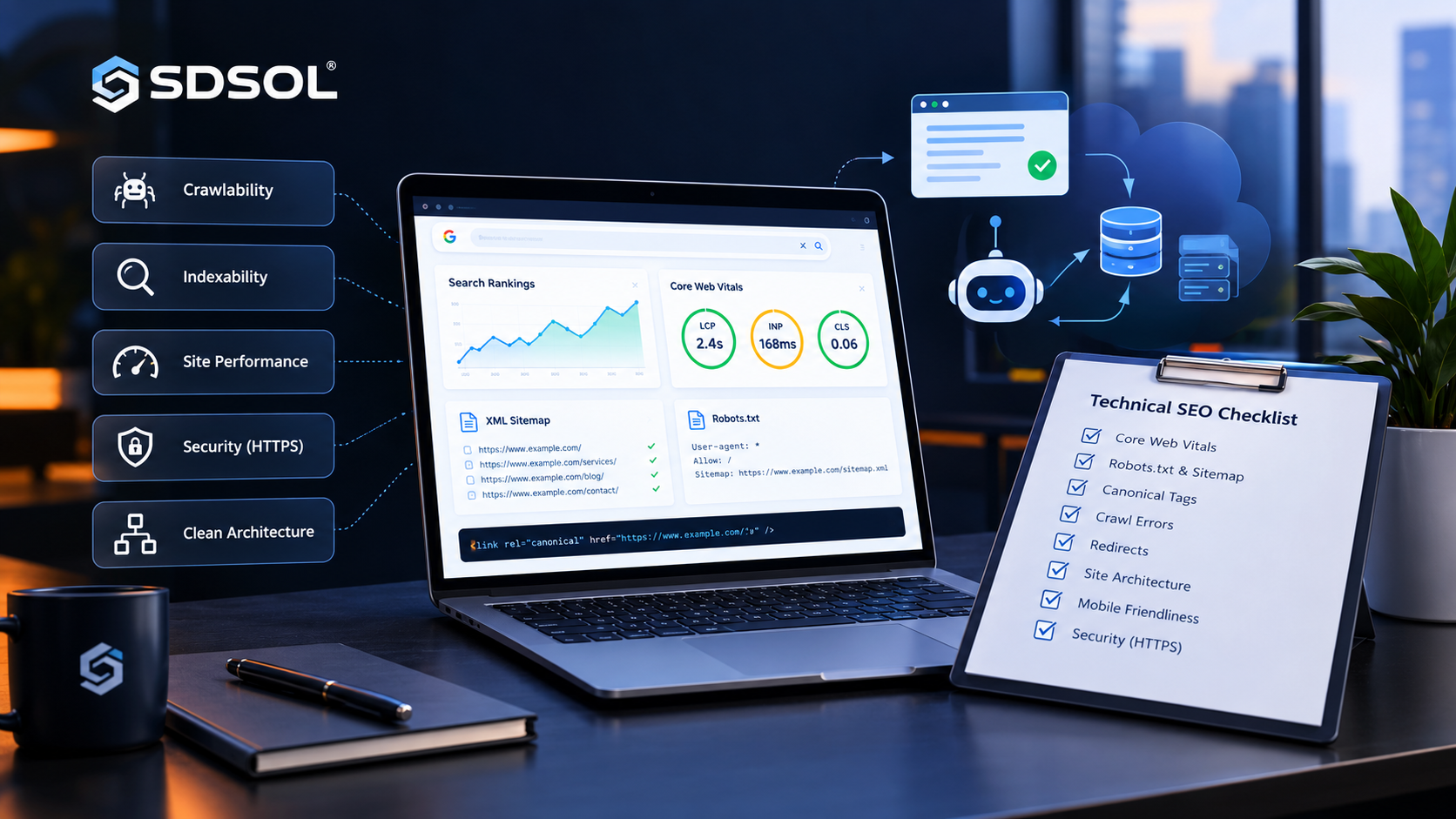
A website can have excellent content and strong backlinks, yet still struggle in search because search engines cannot properly crawl, understand, render, or index its pages. That is why technical SEO deserves attention before you spend more time publishing content or building links.
A good technical SEO checklist gives you a repeatable process for finding these problems, deciding which ones matter most, fixing them, and confirming that the fixes worked.
The important point is that not every warning has the same impact. A blocked robots.txt rule on your entire website is far more serious than a handful of missing image dimensions. Your audit should therefore begin with the foundations and move toward more advanced optimization.
A technical SEO checklist helps you identify website issues that may prevent search engines from crawling and indexing your pages properly.
This guide walks through that process step by step.
1. What Is Technical SEO?
Technical SEO is the process of improving the technical parts of a website so search engines can efficiently discover, crawl, render, understand, and index its content.
Think of your website as a library.
- Crawling is the search engine entering the library.
- Rendering is opening the books and seeing their contents.
- Indexing is adding useful books to the library catalogue.
- Site architecture is how the shelves and sections are organized.
- Internal links are the paths connecting different shelves.
- Performance determines how quickly visitors can use the library.
A technically healthy website makes these processes easier.
Technical SEO does not replace useful content, search intent, authority, or good user experience. Instead, it creates the foundation that allows those assets to be discovered and processed effectively.
Before focusing on content or backlinks, use a technical SEO checklist to make sure your website has a strong technical foundation.
2. Why Technical SEO Matters
Technical problems can affect an entire website rather than just one page.
For example, if a site accidentally places a noindex directive across important pages, those pages may disappear from search visibility. If the canonical configuration points to the wrong URLs, search engines may consolidate signals around a page you did not intend to prioritize.
A well-structured technical SEO checklist makes it easier to prioritize the issues that can have the biggest impact on your search performance.
Google explains that crawling and indexing depend on factors such as accessibility, crawlable URLs, server capacity, internal links, and appropriate sitemap signals.
Technical SEO is therefore important because it helps you:
- Make important pages discoverable
- Prevent accidental indexing restrictions
- Consolidate duplicate URLs
- Improve crawl efficiency
- Improve page experience
- Support mobile users
- Help search engines understand content
- Reduce technical barriers to AI-powered search
The goal is not to make every technical report completely green. The goal is to remove issues that meaningfully interfere with search visibility or user experience.
You can use a technical SEO checklist to review important areas such as crawlability, indexability, site speed, and mobile usability.
3. Technical SEO Checklist: Where to Start
The most effective audit follows dependencies.
If Google cannot access your page, improving its structured data will not solve the main problem. If the correct page is not indexable, optimizing its page speed alone will not make it appear in search.
Following a technical SEO checklist regularly can help you discover technical problems before they become serious SEO issues.
Use this order:
- Crawlability
- Indexability
- Rendering
- Site architecture
- URLs and redirects
- Performance
- Mobile SEO
- Security
- Structured data
- International SEO
- AI search accessibility
- Monitoring
This priority order prevents you from spending hours fixing low-impact warnings while a critical indexing problem remains unresolved.
On-page SEO optimizes your website’s content, headings, keywords, URLs, meta tags, and internal links to improve search visibility and user experience.
A comprehensive technical SEO checklist should include checks for robots.txt, XML sitemaps, canonical tags, redirects, and broken links.
4. Check Crawlability and Indexability
Priority: 🔴 Critical
Crawlability asks:
Can search engine crawlers access the URL?
Indexability asks:
Once the URL can be accessed, is it allowed and suitable to be included in the search index?
These are different questions.
How to check
Start with Google Search Console.
Use the URL Inspection tool and test important URLs such as:
- Homepage
- Main service pages
- Important category pages
- Recent articles
- High-value landing pages
Look for messages indicating whether the URL is available to Google, indexed, or affected by an indexing issue.
Also review:
- robots.txt
- noindex directives
- canonical URLs
- HTTP status codes
- internal links
- XML sitemap inclusion
How to fix
If an important page is blocked, determine why.
Remove accidental blocking rules, remove an unnecessary noindex, correct the canonical URL, repair server errors, or add crawlable internal links.
How to verify
Inspect the URL again after deployment. Do not assume that changing a setting means Google has immediately processed it. Search engines need time to recrawl and reprocess changes.
If your website has hundreds or thousands of pages, a technical SEO checklist can help you systematically identify and resolve problems.
5. Audit robots.txt
Priority: 🔴 Critical
The robots.txt file provides crawler instructions about which paths bots should not crawl.
A common mistake is assuming robots.txt is an indexing control. It is primarily a crawl-access mechanism. Google notes that a noindex directive cannot be reliably seen if the crawler is blocked from accessing the page.
Using a technical SEO checklist alongside Google Search Console can give you a clearer picture of how search engines access your website.
How to check
Open:
https://example.com/robots.txt
Look for accidental rules such as:
User-agent: *
Disallow: /
That rule can block crawling of the entire site.
Also check whether important directories, CSS, JavaScript, images, or content URLs are unnecessarily restricted.
How to fix
Keep the file simple.
Block only resources or URL areas that genuinely should not be crawled. Avoid repeatedly changing robots.txt as a way to manipulate crawl budget.
Google specifically recommends using robots.txt for long-term crawl restrictions rather than constantly changing it to redistribute crawling.
Verify
Check the live robots.txt file and test important URLs using available crawler and search-console tools
One of the first steps in any technical SEO checklist is checking whether important pages can be crawled and indexed..
6. Check Your XML Sitemap
Priority: 🟠 High
An XML sitemap gives search engines a list of URLs you want them to discover.
A healthy sitemap should generally contain important, canonical, indexable URLs—not every URL your CMS happens to generate.
Google’s documentation states that sitemaps can help search engines discover URLs and recommends absolute URLs; a sitemap file can contain up to 50,000 URLs or 50 MB uncompressed before it needs to be split.
Check these items
- Sitemap loads successfully
- URLs return
200status - URLs are canonical
- URLs are indexable
- Redirected URLs are removed
- Deleted URLs are removed
- Important pages are included
- Accurate
lastmodvalues are used where appropriate
How to fix
For WordPress websites, your SEO plugin will often generate a sitemap automatically.
Do not manually add every URL if the plugin already manages the sitemap.
Verify
Submit the sitemap in Google Search Console and review its processing status.
For Bing, sitemap submission can also be monitored through Bing Webmaster Tools. Bing currently emphasizes accurate sitemap data and crawlability for both traditional search and AI-powered experiences.
One of the first steps in any technical SEO checklist is checking whether important pages can be crawled and indexed.
7. Find Crawl Errors and HTTP Problems
Priority: 🔴 Critical to 🟠 High
Your audit should identify:
- 404 errors
- 5xx server errors
- Soft 404s
- Redirect chains
- Redirect loops
- Broken internal links
- Incorrect 301 redirects
- Unnecessary 302 redirects
What should happen?
A page that genuinely does not exist should normally return a real 404 or another appropriate response.
If a page has permanently moved to a useful replacement, a permanent redirect such as a 301 is generally appropriate.
Google recommends using 301 redirects when content has permanently moved and warns that long redirect chains can reduce crawling efficiency.
How to check
Use:
- Google Search Console
- Screaming Frog
- Bing Webmaster Tools Site Scan
- Browser developer tools
- Server logs for advanced investigations
Bing’s Site Scan can crawl a website and identify common technical SEO issues.
Verify
After fixing redirects or broken links, crawl the affected URLs again.
A redirect should reach the intended destination without unnecessary intermediate hops.
A practical technical SEO checklist should explain not only what to check but also how to fix and verify each issue.
8. Fix Canonicalization and Duplicate URLs
Priority: 🟠 High
Canonicalization tells search engines which URL should represent a group of duplicate or very similar URLs.
For example, these URLs could potentially represent the same content:
https://example.com/page
https://example.com/page/
https://www.example.com/page
http://example.com/page
https://example.com/page?source=email
The exact situation depends on how the website is configured.
Google describes canonicalization as the process of selecting the representative URL from duplicate or similar versions. Signals can include redirects, sitemap URLs, HTTPS, and rel="canonical" annotations.
Check
For important pages:
- Is the canonical URL correct?
- Does it use HTTPS?
- Does it point to an indexable page?
- Is the canonical page actually preferred?
- Are duplicate URLs unnecessarily crawlable?
- Are sitemap URLs consistent with canonical URLs?
Fix
Use the appropriate solution:
- 301 redirect when the duplicate should disappear
- Canonical tag when multiple versions need to remain accessible
- Consistent internal linking
- Consistent URL structures
- Appropriate parameter handling
Verify
Inspect the source code and use Google Search Console to confirm the selected canonical where available.
9. Review Noindex Directives
Priority: 🔴 Critical
A noindex directive tells supported search engines not to include a page in their index.
It can be implemented through a robots meta tag or an HTTP response header.
Check
Look for unintended noindex directives on:
- Service pages
- Blog posts
- Category pages
- Landing pages
- Product pages
- Important resources
At the same time, identify pages that should genuinely remain out of search, such as certain internal utility pages.
Common WordPress mistake
A website may be left with a search-engine visibility setting that was appropriate during development but was never changed after launch.
Verify
Inspect the page source or HTTP headers, then use URL Inspection to confirm the page can be indexed.
A practical technical SEO checklist should explain not only what to check but also how to fix and verify each issue.
10. Improve Site Architecture and Internal Linking
Priority: 🟠 High
Site architecture determines how pages are organized and connected.
A simple structure might look like:
Home
├── Services
│   ├── SEO
│   └── Content Writing
├── Blog
│   ├── Technical SEO
│   └── On-Page SEO
└── About
Important pages should not be buried several clicks away from relevant navigation or internal links.
Check
Look for:
- Excessive crawl depth
- Orphan pages
- Broken internal links
- Important pages with very few internal links
- Overly complex navigation
- Duplicate category structures
Fix
Create logical relationships between pages.
For example, an article about technical SEO can naturally link to related pages about SEO basics, on-page SEO, keyword research, or website audits.
Use descriptive anchor text rather than repeatedly linking with generic phrases such as “click here.”
Verify
Run a crawl and review internal-link counts, orphan URLs, and crawl depth.
Website speed should always be included in a technical SEO checklist because slow pages can negatively affect both user experience and search performance.
11. Clean Up URL Structure
Priority: 🟡 Medium to 🟠 High
Good URLs are:
- Short
- Descriptive
- Consistent
- Readable
- Stable
- Logically organized
For example:
/technical-seo-checklist/
is generally easier to understand than:
/page?id=73829&cat=12
Google recommends crawlable URL structures and warns against URL designs that can create inefficient crawling.
Check
Look for:
- Excessive parameters
- Duplicate URL versions
- Unnecessary folders
- Random IDs
- Inconsistent capitalization
- Multiple trailing-slash formats
Do not change URLs unnecessarily. A clean existing URL can be more valuable than a theoretically perfect URL that creates migration risk.
Website speed should always be included in a technical SEO checklist because slow pages can negatively affect both user experience and search performance.
12. Test JavaScript Rendering
Priority: 🟠 High
Modern websites often depend heavily on JavaScript.
The problem occurs when important content, links, metadata, or navigation are unavailable or unreliable without client-side rendering.
Check
Ask:
- Is important text present in the rendered page?
- Are important links crawlable?
- Does the page work if JavaScript resources fail?
- Are canonical tags consistent before and after rendering?
- Are important resources blocked?
Google has specifically clarified canonicalization and noindex considerations for JavaScript-rendered pages.
Fix
Where possible:
- Keep important content available in rendered HTML
- Use crawlable standard links
- Avoid hiding essential information entirely behind client-side interactions
- Make canonical signals consistent
- Test JavaScript-heavy templates carefully
Verify
Use URL Inspection and browser rendering tools to compare the source HTML with the rendered page.
Mobile usability is another essential part of a technical SEO checklist, especially because Google uses mobile-first indexing.
13. Check Core Web Vitals and Page Speed
Priority: 🟠 High
Core Web Vitals measure important aspects of real-world page experience:
- LCP — Largest Contentful Paint: loading performance
- INP — Interaction to Next Paint: responsiveness
- CLS — Cumulative Layout Shift: visual stability
Current recommended “good” thresholds are approximately:
- LCP: 2.5 seconds or less
- INP: 200 ms or less
- CLS: 0.1 or less
These are evaluated at the 75th percentile for page visits.
How to check
Use:
- Google PageSpeed Insights
- Chrome DevTools
- Search Console Core Web Vitals report
- Lighthouse
Common problems
- Oversized images
- Slow server response
- Render-blocking resources
- Excessive JavaScript
- Poor caching
- Layout shifts caused by images or ads
- Too many third-party scripts
Fix
Start with the largest bottleneck rather than applying every optimization at once.
Compress and properly size images, improve caching, reduce unnecessary JavaScript, optimize fonts, and investigate slow server response times.
Verify
Run the test again after deployment and monitor field data over time.
Mobile usability is another essential part of a technical SEO checklist, especially because Google uses mobile-first indexing.
14. Audit Mobile SEO
Priority: 🟠 High
Google uses the mobile version of a site’s content for indexing and ranking under mobile-first indexing.
Therefore, your mobile version should not be treated as a secondary copy.
Check
Make sure mobile users can access:
- Main content
- Navigation
- Internal links
- Images
- Structured data
- Metadata
- Important headings
- Forms and conversion elements
Also check:
- Font readability
- Tap targets
- Horizontal scrolling
- Intrusive popups
- Layout shifts
- Mobile page speed
Verify
Test representative pages on real mobile devices and with browser developer tools.
Your technical SEO checklist should also include Core Web Vitals to help identify important page experience and performance problems.
15. Verify HTTPS and Website Security
Priority: 🔴 Critical
Your website should consistently use HTTPS with a valid SSL/TLS certificate.
Check all major variants:
http://example.com
http://www.example.com
https://example.com
https://www.example.com
Ideally, one preferred HTTPS version should remain accessible while unnecessary variants redirect appropriately.
Check
- Valid certificate
- No certificate warnings
- HTTP-to-HTTPS redirects
- No mixed-content problems
- Consistent canonical URLs
- Secure resources
- No accidental staging environment exposure
HTTPS is not merely an SEO setting. It protects user connections and reduces security risks.
Your technical SEO checklist should also include Core Web Vitals to help identify important page experience and performance problems.
16. Implement Structured Data and Schema Markup
Priority: 🟡 Medium
Structured data provides machine-readable information about page content.
Schema.org provides a shared vocabulary, while Google supports structured data formats including JSON-LD, Microdata, and RDFa. Google generally recommends JSON-LD when practical.
Useful types can include:
- Article
- Breadcrumb
- Organization
- LocalBusiness
- Product
- Event
- ProfilePage
Check
Make sure:
- Markup matches visible content
- Required properties are present
- URLs are correct
- Data is not misleading
- Markup is valid
Fix
Implement only schema relevant to the page.
Do not add every available schema type simply because your SEO plugin allows it.
Verify
Use Google’s Rich Results Test and Search Console reports where applicable. Correct structured data can make a page eligible for enhanced search appearances, but valid markup does not guarantee a rich result.
Checking your website’s HTTPS configuration is another simple but important step in a complete technical SEO checklist.
17. Check Breadcrumbs
Priority: 🟡 Medium
Breadcrumbs help users understand where a page sits within your site hierarchy.
For example:
Home → Blog → Technical SEO → Technical SEO Checklist
Breadcrumbs can also provide useful structured-data context.
Check
- Breadcrumb hierarchy matches the real site structure
- Links work
- Labels are descriptive
- Structured data matches visible breadcrumbs
- Mobile display is usable
Do not create artificial breadcrumb paths just to insert keywords.
Checking your website’s HTTPS configuration is another simple but important step in a complete technical SEO checklist.
18. Review International SEO and Hreflang
Priority: 🟠 High for multilingual websites
If a website serves different language or regional versions, hreflang helps search engines understand which localized page corresponds to which audience.
For example:
<link rel="alternate"
      hreflang="en-us"
      href="https://example.com/us/" />
Google recommends that each language version identify itself as well as the other relevant versions.
Check
- Correct language codes
- Correct regional codes
- Reciprocal references
- Self-reference
- Correct canonical URLs
- No broken alternate URLs
Verify
Use crawling tools and inspect the HTML or HTTP headers.
If your site has only one language and one region, hreflang may not be necessary.
Checking your website’s HTTPS configuration is another simple but important step in a complete technical SEO checklist.
19. Prepare Technical SEO for AI Search
Priority: 🟠 High and increasingly important
AI search does not eliminate traditional SEO.
Google’s current guidance states that the same foundational SEO practices remain relevant for AI features such as AI Overviews and AI Mode. Pages need to meet Google’s normal technical requirements and be eligible for indexing and search visibility.
That means the foundation remains:
Crawl → Render → Index → Understand → Retrieve
Check AI accessibility
Make sure:
- Important pages are crawlable
- Important content is indexable
- Internal links are clear
- Content is structured logically
- Key facts are easy to identify
- Pages use descriptive headings
- Structured data is accurate
- Content is not unnecessarily hidden behind JavaScript
- Canonical signals are consistent
Machine-readable content is not about writing for robots instead of humans. It means presenting information clearly enough that search engines and other systems can understand relationships between entities, pages, facts, and topics.
A detailed technical SEO checklist can also help you find duplicate URLs and incorrect canonical signals that may confuse search engines.
What about AEO and GEO?
AEO and GEO can be useful strategic frameworks, but there is no magic technical tag that guarantees inclusion in AI answers.
Google explicitly states that there are no additional technical requirements specifically required for AI Overviews or AI Mode beyond normal Search eligibility.
Bing has also expanded its webmaster tooling to provide AI Performance insights showing how pages are cited across supported AI experiences.
The practical takeaway is simple:
Make your website easy to crawl, easy to understand, accurate, well structured, and useful.
A detailed technical SEO checklist can also help you find duplicate URLs and incorrect canonical signals that may confuse search engines.
20. Use the Right Technical SEO Tools
A good audit does not require dozens of paid tools.
Free and essential tools
Google Search Console
Use it for:
- Indexing
- URL inspection
- Search performance
- Sitemaps
- Core Web Vitals
- Search enhancements
Google PageSpeed Insights
Use it for:
- Performance testing
- Core Web Vitals
- Lab diagnostics
- Optimization opportunities
Bing Webmaster Tools
Use it for:
- Bing indexing
- Site scanning
- Sitemaps
- Crawl information
- AI Performance insights
Screaming Frog SEO Spider
Use it for:
- Broken links
- Redirects
- Canonicals
- Metadata
- Status codes
- Internal links
- Crawl depth
- Orphan-page investigations
Rich Results Test
Use it to validate eligible structured data.
For larger websites, a technical SEO checklist can help teams prioritize critical issues before addressing lower-impact technical warnings.
21. Prioritize Technical SEO Fixes
Not every technical problem deserves immediate developer time.
Use this simple prioritization model:
| Priority | Typical Problem | Action |
|---|---|---|
| 🔴 Critical | Site blocked, widespread noindex, server failures | Fix immediately |
| 🟠 High | Broken important URLs, bad canonicals, major speed problems | Fix soon |
| 🟡 Medium | Crawl-depth issues, missing schema, internal-link weaknesses | Schedule |
| 🟢 Low | Minor warnings or cosmetic improvements | Fix when practical |
A useful formula is:
Impact × Number of URLs × Business Importance × Ease of Fix
For example, a broken link on your highest-converting service page deserves more attention than a minor warning on an old archive page.
Final Technical SEO Audit Workflow
Use this sequence whenever you perform a technical audit:
Phase 1 — Discovery
- Verify the website and preferred domain.
- Crawl the site.
- Connect Google Search Console.
- Connect Bing Webmaster Tools.
- Review the XML sitemap.
- Inspect robots.txt.
Phase 2 — Crawlability
- Find blocked important URLs.
- Check server errors.
- Identify broken links.
- Review redirects.
- Investigate crawl depth.
- Find orphan pages.
Phase 3 — Indexability
- Review noindex directives.
- Check canonical URLs.
- Identify duplicate URLs.
- Review indexed versus submitted URLs.
Phase 4 — Rendering
- Test JavaScript-dependent pages.
- Confirm important content is rendered.
- Check important links.
- Confirm metadata survives rendering.
Phase 5 — Experience
- Check Core Web Vitals.
- Test mobile usability.
- Improve page speed.
- Review HTTPS and security.
Phase 6 — Understanding
- Validate structured data.
- Review breadcrumbs.
- Check international targeting where relevant.
- Improve machine-readable information.
Phase 7 — AI Search
- Confirm important content is crawlable and indexable.
- Review AI crawler accessibility where relevant.
- Keep facts, entities, headings, and relationships clear.
- Monitor supported AI-search visibility tools.
Phase 8 — Verification
- Fix the highest-impact problems first.
- Re-crawl affected URLs.
- Reinspect important pages.
- Monitor Search Console and Bing Webmaster Tools.
- Record what was fixed and when.
- Schedule the next audit.
A technical audit becomes much more valuable when you keep a before-and-after record instead of simply generating a report and forgetting about it.
Common Technical SEO Mistakes to Avoid
Mistake 1: Fixing warnings instead of business-critical problems
An audit can contain hundreds of warnings. That does not mean all of them deserve equal attention.
Mistake 2: Blocking pages with robots.txt when you actually need noindex
Search engines cannot reliably see a noindex directive on a page they cannot crawl.
Mistake 3: Putting every URL into the sitemap
A sitemap should help identify important URLs, not become a database dump of every URL your CMS generates.
Mistake 4: Changing URLs without redirects
A URL migration can create broken links, lost references, and unnecessary indexing problems.
Mistake 5: Treating Core Web Vitals as the entire technical audit
Performance matters, but a fast page that is blocked from indexing still has a fundamental problem.
Mistake 6: Adding meaningless schema
Structured data should describe the actual visible content.
Mistake 7: Assuming AI SEO is separate from technical SEO
For Google AI features, traditional crawling, indexing, eligibility, content quality, and technical accessibility remain foundational.
Technical SEO Maintenance Schedule
Technical SEO should not be a one-time project.
Weekly
- Check major indexing issues
- Monitor important pages
- Review sudden traffic or crawl changes
Monthly
- Review Search Console
- Review sitemap status
- Check Core Web Vitals
- Crawl the site
- Check broken links
- Review redirects
Quarterly
- Perform a deeper technical audit
- Review site architecture
- Review orphan pages
- Check schema
- Test important templates
- Review international configurations
- Review AI-search accessibility
After major website changes
Perform an audit after:
- Website migrations
- Theme changes
- Plugin changes
- CMS changes
- URL restructuring
- Major redesigns
- Domain changes
- International expansion
- You can turn your technical SEO checklist into a recurring audit process to maintain your website’s technical health over time.
Conclusion
A strong technical SEO checklist is not simply a list of 50 or 100 technical factors. It is a decision-making system.
Start with the problems that can prevent search engines from accessing or indexing important content. Then move through rendering, architecture, URLs, performance, mobile usability, security, structured data, international SEO, and AI-search accessibility.
For each issue, use the same five-step process:
Check → Understand → Fix → Verify → Monitor
That approach keeps technical SEO practical.
If you’re auditing a WordPress website, begin with Google Search Console, your sitemap, robots.txt, indexing settings, important URLs, and a complete crawl. Fix critical problems first, then work down the priority list.
The objective is not to achieve a perfect technical score. The objective is to build a website that search engines can efficiently discover, process, understand, and serve to the right users
5. FAQ Section
What is a technical SEO checklist?
A technical SEO checklist is a structured set of checks used to evaluate a website’s crawlability, indexability, rendering, architecture, performance, mobile experience, security, structured data, and other technical factors that can affect search visibility.
What does a technical SEO audit include?
A technical SEO audit normally includes crawling, indexing, robots.txt, XML sitemaps, canonicalization, redirects, HTTP status codes, internal links, site architecture, JavaScript rendering, Core Web Vitals, mobile SEO, HTTPS, structured data, and international SEO where relevant.
Why is technical SEO important?
Technical SEO helps search engines discover, access, render, understand, and index important website content. Technical problems can prevent otherwise valuable pages from being properly processed.
How do I perform a technical SEO audit?
Start by connecting Google Search Console and crawling the website. Check crawlability, indexing, robots.txt, sitemap health, canonicals, redirects, internal links, rendering, Core Web Vitals, mobile usability, HTTPS, and structured data. Prioritize critical problems before minor warnings.
How often should you perform a technical SEO audit?
A deeper audit is commonly appropriate every few months, while important indexing, performance, and crawl-health signals should be monitored more frequently. Major redesigns, migrations, or CMS changes should trigger an additional audit.
How do I check if Google can crawl my website?
Use Google Search Console’s URL Inspection tool, review robots.txt, test important URLs, inspect server responses, and crawl the site with an SEO crawler.
How do I check whether pages are indexed?
Google Search Console’s URL Inspection tool provides URL-level indexing information. You can also compare important website URLs against Search Console indexing reports.
How do robots.txt and XML sitemaps affect SEO?
Robots.txt controls crawler access to specified paths, while XML sitemaps provide search engines with URLs you want them to discover. They perform different functions and should not be treated as interchangeable controls.
What are Core Web Vitals?
Core Web Vitals are Google’s user-experience metrics covering loading performance, responsiveness, and visual stability. The current metrics are LCP, INP, and CLS.
Does technical SEO affect AI search?
Yes, technical accessibility remains important. Google’s AI features rely on its Search systems, and eligible supporting pages must meet normal Search technical requirements.
How does technical SEO help with Google AI Overviews?
It helps ensure important pages can be crawled, rendered, indexed, and understood. However, meeting technical requirements does not guarantee that a page will appear in AI Overviews.
16. Quick Definitions
Crawlability
Definition: The ability of search-engine crawlers to access a website or URL.
Explanation: Robots.txt rules, server responses, links, and technical architecture can all influence whether crawlers can reach content.
Indexability
Definition: The ability of a page to be included in a search engine’s index.
Explanation: A page can be crawlable without necessarily being indexable because of directives such as noindex, canonicalization decisions, or other indexing conditions.
Canonical URL
Definition: The preferred representative URL for duplicate or highly similar content.
Explanation: Canonicalization helps search engines understand which URL should represent a group of similar pages.
Crawl Budget
Definition: The amount of crawling resources a search engine allocates to a website.
Explanation: Crawl efficiency becomes particularly important for large sites with hundreds of thousands or millions of URLs.
Structured Data
Definition: Machine-readable information that helps search engines understand page content.
Explanation: JSON-LD is a common implementation format and can support eligibility for certain enhanced search features.
Core Web Vitals
Definition: A set of real-world user-experience metrics covering loading, responsiveness, and visual stability.
Explanation: The current metrics are LCP, INP, and CLS.
Hreflang
Definition: A signal used to identify localized or language-specific versions of a page.
Explanation: It helps search engines understand relationships between international versions of similar content.
AI Search
Definition: Search experiences that use generative AI to synthesize answers and provide links or citations.
Explanation: Current Google guidance emphasizes that foundational SEO remains important for AI search eligibility.